
Webflow has quietly become one of the most popular ways for modern teams to build and run professional websites, and “Webflow development” is the craft behind those sites. It’s not quite traditional coding and not quite a drag-and-drop template builder. This guide breaks down what Webflow development actually is, how it works, what you can build with it, and when it’s worth hiring a Webflow developer.
What is Webflow Development?
Webflow development is the process of designing, building, and launching production websites on Webflow, a visual (no-code) platform that turns visual design into clean, semantic HTML, CSS, and JavaScript, with a built-in CMS and managed hosting. It sits between two older approaches: rigid template builders like Wix and Squarespace that limit design, and full custom development that’s expensive and slow to change.
The key idea is that the design is the build. There’s no separate hand-off from a static mockup to a developer who recreates it in code. The Webflow developer builds directly in the live medium, so what you design is what ships.
What Does a Webflow Developer Do?
A Webflow developer designs, builds, and ships websites inside Webflow, turning a design (from Figma or built from scratch) into a fully responsive, interactive, CMS-driven live site. Day to day, that means structuring clean layouts with Webflow’s box model, building reusable components and a design system for consistency, setting up CMS collections for dynamic content, adding interactions and animations, wiring up integrations and custom code where needed, and configuring SEO and performance before launch.
On larger projects, Webflow work is a team effort: designers shape the visuals, Webflow developers build and structure the site, and SEO/AEO specialists make sure it ranks and gets cited. A specialist Webflow development agency brings all three under one roof.
How Does Webflow Development Work?
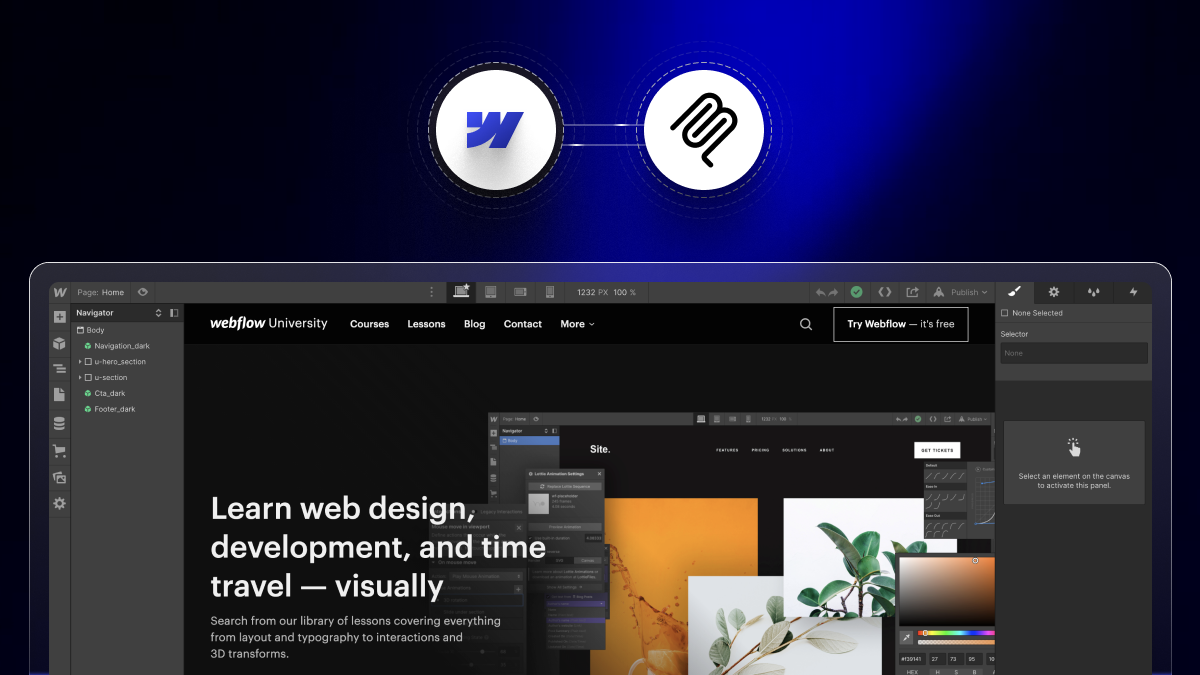
Webflow development works by building the site visually in Webflow’s Designer, which generates clean HTML, CSS, and JavaScript automatically, then publishing it to Webflow’s managed hosting. A typical build moves through clear phases:
- Design: the interface is designed in Figma or directly in Webflow, on-brand and conversion-focused.
- Build: the developer recreates the design in Webflow using structured, reusable components (often on the Client-First methodology) so the site stays consistent and editable.
- CMS setup: dynamic content (blog posts, case studies, products, and team members) is modeled into Webflow CMS collections your team can edit.
- Interactions & integrations: animations, forms, analytics, CRM, and third-party tools are added.
- QA, SEO & launch: the site is tested across devices, optimized for Core Web Vitals, given proper meta and schema, then published on Webflow hosting.
What Can You Build with Webflow Development?
You can build almost any content-driven or marketing website with Webflow development and, increasingly, light web apps. Common use cases include:
- Marketing and business websites: the most common use, where custom design and fast iteration matter.
- SaaS marketing sites: high-converting, frequently updated sites for software companies.
- E-commerce stores: product catalogs and checkout via Webflow Ecommerce.
- Blogs, resource hubs, and content sites: powered by the Webflow CMS.
- Portfolios and landing pages: fast, polished, on-brand pages.
- Programmatic SEO pages; hundreds or thousands of pages generated from structured CMS data.
Read More: what you can build with Webflow.
What are the Key Features of Webflow Development
Webflow development combines design, content, and hosting capabilities that normally require several separate tools:
- Visual development with clean code: a designer-friendly canvas that outputs semantic, standards-based HTML/CSS/JS.
- Responsive design: built-in breakpoint controls so layouts adapt across mobile, tablet, and desktop.
- Built-in CMS: structured content collections your marketing team can edit without a developer.
- Interactions and animations: A native motion engine for scroll effects, hovers, and transitions.
- Integrations and custom code: forms, webhooks, embeds, and connections to HubSpot, analytics, Make, Zapier, and custom APIs.
- Managed hosting: enterprise-grade hosting on a global CDN with SSL and automatic publishing, so there’s no separate server to manage.
- SEO controls: editable meta tags, clean URLs, sitemaps, and schema support.
Why Do Teams Choose Webflow for Development?
Teams choose Webflow development because it removes the engineering bottleneck from the marketing website while still delivering custom design. The concrete benefits:
- Speed to market: building visually in one platform is dramatically faster than a traditional design-to-code hand-off.
- Marketing independence: non-technical teams publish and edit pages without filing developer tickets.
- Clean, SEO-ready code: semantic output helps rankings and helps AI answer engines parse the site.
- Lower maintenance: Webflow handles hosting, security, and platform updates automatically.
- One accountable platform: design, CMS, and hosting in one place, with fewer moving parts to break.
Webflow Development vs. Traditional Web Development
Webflow development and traditional (custom-coded) development solve the same goal differently: Webflow builds the site visually with generated code, while traditional development hand-codes everything from scratch. The trade-off:
For most marketing and content websites, Webflow wins on speed and cost; genuinely complex applications with heavy backend logic still favor custom code. Full comparison: Webflow vs traditional web development.
Is Webflow Development Good for SEO and AI Search?
Yes, Webflow development is strong for both SEO and AI search (AEO/GEO) because it produces clean, semantic code and gives full control over technical SEO. You get editable meta tags, clean URLs, automatic sitemaps, schema markup, and fast Core Web Vitals out of the box the signals Google rewards. The same clean structure also makes your content easy for AI answer engines like ChatGPT, Perplexity, and Google AI Overviews to parse and cite. Getting cited is then about how you structure content, which is what Webflow AEO covers.
When Should You Hire a Webflow Developer or Agency?
You should hire a Webflow developer or agency when your website is a revenue-driving asset that needs professional design, a scalable CMS, a platform migration, or ongoing SEO work where quality and experience matter. A freelancer can handle small, simple builds, but for a high-converting marketing or SaaS site, a migration without losing rankings, or an enterprise-scale build, a specialist team is worth it. See how to think about it in what is a Webflow agency, or explore theCSS Agency’s Webflow development services.
FAQs
1. What is Webflow development in simple terms?
Webflow development is building a website on Webflow by designing it visually while the platform generates clean, production-ready code, with a built-in CMS and hosting included instead of hand-coding the site or using a rigid template builder.
2. Is Webflow development the same as no-code?
Webflow development is often called no-code because you build visually without writing code by hand, but it still produces real, semantic HTML, CSS, and JavaScript, and developers can add custom code when needed. It’s closer to “visual development” than pure no-code.
3. Do you need to know how to code for Webflow development?
No, you don’t need to hand-code to build in Webflow, but understanding HTML, CSS, and the box model produces far better, cleaner, more maintainable results, which is why professional Webflow developers still bring web-development fundamentals.
4. What can you build with Webflow development?
You can build marketing and business websites, SaaS marketing sites, e-commerce stores, blogs and content hubs, portfolios, landing pages, and programmatic SEO pages, most content-driven and marketing websites, plus lighter web apps.
5. What are the limits of Webflow development compared to custom code?
Webflow development handles marketing and content sites extremely well, but genuinely complex applications with heavy custom backend logic, very large product catalogs, or app-like functionality can require traditional development, though Webflow Cloud now extends what’s possible.
6. Is Webflow good for SEO?
Yes. Webflow produces clean, semantic code and gives control over meta tags, URLs, sitemaps, schema, and Core Web Vitals, all of which support strong SEO and make content easier for AI answer engines to cite.
7. How is a Webflow website hosted?
Webflow sites are hosted on Webflow’s managed, enterprise-grade hosting, a global CDN with SSL and automatic publishing, so there’s no separate server, hosting provider, or manual deployment to manage.
8. How much does Webflow development cost?
Webflow development cost depends on scope: a small marketing site is a few thousand dollars, while larger CMS-heavy or e-commerce builds cost more. Agencies quote per project after understanding page count, design, and integrations.