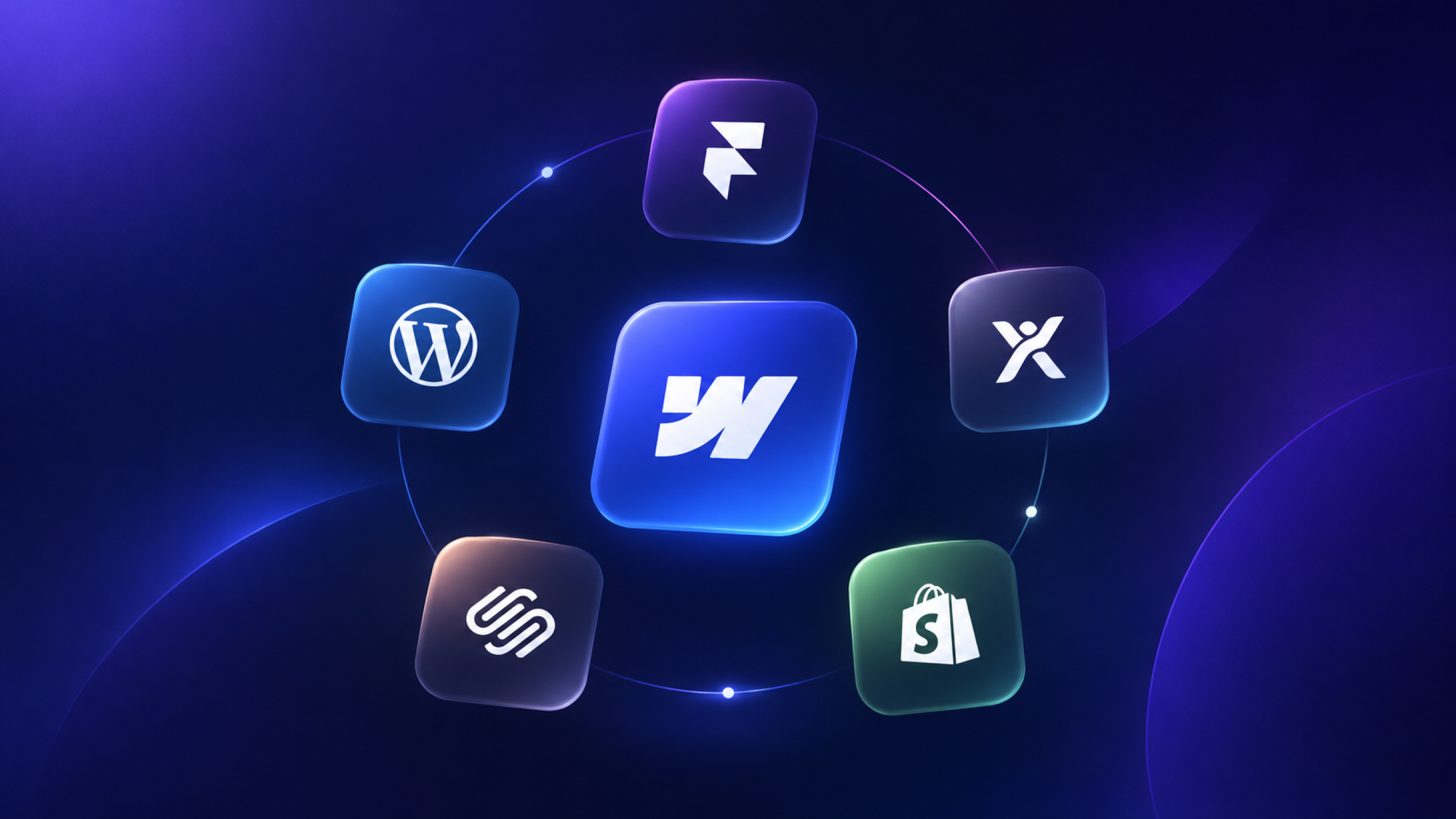
Webflow alternatives compared at a glance
Here is how the 10 best Webflow alternatives compare on price and fit. Prices were checked on each vendor's pricing page on November 5, 2026, and most reflect annual billing.
A note on Squarespace and Shopify prices: both pages showed us regional pricing rather than US prices. Forbes Advisor lists Squarespace at $25–$139/month and Shopify at $39–$2,300/month, so check each pricing page for your location.
What is Webflow?
Webflow is a visual web development platform that lets teams design, build, host and manage websites with a built-in CMS, without hand-writing most of the code. It is still popular. Webflow says it powers digital experiences for hundreds of thousands of organizations, and it remains a common choice for B2B and SaaS marketing sites.
People look for Webflow alternatives for six main reasons:
- Cost: plan pricing is per site, and add-ons such as Optimize, Analyze and Localize raise the total.
- Learning curve: Webflow's Designer assumes you understand how CSS and the box model work, which frustrates beginners.
- Code ownership: code export excludes CMS content, ecommerce and native form handling.
- App functionality: Webflow builds websites, not applications with user accounts and complex logic.
- Ecommerce depth: large stores usually need more than Webflow's ecommerce offers.
- Hosting control: Webflow-hosted sites stay on Webflow's infrastructure, which does not work for every compliance or IT policy.
There is also a newer concern. Webflow announced Source, a code-first platform, in September 2026, and some teams want to know what it means for the current product. Webflow says the existing platform isn't going anywhere, and that any later move to Source would be optional.
Which Webflow alternative is right for your reason for leaving?
The right Webflow alternative depends on the problem you are trying to fix. Start here, then read the details below.
What should you look for in a Webflow alternative?
A good Webflow alternative should fix your specific problem without removing what Webflow already does for you. Before you switch, compare each option on these seven things:
- CMS depth: Does it support multiple content types, references between them and enough items for your site?
- Design control: Can you build what your brand needs, or are you limited to template patterns?
- SEO control: Can you edit metadata, redirects, schema, sitemaps and canonical tags?
- Editing: Can your marketing team publish changes without breaking the layout?
- Total cost: What will it cost with all your seats, bandwidth, hosting and plugins?
- Performance and security: Are hosting, CDN, SSL and updates handled, or are they your job?
- Exit options: How easily can you export your content if you leave later?
We chose the 10 options below because they each solve at least one of those six reasons for leaving better than Webflow does. Note that we are a Webflow agency and a Webflow Premium Partner. We also recommend other platforms when they fit better, and we point out their advantages here.
The 10 Best Webflow Alternatives in 2026
1. Framer: Best for design-led marketing sites
Framer is the closest alternative to Webflow for design-led marketing sites, and the one most teams compare it with first. It feels like a design tool, so designers often get to a live page faster than they do in Webflow.
- Pricing: Free; Basic $10/month; Pro $30/month; Enterprise custom (yearly billing). Extra editors are $20/month.
- Plan limits to check: Basic includes 30 pages, 2 CMS collections, 1,000 CMS items and 50 GB of bandwidth. Pro includes 10 CMS collections and 100 GB, and adds site redirects and a staging environment.
- Best for: startups, landing pages and designers shipping smaller sites quickly.
- Where Webflow is stronger: complex CMS structures, granular styling control, and a larger agency and template ecosystem.
- Tradeoff to check: Basic looks cheaper than Webflow's Premium plan, but redirects sit on Framer Pro and extra editors add up. Compare the real cost for your team.
Read our full Webflow vs Framer comparison.
2. WordPress: Best for content-heavy sites and full ownership
WordPress is the best Webflow alternative for teams that want to own their code, host anywhere, and publish at a large scale. It is open source under the GPLv2 license, and Softr notes that it powers over 40% of websites.
- Pricing: the software is free. You pay for hosting, plus any premium themes and plugins.
- Best for: publishers, content-heavy sites, teams with developers, and sites that need a specific plugin.
- Where Webflow is stronger: no plugin or core updates to manage, built-in hosting, and design control without theme constraints.
- Tradeoff to check: the software is free, but maintenance is not. Plugin conflicts, security updates, and developer time are real costs.
Elementor, the popular WordPress page builder, is often raised as a Webflow competitor. It is a good choice if you are already on WordPress. See Webflow vs Elementor and Webflow vs WordPress.
3. Wix Studio: Best for agencies managing many client sites
Wix Studio is the best Webflow alternative for agencies running many client websites from one workspace. It combines a more flexible design editor than classic Wix with client management and built-in business tools.
- Pricing: standard Wix plans are Free, Light $17/month, Core $29/month, Business $39/month and Business Elite $159/month. Wix Studio has its own plans page, so check it for current agency pricing.
- Best for: agencies serving small businesses, and sites that need bookings, payments or events without extra tools.
- Where Webflow is stronger: clean front-end output, developer-grade control, and a stronger fit for B2B marketing sites.
- Tradeoff to check: moving a site off Wix later usually means rebuilding it.
Duda is worth comparing here too. Its plans start at $19/month for Basic and $29/month for Team with annual billing, and it is also built around agencies that sell websites at volume.
4. Squarespace: Best for simple sites and creators
Squarespace is the best Webflow alternative when you want a good-looking site quickly and do not need custom design. Hosting, templates and basic commerce are bundled together, so there is very little to set up.
- Pricing: Forbes Advisor lists plans at $25–$139/month. Squarespace offers a 14-day free trial and up to 36% off with annual payment.
- Best for: portfolios, restaurants, personal brands and small service businesses.
- Where Webflow is stronger: custom layouts, CMS structure, and interactions.
- Tradeoff to check: you are working within its templates and sections. You can add CSS and JavaScript on the Core plan and above, but you will not get Webflow's level of control.
Read More: Webflow vs Squarespace if this is your shortlist.
5. Webstudio: Best for self-hosting and composable stacks
Webstudio is the best Webflow alternative if you like the visual, CSS-based approach but want to self-host and bring your own CMS. Its builder feels familiar to Webflow users.
- Pricing: Free; Pro $15/month and Team $35/month (billed yearly). Pro includes 100,000 page views per month, with extra page views at $20 per 100,000. A self-host option is available.
- Best for: developers and technical agencies, and teams that already use a headless CMS.
- Where Webflow is stronger: a built-in CMS, a larger ecosystem, and an easier editing experience for marketers.
- Tradeoff to check: Ceros notes that its value rests on the open-source model and infrastructure flexibility rather than ease of use for non-technical teams. You also need a separate CMS for structured content.
6. Bubble: Best for web apps and SaaS products
Bubble is the right Webflow alternative when you are building a software product rather than a website. It handles user accounts, databases, workflows and permissions, which Webflow is not built to do.
- Pricing: Free; Starter $32/month; Growth $119/month; Team $349/month for web apps; Enterprise custom.
- Best for: MVPs, internal tools, marketplaces and SaaS products.
- Where Webflow is stronger: marketing pages, SEO, content, and page speed.
- Tradeoff to check: many SaaS teams use both, with Webflow for the marketing site and Bubble for the app. Our Webflow vs Bubble comparison and Bubble alternatives cover the decision.
7. Shopify: Best for ecommerce
Shopify is the best Webflow alternative for businesses whose website mainly exists to sell products. Inventory, checkout, shipping, taxes and its app marketplace are all more mature than Webflow's ecommerce.
- Pricing: Forbes Advisor lists plans at $39–$2,300/month. Check Shopify's pricing page for your region.
- Best for: online stores with many products, variants or sales channels.
- Where Webflow is stronger: custom-designed marketing pages and content-led storytelling.
- Tradeoff to check: some brands use Webflow for the marketing site and Shopify for the store. See Webflow vs Shopify and whether Webflow is right for your store.
8. HubSpot Content Hub: Best for teams already on HubSpot
HubSpot Content Hub is the best Webflow alternative for marketing teams already running their CRM, email and reporting in HubSpot. Pages, forms and contact data live in one system.
- Pricing: Free; Starter from $7/month per seat (discounted for new customers); Professional from $450/month; Enterprise from $1,500/month.
- Best for: B2B teams that want personalization and reporting tied directly to CRM data.
- Where Webflow is stronger: design freedom and lower platform cost. HubSpot's custom layouts usually need a developer who knows its HubL templating language.
- Tradeoff to check: you do not have to choose. Webflow on the front end with HubSpot behind it is a very common setup, and connecting Webflow forms to HubSpot is straightforward.
9. Ghost: Best for publishers and newsletters
Ghost is the best Webflow alternative when your content is your business. It focuses on publishing, email newsletters and paid memberships, and it has an open-source version you can host yourself.
- Pricing: Ghost(Pro) Starter $15/month, Publisher $29/month and Business $199/month with yearly billing. Prices rise with your audience size.
- Best for: journalists, media brands and creators.
- Where Webflow is stronger: custom marketing pages and design control.
- Tradeoff to check: Ghost can feel limited for a business site with many landing pages or product pages.
10. Custom code with AI tools: Best for teams with developers
Custom code built with a modern framework is the most flexible Webflow alternative, and AI coding tools have made it far more accessible. Typeflo's list and several others now include AI coding tools as a real alternative. Developers can use tools such as Claude Code or Cursor, while Lovable can generate full sites from prompts.
- Pricing: varies by tool, hosting and developer time.
- Best for: teams with developers on staff, or products with custom needs that no platform can meet.
- Where Webflow is stronger: marketers can edit without developers, and hosting, security and CMS are already handled.
- Tradeoff to check: generating a site is the quick part. You now own the code, the CMS decisions, the security and the updates, and marketers may be back to filing developer tickets for small changes.
What do you lose if you leave Webflow?
Leaving Webflow means replacing several things that are currently handled for you. Check each of these before you commit:
- The visual editing workflow: your designers and marketers may need to learn a new tool.
- Managed hosting and security: on WordPress or custom code, updates, backups and SSL become someone's job.
- Your Webflow CMS structure: Collections, references and templates have to be rebuilt on the new platform.
- Interactions: Webflow animations do not transfer, so they need to be rebuilt.
- Native add-ons: Optimize, Analyze and Localize would need replacing.
- Your search rankings, if the move goes badly: this is the most expensive risk on the list.
Can you export your site from Webflow?
Yes, you can export your site's front-end code from Webflow on a paid Workspace plan, as a ZIP of HTML, CSS, JavaScript and assets. The export does not include CMS content, ecommerce or native form handling. CMS Collections can be exported separately as CSV.
Read More: how to export code from Webflow
How do you move away from Webflow without losing SEO?
To leave Webflow without losing SEO, keep the same URLs where you can and add a 301 redirect for each URL that changes. Then carry over your page titles, descriptions, schema and internal links, and check them after launch in Google Search Console. Our free 301 redirect generator can help you build the redirect list for a Webflow move. Redesigning without losing SEO covers the same checks in more depth.
When should you stay on Webflow instead?
You should probably stay on Webflow if your frustration is really about a specific plan, a build or a skills gap rather than the platform itself. Check these first:
- The price problem may be a plan problem. Webflow's Basic plan is $15/month and Premium, which includes the CMS, is $25/month with yearly billing. Older posts still quote CMS and Business plans that Webflow has replaced. See our Webflow pricing guide.
- The "hard to use" problem may be a build problem. A site built without a clean class system, components and well-named CMS fields is hard to edit on any platform. Fixing the build costs less than a replatform.
- The "too slow" problem may be an image or script problem. Heavy images and third-party scripts slow sites on every platform. See improving Webflow site speed.
- The "missing feature" problem may be an integration problem. Forms, memberships, booking and search are often solved with apps and integrations.
You should leave Webflow if you are building an application, need to self-host for compliance, have a large product catalog, or your team has no interest in learning a visual development tool. A platform that fits is better than one that a partner happens to prefer.
If you decide to stay but need help, hiring a specialist Webflow agency may solve more than a move would. If you are coming the other way, we also have guides for moving from WordPress, Wix, Squarespace and Framer to Webflow.
FAQs
1. What is the best alternative to Webflow?
Framer is the best overall alternative to Webflow for design-led marketing sites. WordPress is better for content-heavy sites and full code ownership, Wix Studio for agencies with many client sites, Bubble for web apps, and Shopify for online stores.
2. What is the best free Webflow alternative?
WordPress is the best free Webflow alternative because the software is open source, though you still pay for hosting. Webstudio, Framer and Wix also have free plans, but those are limited for a real business site. Check domain, bandwidth and CMS limits before relying on one.
3. Is there an open-source alternative to Webflow?
Yes, WordPress and Webstudio are the main open-source alternatives to Webflow. WordPress is licensed under the GPLv2, and Webstudio offers a self-host option that keeps its visual, CSS-based approach. Ghost is also open source, and it focuses on publishing.
4. Is Framer better than Webflow?
Framer is better than Webflow for fast, design-led sites and for teams that think like designers. Webflow is better for complex CMS structures, larger sites and teams that need deeper control and a larger partner ecosystem.
5. Should I migrate from Webflow to another platform?
You should migrate only if Webflow cannot do something you need, such as run an application, support a large store or allow self-hosting. If the issue is cost, usability or speed, check your plan and your build first, because those are cheaper to fix than a full move.