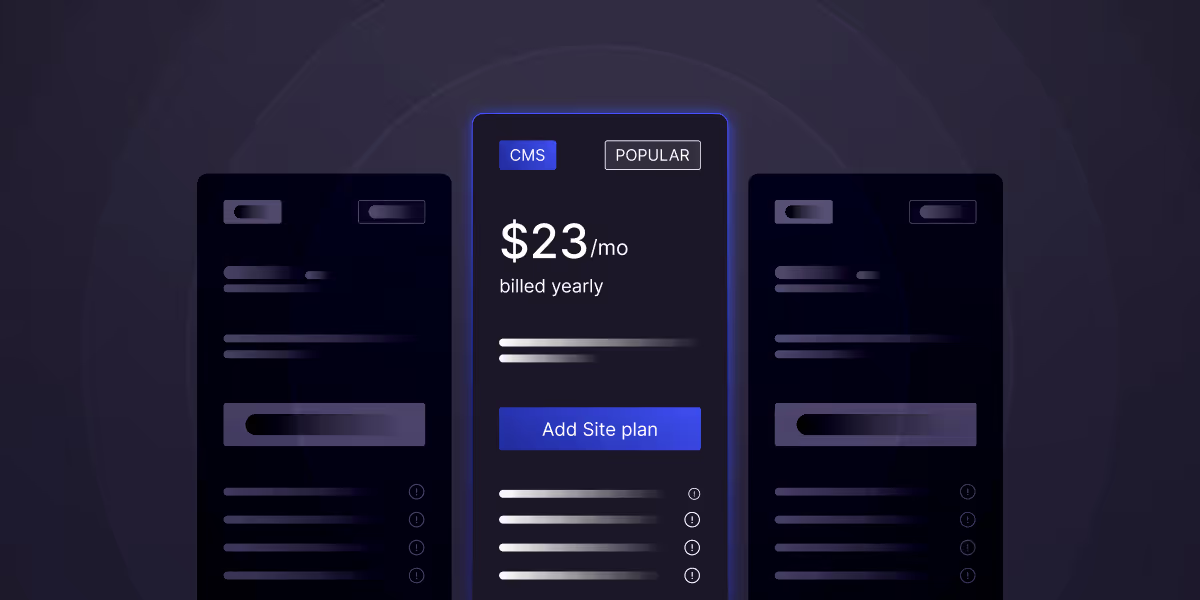
- Webflow pricing is split into Site Plans and Workspace Plans, and choosing the right one depends on whether you’re managing a single site or multiple projects.
- Basic and CMS plans are ideal for small websites and blogs, while Business and Enterprise plans are designed for high-traffic, scalable websites.
- Webflow pricing favors performance and simplicity, especially for marketing teams that want speed, reliability, and less technical maintenance.
- Choosing the right Webflow plan depends on traffic, CMS needs, ecommerce goals, and team size not just monthly cost.
Table of content
Key takeaways
Webflow restructured its pricing on May 13, 2026 the biggest change in the platform's pricing model in years. The old CMS and Business Site plans were merged into a single new Premium tier. A new Team plan was introduced between self-serve and Enterprise. Workspace plans were simplified from five tiers to three. AI credits were added across every plan.
This guide breaks down the new pricing in full what each plan now includes, what changed for existing customers, when the new pricing takes effect, and what a real Webflow project costs end-to-end including design and build.
From the free Starter plan to Webflow Enterprise solutions, we'll explore real-world use cases, cost-benefit analysis, and money-saving strategies that have helped thousands of users optimise their Webflow pricing while maximizing platform capabilities. By the end of this guide, you'll have complete clarity on Webflow's pricing structure and confidence in choosing the perfect plan for your goals.
What Changed in New Webflow Pricing 2026
The featured-snippet magnet. Cover:
- CMS + Business plans → Premium (consolidation): $25/mo yearly or $39/mo monthly, includes 20,000 CMS items and 40 Collections by default (no more CMS item add-ons), 2.5 TB bandwidth, code components, site search, form file upload.
- New Team plan: $2,500/mo annual contract — fills the gap between self-serve and Enterprise. Includes 1 site with 100 CMS Collections, 10 seats, Localization, AEO agents, page branching, single-page publishing, advanced publishing, foundational governance, enhanced security & compliance, priority support.
- Workspace simplification: Free Starter / Core $19 (was $24) / Growth $49 (was $35) — Freelancer ($24) and Agency tiers removed. Existing Freelancer/Agency customers migrate at renewal.
- AI Credits: every Workspace plan now includes AI credits (200 / 300 / 400 for Starter / Core / Growth). Enforcement begins June 29, 2026.
- Ecommerce Advanced: $235 → $212/mo (yearly). Standard ($29, 2% fee, 500 items) and Plus ($74, 0% fee, 5,000 items) unchanged on price.
- Migration timeline: new customers on new pricing immediately. Existing site owners stay on current plan until next renewal or any billable change after June 29, 2026 - and can switch to yearly billing before then to lock in current pricing for another year.
Webflow's Pricing Structure
Two Main Pricing Categories
Webflow pricing is divided into two distinct categories designed for different user types and project requirements:
Site Plans (Individual Website Focus):
- Designed for single website projects.
- Includes hosting, custom domains, and site-specific features.
- Perfect for businesses, portfolios, and e-commerce stores.
- Pricing is based on individual website needs and traffic.
Workspace Plans (Team and Agency Focus):
- Designed for teams managing multiple projects.
- Includes collaboration tools and project management features.
- Ideal for agencies, design teams, and enterprise organizations.
- Pricing is based on team size and number of unhosted projects.
Pre-Webflow Site Plans: Detailed Breakdown
Webflow Starter Plan (Free)
Cost: $0/month
What's Included in Starter Plan
- 2 unhosted projects for design and development.
- 50 CMS items across all collections.
- Webflow subdomain (yoursite.webflow.io).
- Full design capabilities without restrictions.
- Community support through forums and documentation.
Ideal For:
- I'm learning Webflow and experimenting with features.
- Prototyping projects before committing to paid plans.
- Personal projects that don't require custom domains.
- Students and educators building educational websites.
Limitations:
- No custom domain connection.
- Webflow branding on the site.
- Limited to 50 CMS items total.
- No form submissions.
- No e-commerce functionality.
Basic Plan
Cost: $18/month (annual) or $22/month (monthly)
What's Included:
- Custom domain connection for professional branding.
- 100 monthly form submissions for lead generation.
- 500 monthly visits suitable for small websites.
- 10GB bandwidth for content delivery.
- Webflow branding removed from your site.
Perfect For:
- Small business websites with light traffic.
- Personal portfolios needing professional domains.
- Landing pages for marketing campaigns.
- Simple brochure sites without CMS needs.
Key Considerations:
- Limited traffic capacity for growing businesses.
- No CMS functionality for dynamic content.
- Basic form submission limits.
- Suitable for static websites only.
Webflow CMS Plan
Cost: $29/month (annual) or $35/month (monthly)
What's Included:
- 2,000 CMS items for dynamic content creation.
- 1,000 monthly form submissions for lead capture.
- 10,000 monthly visits supporting moderate traffic.
- 100GB bandwidth for content-heavy sites.
- Full CMS functionality, including collections and templates.
Ideal Applications:
- Business blogs with regular content publishing.
- Portfolio sites with project galleries and case studies.
- Service websites with team pages and testimonials.
- Content marketing platforms requiring regular updates.
Advanced Features:
- Multi-reference fields for complex content relationships.
- Conditional visibility for personalized content.
- Site search functionality for content discovery.
- Editor permissions for team content management.
Webflow Business Plan
Cost: $49/month (annual) or $58/month (monthly)
What's Included:
- 10,000 CMS items for large content libraries.
- 2,500 monthly form submissions for high-volume lead generation.
- 100,000 monthly visits supporting substantial traffic.
- 500GB bandwidth for media-rich websites.
- Advanced integrations and API access.
Best For:
- Growing businesses with increasing traffic demands.
- Content-heavy websites like news sites or resource hubs.
- Marketing agencies managing client content.
- Membership sites requiring extensive user-generated content.
Premium Features:
- Password protection for members-only content.
- Advanced SEO controls including meta tags and redirects.
- White-label client access for agency work.
- Priority support with faster response times.
Webflow Enterprise Plan
Cost: Custom pricing (typically $200+/month)
What's Included:
- Unlimited CMS content for enterprise-scale websites.
- Unlimited form submissions for high-volume operations.
- 1,000,000+ monthly visits for high-traffic sites.
- Dedicated support with account management.
- Advanced security features and compliance options.
Enterprise Features:
- Custom integrations with enterprise software.
- Advanced user roles and permission management.
- Single Sign-On (SSO) integration.
- Custom SLA agreements for uptime and support.
- Dedicated hosting infrastructure for optimal performance.
Webflow Standard E-commerce Plan
Cost: $42/month (annual) or $50/month (monthly)
Core Features:
- 500 items in your product catalog.
- 2% transaction fee on all sales.
- 50,000 annual e-commerce visits.
- Abandoned cart recovery for recovering lost sales.
- Discount codes and promotional tools.
Included Capabilities:
- Stripe and PayPal integration for payments.
- Tax calculations for different regions.
- Inventory management with stock tracking.
- Order management dashboard for fulfillment.
- Customer accounts with order history.
Perfect For:
- Small online stores launching their first e-commerce site.
- Service businesses selling digital products.
- Creators monetizing content and courses.
- Local businesses with limited product catalogs.
Webflow Advanced E-commerce Plan
Cost: $235/month (annual) or $280/month (monthly)
Premium Features:
- 3,000 product items for extensive catalogs.
- 0% transaction fees maximizing profit margins.
- 500,000 annual e-commerce visits.
- Advanced maximizeautomation for marketing and operations.
- Custom checkout experience and branding.
Enterprise-Level Capabilities:
- Advanced user roles for team management.
- API access for custom integrations.
- Advanced analytics and reporting dashboards.
- Custom fields for specialized product attributes.
- Advanced SEO controls for product pages.
Best For:
- Large e-commerce operations with extensive product lines.
- Enterprise businesses requiring advanced features.
- Agencies managing multiple e-commerce clients.
- Businesses with complex operational requirements.
Webflow Site Plans (post-May 2026): Full Breakdown
Webflow no longer sells separate CMS and Business Site plans Premium is the single CMS-enabled self-serve tier.
Pre - Webflow Workspace Plans for Teams and Agencies
Core Workspace Plan
Cost: $28/month per seat (annual) or $35/month per seat (monthly)
Team Features:
- Unlimited un-hosted projects for client work.
- 3 editors for content management across projects.
- Basic team collaboration tools and permissions.
- Client billing capabilities for agency work.
- Asset libraries for consistent branding across projects.
Collaboration Tools:
- Design handoff features for developer collaboration.
- Version control and project history tracking.
- Team templates and component libraries.
- Basic project management and task assignment.
- Client preview link for your feedback and approval.
Growth Workspace Plan
Cost: $60/month per seat (annual) or $70/month per seat (monthly)
Enhanced Capabilities:
- Everything in Core plus advanced features.
- 10 editors for larger content teams.
- Advanced user role and permissions management.
- White-label client portals for professional delivery.
- Advanced analytics across all projects.
Agency-Focused Features:
- Client billing with automated invoicing.
- Advanced asset management with team libraries.
- Priority support with dedicated account management.
- Advanced security features and compliance tools.
- Custom training and onboarding sessions.
Enterprise Workspace
Cost: Custom pricing (typically $100+/month per seat)
Enterprise Features:
- Unlimited everything across all workspace features.
- Advanced security with SSO and enterprise controls.
- Dedicated account management and support.
- Custom integrations with enterprise software.
- Advanced analytics and reporting capabilities.
Compliance and Security:
- GDPR and SOC2 compliance support.
- Advanced user management with enterprise directories.
- Custom security policies and access controls.
- Audit logs and compliance reporting.
- Dedicated infrastructure for optimal performance.
Webflow Workspace Plans (post-May 2026):
Team and Enterprise Plans
- Team - $2,500/mo (annual contract): 1 site with 100 CMS Collections, 10 seats, Localization, AEO agents (Soon), page branching, single-page publishing, advanced publishing, foundational governance, enhanced security & compliance, priority support.
- Enterprise - custom pricing: everything in Team plus granular permissions, advanced governance, secure integrations, dedicated Webflow team, enhanced SLAs.
Choosing the Right Webflow Plan
Traffic and Growth Projections:
Startup/Small Business (0-1,000 monthly visits):
- Basic Plan sufficient for simple brochure sites
- CMS Plan if you need blog or dynamic content
- Consider growth trajectory over next 12 months
- Budget for domain and basic integrations
Growing Business (1,000-10,000 monthly visits):
- CMS Plan for content marketing and regular updates
- Business Plan if approaching traffic limits or need advanced features
- Plan for email marketing and analytics tool integration
- Consider e-commerce needs if selling products
Established Business (10,000+ monthly visits):
- Business Plan minimum for traffic capacity
- Enterprise considerations for advanced security and support
- Budget for premium integrations and advanced functionality
- Plan for team collaboration and workspace needs
Content and Functionality Requirements
Static Website Needs:
- Basic Plan adequate for simple informational sites
- Custom domain essential for professional credibility
- SSL certificate included with all paid plans
- Basic SEO tools sufficient for small local businesses
Dynamic Content Requirements:
- CMS Plan minimum for blogs, news, or regular updates
- Consider CMS item limits based on content volume
- Plan for content team access and editing permissions
- Budget for content creation tools and resources
E-commerce Functionality:
- Standard E-commerce for small product catalogs
- Plus E-commerce when transaction fees exceed monthly cost difference
- Advanced E-commerce for complex operations and high volume
- Factor in payment processing and additional service costs
Team and Collaboration Needs
Solo Entrepreneurs and Freelancers:
- Site Plans generally sufficient for individual projects.
- Consider Workspace Plans when managing multiple client sites.
- Budget for client communication and project management tools.
- Plan for scalability as business grows.
Small Teams (2-5 people):
- Core Workspace Plan for basic collaboration.
- Consider site plan combinations for specific project needs.
- Budget for training and team onboarding.
- Plan for client management and billing systems.
Agencies and Large Teams (5+ people):
- Growth or Enterprise Workspace for advanced features.
- Budget for comprehensive training and certification.
- Plan for client white-labeling and professional delivery.
- Consider dedicated account management and support.
Cost Optimization Strategies
Annual vs Monthly Billing Benefits
Annual Billing Advantages:
- 15-20% savings on all paid plans.
- Predictable budgeting for business planning.
- Avoid price increases during contract period.
- Priority support consideration for annual customers.
Monthly Billing Flexibility:
- Lower initial commitment for testing and validation.
- Easier plan changes without large upfront costs.
- Better for seasonal businesses with variable needs.
- Suitable for short-term projects and experiments.
Right-Sizing Your Plan Selection
Start Conservative Strategy:
- Begin with lower-tier plans and upgrade as needed.
- Monitor usage metrics closely in first few months.
- Upgrade proactively before hitting limits.
- Document growth patterns for better planning.
Plan Optimization Techniques:
- Regularly review CMS item usage and clean unused content.
- Optimize images and media files to reduce bandwidth usage.
- Monitor form submissions and implement spam filtering.
- Use integrations wisely to avoid redundant tool costs.
Leveraging Free Resources and Tools
Webflow University and Community:
- Comprehensive tutorials reducing need for training costs.
- Community templates saving design and development time.
- Expert advice through forums and community groups.
- Regular webinars and training sessions.
Built-in Features Maximization:
- Use native SEO tools instead of premium plugins.
- Leverage built-in analytics before adding third-party tools.
- Utilize form capabilities for basic lead generation.
- Maximize CMS features for content organization.
Webflow vs Competitors: Pricing Comparison
1. Webflow vs WordPress
Total Cost of Ownership:
WordPress Typical Costs:
- Hosting: $5-$50/month depending on provider and performance needs.
- Premium themes: $50-$200 one-time cost.
- Essential plugins: $100-$500/year for premium functionality.
- Maintenance and updates: $50-$200/month for managed services
- Security and backups: $10-$50/month for reliable protection.
Webflow Advantages:
- All-in-one solution eliminating multiple vendor relationships.
- No maintenance required with automatic updates and security.
- Visual editing reducing development time and costs.
- Built-in hosting with global CDN and SSL certificates.
- No plugin conflicts or compatibility issues.
2. Webflow vs Squarespace
Feature and Cost Comparison:
Squarespace Pricing:
- Personal Plan: $12/month for basic websites.
- Business Plan: $18/month for professional features.
- Basic Commerce: $26/month for e-commerce functionality.
- Advanced Commerce: $40/month for advanced e-commerce features.
Webflow Competitive Advantages:
- Superior design flexibility and customization options.
- Professional code output for better performance and SEO.
- Advanced CMS capabilities for complex content structures.
- Better scalability for growing businesses and high traffic.
- More powerful e-commerce features and customization.
Read More: Webflow vs Squarespace
3. Webflow vs Wix
Value Proposition Analysis:
Wix Typical Costs:
- Combo Plan: $14/month for basic professional sites.
- Unlimited Plan: $18/month for enhanced features.
- Pro Plan: $23/month for professional needs.
- VIP Plan: $39/month for priority support.
Webflow Superior Value:
- No template restrictions allowing complete design freedom.
- Better performance with cleaner code and faster loading.
- Professional hosting infrastructure with global CDN.
- Advanced SEO capabilities for better search rankings.
- Scalable architecture supporting business growth.
Read More: Webflow vs Wix
Advanced Cost Considerations
Enterprise-Level Budgeting
Comprehensive Cost Planning:
Direct Platform Costs:
- Base subscription fees for chosen plans.
- User seat costs for workspace plans.
- Overage fees for exceeded limits.
- Additional feature costs for specialized functionality.
Implementation and Setup Costs:
- Initial design and development: $5,000-$50,000+ depending on complexity.
- Content migration: $1,000-$10,000 for existing site transitions.
- Training and onboarding: $500-$5,000 for team education.
- Integration setup: $1,000-$20,000 for complex third-party connections.
Ongoing Operational Costs:
- Content creation: $1,000-$10,000/month for regular updates.
- Maintenance and optimization: $500-$2,500/month for ongoing improvements.
- Marketing integrations: $200-$2,000/month for tools and services.
- Support and training: $200-$1,000/month for continued education.
ROI Calculation Framework
Measuring Webflow Investment Returns:
Direct Cost Savings:
- Reduced development time compared to custom coding.
- Lower maintenance costs versus WordPress or custom solutions.
- Eliminated hosting management and security concerns.
- Reduced need for technical staff or external developers.
Business Impact Metrics:
- Faster time-to-market for new websites and updates.
- Improved conversion rates through better design and performance.
- Enhanced SEO performance driving organic traffic growth.
- Better user experience increasing engagement and retention.
Long-term Value Creation:
- Scalable platform growing with your business needs.
- Future-proof technology with regular updates and improvements.
- Enhanced team productivity through visual development tools.
- Competitive advantage through superior web presence.
Conclusion: Making Your Webflow Investment Decision
Understanding Webflow pricing requires looking beyond monthly fees to consider your complete digital strategy, growth projections, and total cost of ownership. The platform's value lies not just in its competitive pricing but in its ability to deliver professional results without the complexity, maintenance overhead, and hidden costs associated with traditional website development approaches.
Ready to choose the perfect Webflow plan for your project? At theCSS Agency, we're Webflow Premium Partners with 17+ years of experience helping businesses optimize their Webflow investments. Our team provides comprehensive plan analysis, cost optimization strategies, and implementation support to ensure you get maximum value from your Webflow investment.
Book your free Webflow consultation today and discover how to choose the right plan, avoid hidden costs, and implement a scalable solution that grows with your business. With our proven expertise and no long-term contracts, we'll help you navigate Webflow pricing with confidence and achieve your digital goals efficiently.
Last updated on:
May 21, 2026

Sanket vaghani

Sanket Vaghani has 8+ years of experience building designs and websites. He is passionate about building user centric designs and Webflow. He build amazing Webflow websites and designs for brands.
Related Article
.jpg)
Webflow
Design
How to Write a Website Redesign RFP 2026
Website redesign RFP is a written brief that invites agencies to propose how they’d redesign your site, on what timeline, and at what cost.
September 18, 2026
Webflow
Marketing
12 Best SaaS Website Design Agencies in 2026
The best SaaS website design agencies in 2026 include theCSS Agency for Webflow-based SaaS sites, Veza Digital and Amply for B2B SaaS on Webflow.
September 17, 2026
.jpg)
Webflow
Design
Figma Make vs Webflow: Which Should You Use in 2026? (Honest Comparison)
Figma Make is an AI tool inside Figma that turns natural-language prompts into interactive prototypes and small web apps. Webflow is a production website platform for designing, building, and hosting real marketing sites with a CMS.
September 15, 2026
Let's Work Together
Partner with a Webflow Agency for your Webflow website.
Quick Turnaround. No Contracts. Cancel Anytime. Book a 30 minutes consulting call with our expert.