
The Two Cost Layers of a Webflow Website
- Build cost: what you pay a Webflow agency or freelancer (or your own time) to design and develop the site. This is the big variable and where most of the confusion lives.
- Running cost: Webflow’s subscription (hosting) plus ongoing maintenance. This is predictable and recurring.
Most “how much does a Webflow website cost” confusion comes from mixing these up comparing an agency’s build quote to Webflow’s $23/month plan as if they were the same thing. They’re not. This guide covers both and links to our dedicated Webflow subscription pricing breakdown.
Webflow Agency Pricing at a Glance
theCSS Agency’s 2026 Pricing by site size:
Ongoing Plan:
Market ranges show where larger US/EU agencies sit; theCSS Agency delivers comparable quality at a lower rate.
Freelancer vs Agency Rates
- Freelancer: ~$50–$150+/hour, or roughly $1,000–$8,000 for a small-to-mid project, depending on experience. Lower upfront, but you’re buying one person’s capacity and availability.
- Agency: a higher total, but you get a full team (design, development, SEO, project management), faster parallel delivery, QA, and continuity if someone is unavailable.
See the full trade-off: Webflow Agency vs Freelancer
Project vs Retainer: Which Pricing Model?
A project model is a fixed price for a defined build, best when you have a clear, one-time scope. A retainer is a recurring monthly fee for ongoing design, development, and maintenance, best when your site changes often or you want a long-term partner. Many companies do a project build first, then move to a retainer for growth and upkeep once the site is live.
What Determines the Cost of a Webflow Website?
Six factors drive the build cost:
- Page count & scope: more unique page templates means more design and build time. Ten variations of one template cost far less than ten distinct layouts.
- Design complexity: custom illustration, 3D, and advanced interactions cost more than a clean, component-based build.
- CMS structure: blogs, case studies, careers, and dynamic collections all add setup and logic.
- Integrations: HubSpot, payment, membership, or custom API work adds development time.
- SEO / AEO scope: technical SEO, schema, and AI-citation optimization add value and some cost, but usually pay for themselves in traffic.
- Migration: moving platforms without losing rankings is specialized work (redirect mapping, meta preservation, verification).
Webflow’s Own Subscription Cost (running cost)
Separate from the build, Webflow charges for hosting. In brief (2026):
- Basic site plan: ~$14/mo - simple sites, no CMS.
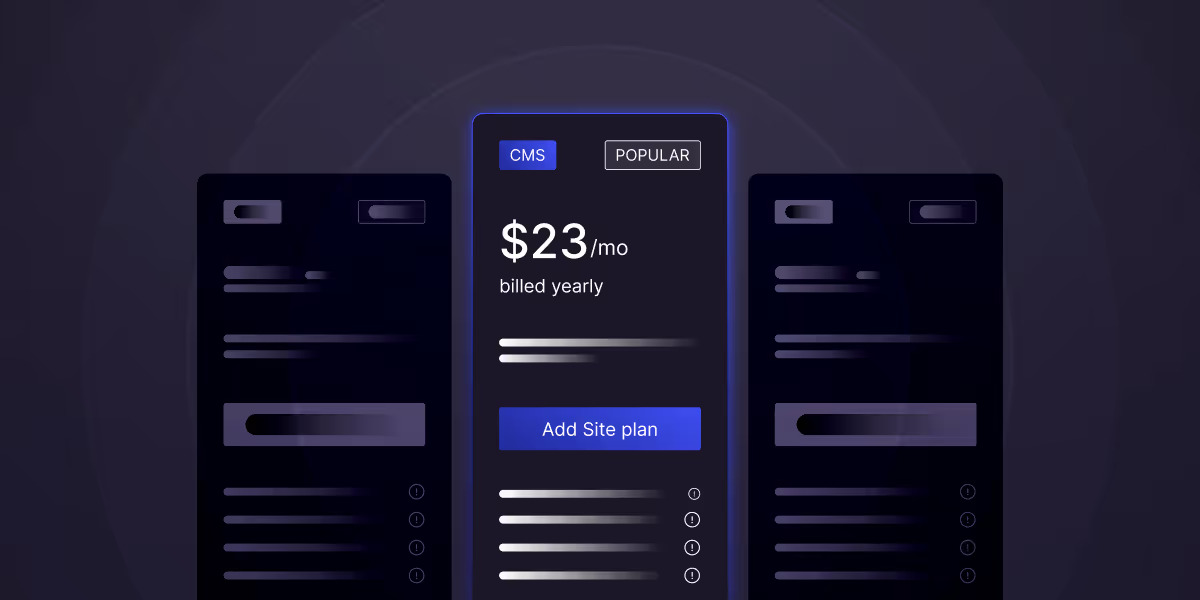
- CMS site plan: ~$23/mo - blogs and dynamic content.
- Business site plan: ~$39/mo - higher traffic and content volume.
- Enterprise / e-commerce: custom / higher, based on scale.
- Workspace (for agencies/teams): an additional per-seat cost for collaborators.
Full detail: Webflow Pricing 2026.
Hidden and Ongoing Costs to Budget for Site
- Maintenance: updates, backups, and small changes (retainer or hourly). See Webflow maintenance.
- Add-ons: Webflow Optimize (A/B testing), Analyze, and Localization all carry separate fees.
- Plan overages: CMS item, bandwidth, and form-submission limits can trigger upgrades as you grow.
- Premium templates or plugins, if used.
- Content & copywriting, if it isn’t included in the build scope.
How to Budget for a Webflow Project
- Separate build cost from running cost so you’re comparing quotes fairly.
- Define must-haves vs nice-to-haves before requesting quotes.
- Ask for a fixed scope so agencies quote like-for-like.
- Budget for post-launch - retainer or internal capacity for updates.
To compare providers and rates, see our best Webflow agencies, or get a fixed quote from theCSS Agency as Webflow development agency.
How to Save Money on a Webflow Website
- Choose annual billing on Webflow (saves roughly 20% vs monthly).
- Start with a focused scope and expand in phase two.
- Reuse a strong template or component library for simple, repeatable pages.
- Have your content ready so the agency isn’t billing for copywriting.
- Consolidate vendors: one agency for design + dev + SEO is usually cheaper than three.
How to Get an Accurate Webflow Quote
Vague briefs get padded quotes. To get an accurate, comparable price from a Webflow agency, give them: the number and type of pages, your must-have integrations, whether it’s a new build or a migration, your content readiness, and your target launch date. The more precise your brief, the tighter the quote and the easier it is to compare agencies fairly. Ask each for a fixed scope so you’re not comparing an all-in price against an hourly estimate.
What’s Included in an Agency Price?
A Webflow agency’s build price typically includes discovery and strategy, custom design, development, a set number of revisions, basic technical SEO, QA, and launch. What often costs extra: copywriting, custom illustration or photography, advanced integrations, ongoing maintenance, and paid third-party tools. Always get the scope in writing so you know exactly where the line sits. This is where “cheap” quotes often hide gaps that become change orders later.
Webflow Cost vs Other Platforms
Compared with a custom-coded site, Webflow is usually cheaper to build and far cheaper to maintain, because your team can update content without a developer. Compared with WordPress, the upfront build cost is similar, but Webflow typically wins on total cost of ownership: no plugin licensing, less security patching, and lower ongoing developer dependency. Compared with template builders like Wix or Squarespace, Webflow costs more but delivers a faster, more customizable, and more SEO-capable experience.
Read More: Webflow vs traditional web development.
Is a Webflow Website Worth the Cost?
A Webflow website is worth the cost when it drives revenue. A professional build is faster, better structured for SEO and AI, and easier for your team to maintain than a DIY site, which usually costs more in the long run through lost conversions, slow load times, and rework. The right way to judge cost isn’t the invoice; it’s the return: a site that converts even a few percent better pays back its build many times over.
FAQs
1. How much does a Webflow website cost?
A Webflow website costs roughly $1,500 for a small (7-page) site up to $6,000+ for a ~20-page site to build with an agency like theCSS Agency, plus Webflow’s own subscription of roughly $14–$39/month for most business sites in 2026.
2. How much does it cost to hire a Webflow agency?
Hiring a Webflow agency to build a site typically ranges from about $1,500 (small site) to $6,000+ (~20 pages), with enterprise builds quoted custom; ongoing maintenance starts around $600/month, or $3,500/month for a dedicated developer.
3. Is Webflow cheaper than hiring a WordPress developer?
Webflow is often cheaper over time because it needs less ongoing maintenance and lets marketers update the site without a developer, even when the initial build cost is similar to WordPress.
4. Why are Webflow agencies expensive?
Webflow agency pricing reflects a full team of designers, developers, and SEO specialists, plus custom design, technical SEO, and ongoing support, which produce a higher-quality, more maintainable site than DIY or template builds.
5. What’s the difference between Webflow’s pricing and an agency’s pricing?
Webflow’s pricing is the monthly subscription for hosting your site ($14–$39+/mo), while an agency’s pricing is the one-time or retainer fee to design and build it (from about $1,500).
6. How much does Webflow website maintenance cost?
Webflow maintenance typically starts around $600/month or $40/hour for support, with a dedicated developer retainer around $3,500/month, depending on how often your site changes.

.jpg)