
Webflow issues a free SSL certificate automatically when you connect a custom domain and point your DNS at Webflow. It uses Let's Encrypt and Google Trust Services, and it renews on its own. You do not buy or install anything. SSL failures are almost always caused by DNS pointing somewhere else, CAA records blocking the certificate authority, or Cloudflare proxying in Full (Strict) mode before the certificate exists.
How Webflow SSL Works
Webflow provisions and manages the certificate for you. There is nothing to purchase, upload, or renew manually on standard plans.
Three things follow from that.
You do not control the certificate authority. Webflow issues through Let's Encrypt and Google Trust Services. This matters only when you have CAA records, covered below.
Provisioning depends on DNS. The certificate is issued after your DNS points at Webflow, and Webflow can verify the domain. Until that resolves, there is no certificate, and the site will show as not secure.
Renewal depends on DNS staying pointed at Webflow. Certificates renew automatically as long as your records keep pointing at Webflow and the site keeps loading from Webflow servers. Break that link, and renewal fails silently.
That last point is the root cause of most SSL problems that appear months after a site launched fine.
Setting Up SSL on a Webflow Site
SSL is not a separate setup step. It follows domain connection.
- Add your custom domain in Site Settings under Publishing.
- Add the DNS records Webflow gives you at your domain registrar.
- Wait for DNS to propagate. This is usually minutes, occasionally up to 48 hours.
- Confirm the domain shows as connected in Webflow.
- Publish the site to your custom domain.
- Confirm SSL is enabled in Site Settings.
The certificate provisions are automatically completed once steps 2 to 5 are complete. If it does not appear, the cause is nearly always in step 2.
Two rules save most of the trouble here. Set your default domain to the version you actually want to rank, usually the www version. And do not enable Cloudflare proxying until after the certificate exists.
For the full domain connection process, see how to connect Webflow to a domain.
How Webflow SSL Renewal Works
Renewal is automatic and needs no action from you. Two details are worth knowing, because both generate false alarms.
Certificates renew at expiry, not in advance. Webflow does not install the replacement certificate weeks early. If you run an external monitoring tool configured to warn when a certificate has not been renewed ahead of time, it will alert you even though nothing is wrong. Set your monitor to alert on actual expiry or on a short window, not on advance installation.
Let's Encrypt certificates run on a 90-day cycle. This is why a specific class of problem reappears roughly every three months rather than continuously. If your site breaks on a quarterly rhythm, the renewal is failing rather than the certificate being wrong.
Renewal fails when DNS stops pointing at Webflow, when the site stops loading from Webflow servers, or when CAA records block the certificate authority. All three are configuration changes on your side, and none of them produce a warning until the certificate actually expires.
CAA Records: The Quiet Cause of Failed Renewals
This one catches experienced teams, because the site works for months before it breaks.
A CAA record is a DNS record that lists which certificate authorities are allowed to issue certificates for your domain. If you have no CAA records, any authority can issue them, and Webflow works without you doing anything.
The problem starts when someone adds CAA records, usually as part of a security hardening exercise. If those records do not list Webflow's authorities, Webflow can no longer issue or renew your certificate.
If you use CAA records, they must allow both Let's Encrypt and Google Trust Services. Allowing only one is not enough. Webflow uses both, and which one issues your certificate is not something you control.
The failure mode is what makes this nasty. Nothing breaks when the CAA record is added. The existing certificate keeps working until it expires, then renewal fails and the site goes insecure without warning, potentially months later.
If you have added CAA records at any point, check them now rather than finding out at expiry. Webflow publishes the exact values required in its CAA documentation.
Webflow SSL Errors and How to Fix Them
Certificate Will Not Be Provisioned
The certificate cannot issue until Webflow can verify the domain. Recheck your DNS records against exactly what Webflow shows, character for character. The usual culprits are a missing record, a record pointing at an old host, or a registrar that appends your domain to a value that already contains it.
Give propagation time before assuming failure. Most resolve within minutes, but some registrars take hours.
Error 525 SSL Handshake Failed
This appears when Cloudflare sits in front of Webflow. Two certificates exist in that setup: one securing the visitor to Cloudflare and one securing Cloudflare to Webflow. Error 525 means the second handshake failed.
The usual cause is Cloudflare set to Full (Strict) before Webflow's certificate exists. Cloudflare demands a valid origin certificate; Webflow has not issued one yet, and the connection fails.
To fix it, open the Cloudflare dashboard, go to SSL/TLS then Overview, and switch from Full (Strict) to Full. If the site loads, the origin certificate was the problem. Leave it on Full until Webflow's certificate has issued, then switch back.
If error 525 returns roughly every three months, it is not a one-off. The Let's Encrypt renewal is being blocked, usually because proxying interferes with domain verification. Turn the Cloudflare proxy off, let renewal complete, then turn it back on.
Mixed Content Warnings
The certificate is fine, and the padlock still fails because something on the page loads over HTTP. Webflow assets are served over HTTPS automatically, so the offender is nearly always in custom code: an embedded script, an image hardcoded with an HTTP URL, or an iframe from an old vendor.
Open the browser console on the affected page. Mixed content warnings name the exact resource.
Certificate Disappeared
Almost always a DNS change. Someone updated records at the registrar, moved to a new DNS provider, or let the domain lapse and restored it with default records. Webflow stops seeing the domain resolve to its servers and the certificate goes with it. Reconnect the domain and re-add the records.
Using Webflow SSL with Cloudflare
Cloudflare in front of Webflow is a common setup and the source of most SSL support tickets we see.
Four rules keep it stable.
Connect the domain and let SSL issue before enabling the proxy. Grey cloud first, orange cloud after.
Use Full, not Full (Strict), until the certificate exists. Full (Strict) requires a valid origin certificate that will not be there yet.
Turn the proxy off when renewal is due if renewals have failed before. Proxying can interfere with domain verification.
Do not add page rules that alter HTTPS behavior without checking them against Webflow's published records first.
If you do not need Cloudflare's features, the simplest configuration is not to use it. Webflow already provides SSL and CDN delivery, so proxying adds a second layer that mostly adds failure modes.
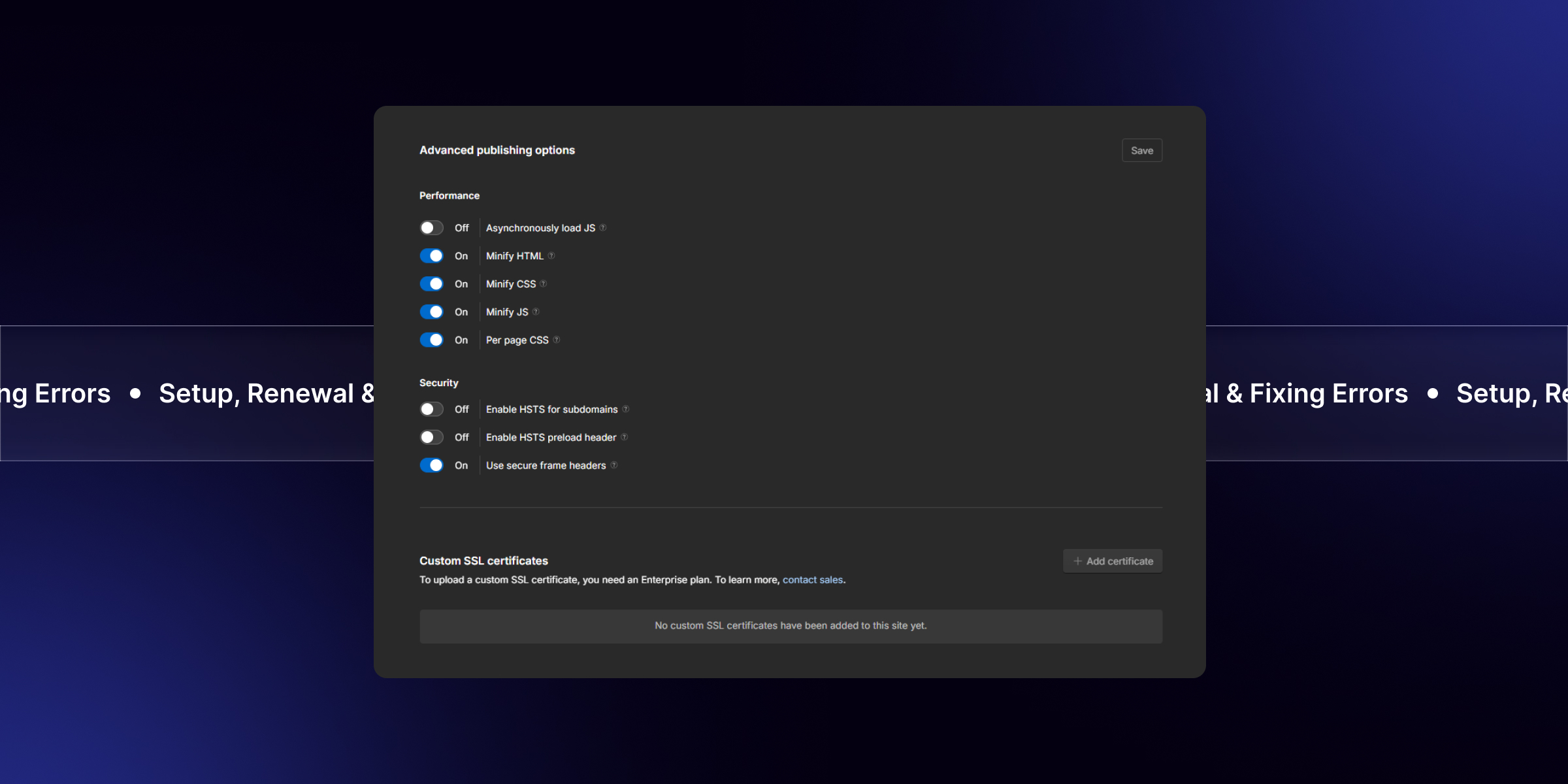
Custom SSL Certificates
On Enterprise plans, Webflow supports uploading a custom SSL certificate. This exists for organizations with a policy requirement to use a specific certificate authority or with extended validation requirements.
For everyone else, the managed certificate is the better option. It renews automatically, costs nothing, and gives the same encryption. A custom certificate transfers the renewal burden back to you, which is a real operational cost for no security gain in most cases.
Webflow SSL Maintenance Checklist
Add these to your routine. Total time is under fifteen minutes a quarter.
- Confirm SSL is enabled in Site Settings after any domain change
- Check CAA records if anyone has touched DNS or run a security hardening pass
- Confirm DNS still points at Webflow after any registrar or provider migration
- Set expiry monitoring that alerts on actual expiry, not advance renewal
- Test the site over HTTPS on both the www and root versions of your domain
- Check the browser console for mixed content after adding any custom code or embed
- Confirm domain auto renewal is on, with notices going to a monitored mailbox
The last item is not strictly SSL, but an expired domain takes the certificate down with it, and it is one of the most common causes of a site going fully offline.
For where this sits in a wider routine, see how long website maintenance takes.
When to Get Help
Most SSL problems are DNS problems wearing a different hat, and most resolve in under an hour once you know where to look.
theCSS Agency is a Webflow Premium Partner, trusted by 150+ companies across 15+ countries. The SSL tickets we get called into are rarely complicated. They are usually a CAA record added six months ago by someone who has since left or a Cloudflare proxy was switched on at the wrong moment. Both are quick fixes once identified, and both are hard to spot if you have not seen them before.
If your site is showing as not secure right now and the checklist above has not found it, Book a Call and we will look at it with you, or see our work to view the sites we look after. Our Webflow maintenance service includes SSL and domain monitoring as standard.
FAQs
1. Does Webflow provide a free SSL certificate?
Yes. Webflow issues a free SSL certificate automatically when you connect a custom domain and point your DNS at Webflow. There is nothing to buy, upload, or configure on standard plans.
2. Does Webflow SSL renew automatically?
Yes. Certificates renew automatically as long as your DNS keeps pointing at Webflow and the site keeps loading from Webflow servers. Webflow renews at expiry rather than in advance, so monitoring tools set to warn about early renewal will report false alarms.
3. Why is my Webflow site showing as not secure?
The usual causes are DNS not fully pointed at Webflow, publishing before DNS resolved, mixed content from HTTP assets in custom code, or CAA records blocking certificate issuance.
4. How do I fix error 525 in Webflow?
Error 525 means Cloudflare could not complete the SSL handshake with Webflow. Switch Cloudflare from Full (Strict) to Full in SSL/TLS settings, wait for Webflow's certificate to issue, then switch back.
5. Why does my Webflow SSL break every three months?
Let's Encrypt certificates run on a 90 day cycle. A quarterly failure means renewal is being blocked, usually by CAA records that do not allow Webflow's certificate authorities or by a Cloudflare proxy interfering with domain verification.
6. What CAA records does Webflow need?
If you use CAA records, they must allow both Let's Encrypt and Google Trust Services. Allowing only one will cause issuance or renewal to fail. If you have no CAA records at all, no action is needed.
7. Can I upload my own SSL certificate to Webflow?
Yes, on Enterprise plans. For most sites the managed certificate is better because it renews automatically at no cost and provides the same encryption.

.jpg)