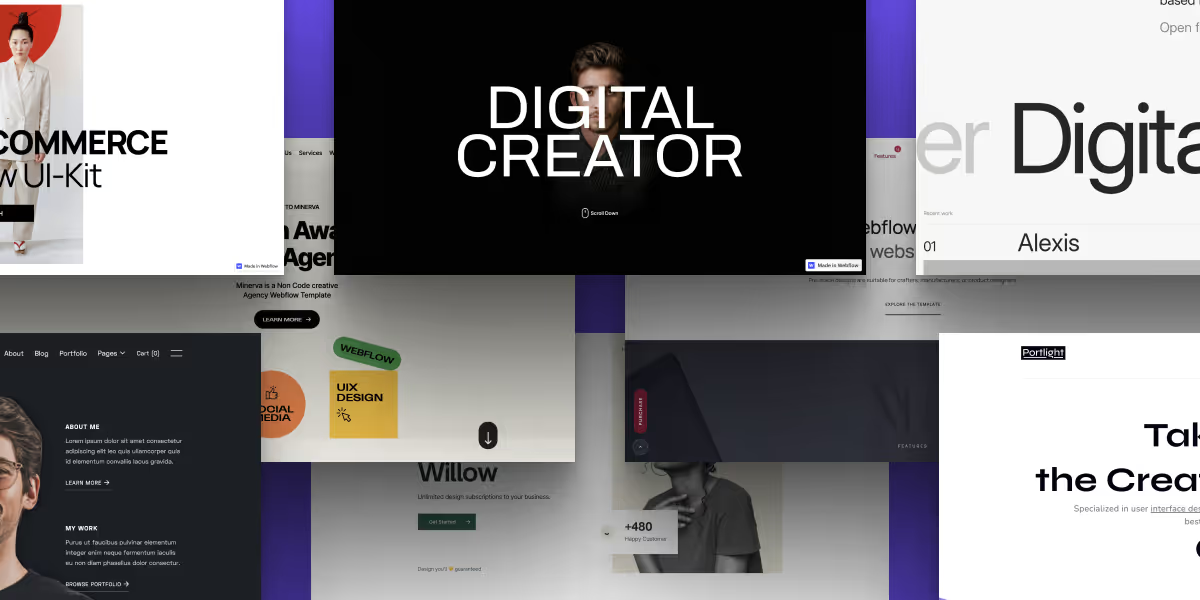
- Webflow templates help you launch stunning, professional websites fast, without needing to code.
- These templates are fully customizable and responsive across all devices, so your site looks great no matter where it’s viewed.
- Using Webflow templates boosts design quality and consistency while reducing development costs — a win–win for startups and businesses on a budget.
- theCSS Agency’s templates are crafted to be modern, visually compelling, and aimed at driving conversions.
- Whether you’re creating a portfolio, business site, real estate platform, or agency page, there’s a template suited to your needs.
Table of content
Key takeaways
The Webflow Template Marketplace has grown to 2,000+ templates as of 2026, organized across SaaS, agency, portfolio, ecommerce, blog, and personal categories. Picking the right one means looking past the screenshot; the difference between a Webflow template and a generic one shows in the interactions, CMS structure, responsive depth, and how easily it adapts to your brand.
This guide covers the best picks by category, what to look for, and the templates worth avoiding. All recommendations are from the official Webflow Marketplace; we update this guide quarterly
The best Webflow templates in 2026 are the ones built for a specific use case agency, SaaS, portfolio, e-commerce, or blog with clean class naming, fully responsive breakpoints, and CMS Collections already wired up. Templates from Webflow's official marketplace are vetted for code quality, which saves the most time when your team extends the design later.
Webflow offers a set of free templates in its marketplace covering portfolios, blogs, and simple business sites. They're a good starting point for small projects, but free templates tend to have fewer pages and simpler CMS setups than paid ones. For anything beyond a basic site, a paid template usually pays for itself in build time saved.
What is a Webflow Template?
A Webflow template is a pre-designed website layout built specifically for use within the Webflow platform. These templates include pre-made pages, sections, design elements, and interactions that you can customize without writing code.
Webflow templates are used to speed up website development, especially for users who want a professional-looking design without starting from scratch.
All official templates are distributed through the Webflow Templates Marketplace at webflow.com/templates. You can filter by industry, price, and page count, and preview any template on a live demo URL before you clone or purchase it. The marketplace currently has 1,000+ templates from Webflow's own design team and verified third-party creators.
Webflow Website Templates vs. Themes: What's the Difference?
Webflow website templates and Webflow themes are often used interchangeably, but they're not the same thing. A template is the full site structure, pages, layouts, CMS collections, and interactions already built. A theme refers to the visual style layer: typography, colors, and spacing. When you clone a template from the Webflow marketplace, you get both together. Unlike WordPress, where themes and page builders are separate installs, Webflow bundles everything into one cloneable project. You own a full copy of it from day one no dependency on the original creator after cloning.
Benefits of Webflow Templates
Webflow’s templates provide design consistency and speed while building your website.
Building your website in hours isn’t the only benefit you get by using the best and most popular Webflow templates. Here’s a list of benefits you can get by choosing a template for Webflow:
1. Tempting Designs
Webflow has its own Webflow template marketplace. Most templates are visually stunning. Even without coding knowledge, you can build professional-looking, visually pleasing websites.
The templates will help you build beautiful-looking websites. All the templates follow the latest website design trends and make sure users stay on your website longer.
2. CMS with a client-confronting point of interaction
Webflow's CMS empowers clients to add content, images, and other elements to their websites without coding knowledge. It is solid and versatile, permitting clients to effectively and instinctively alter and refresh the site depending on the situation.
3. Cost and Time Savings
By using a pre-built template, you can save time and effort in building a website from scratch. Choosing from a wide range of templates also means you can save money, as you don't need to invest in expensive design resources.
Free Webflow Templates: What's available in 2026
The Webflow marketplace includes a free templates category with layouts for every major site type. As of 2026, free options cover portfolios, agency sites, personal/freelancer pages, and blog layouts. Free templates carry the same technical quality as paid ones fully responsive, CMS collections pre-wired, and clean HTML/CSS output. The gap between free and paid ($49–$149) is mostly design variety: premium templates have more unique visual styles and more pre-built pages included.
To find them: go to Webflow Marketplace → Templates → filter by Price: Free. Every template free or paid has a live preview URL so you can test it before cloning.
How to Choose the Best Webflow Templates
Before selecting a Webflow template, it’s important to evaluate your project goals and technical requirements. The best Webflow templates should include clean structure, fast loading speed, responsive layouts, and easy customization.
1. Useful Pages
Look for pages that you are going to build for your website. Building the site using this Webflow template will be easier if you find similar designs and structure pages. The template should have all the necessary Useful Pages, such as About Us, Contact Us, FAQs, and other vital pages.
2. E-commerce
E-commerce websites should be made in a way that generates sales. If you make the cart experience or the checkout experience full of friction, users will abandon the website.
You should try and find an eCommerce template that helps you drive more visitors to the checkout page. Online shopping should be as rewarding of an experience as offline shopping.
Find templates that include built-in shopping and checkout pages, payment gateways, and customizable thank-you pages. E-commerce templates on other website builders are often rigid; this is where Webflow excels.
3. Similar Industry
For example, if you are in the retail industry, you might want to look for a template with similar features to other popular retail websites. Choosing a blogging template for your eCommerce website is just going to complicate things.
4. Universal color & fonts
You’ll save a ton of time and frustration if you have a style guide that enables you to make site-wide changes from a single location. When a component of your branding, such as a font style or color, changes, you can update your entire website.
Our webflow agency provides free Webflow design templates, which you can leverage for your own website projects.
5. Responsiveness
Did you know that around 60% of all Google searches happen on smartphones? As a business owner, you’d want your website to look as beautiful on a smartphone as it does on a desktop. Make sure the template you pick offers the perfect amount of responsiveness, especially with responsive Webflow templates.
No business would want to miss out on the traffic and potential customers that come from smartphones. Every single element on your website, such as buttons, landing pages, images, and contact forms, should work flawlessly across devices.
Your goal should be to provide a great user experience regardless of the device they’re visiting the website on.
Recommended Reading: Complete Webflow Guide
25+ Best Webflow Templates 2026
Here are some of the top Free and Premium Webflow templates & themes one can pick:
1. Best Real Estate Templates
Template 1: Qrest
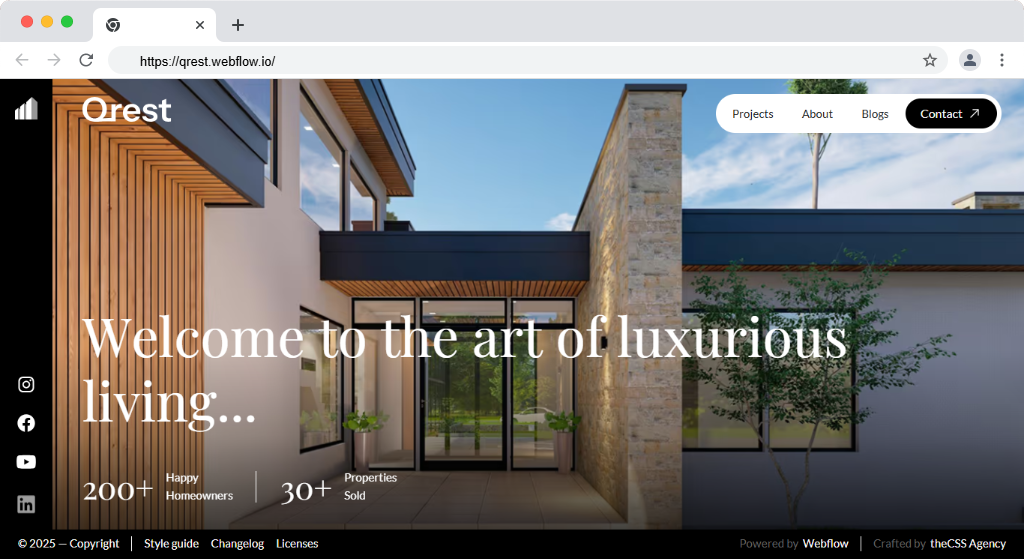
Qrest is a premium real estate Webflow template where modern architecture, timeless elegance, and everyday comfort come together in perfect harmony. This is the perfect choice for building a professional, high-performing property/real estate website using this Webflow template.
Qrest offers a sleek, high-impact layout designed to showcase properties beautifully while ensuring an effortless browsing experience. With intuitive navigation and functionality, it attracts buyers and sellers alike—highlighting every listing at its absolute best.
Wrapped in a clean, minimalist white aesthetic and powered by a fully integrated Webflow CMS, Qrest empowers real estate businesses to establish a strong digital presence with style and clarity.
Features:
- 100% Responsive Design
- Clean & Modern Layout
- Easy-to-Use CMS
- 100% SEO Optimized
- Fast Loading Times
- Portfolio-Focused Design
- 100% Customizable
- Blog Functionality
Buy Now
Template 2: Crestview
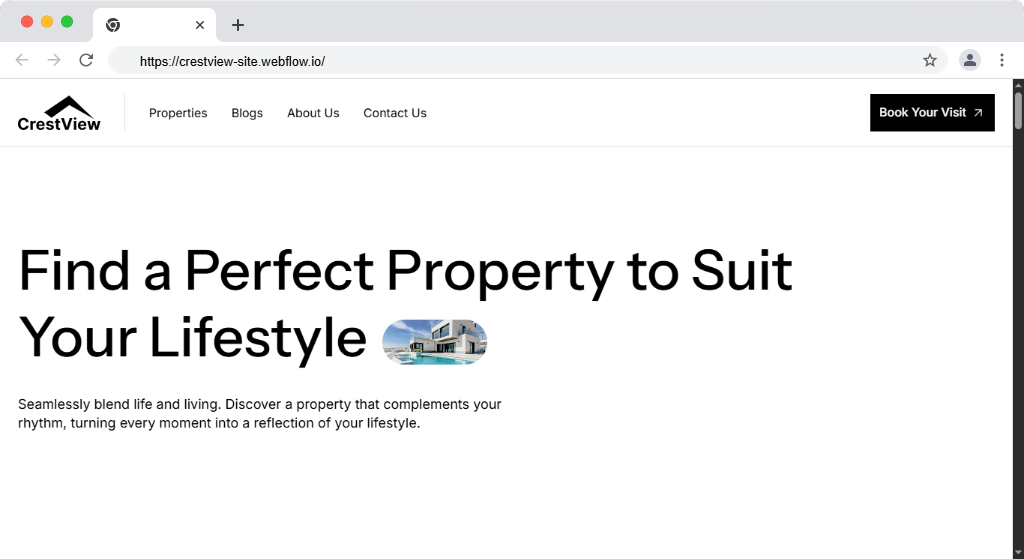
Crestview is a premium real estate Webflow template that blends modern design with powerful functionality—making it the perfect choice for building a professional, high-performing property/real estate website. Its clean design, fast performance, and SEO-friendly structure make it the perfect foundation for showcasing properties and growing your brand online.
Streamlined and contemporary, Crestview features a sleek layout that beautifully showcases property listings while ensuring an effortless browsing experience. With intuitive navigation, vibrant image galleries, and advanced search options, it’s designed to attract buyers and sellers and highlight every property at its best.
Wrapped in a clean, minimalist white theme and powered by a fully integrated Webflow CMS, Crestview helps real estate businesses build a compelling digital presence. It not only strengthens brand identity but also fosters lasting connections with clients through an engaging, user-friendly platform.
Features:
- 100% Responsive Design
- Clean & Modern Layout
- Easy-to-Use CMS
- 100% SEO Optimized
- Fast Loading Times
- Portfolio-Focused Design
- 100% Customizable
- Blog Functionality
Buy Now
2. Best Webflow Portfolio Templates
Template 1: yrFolio
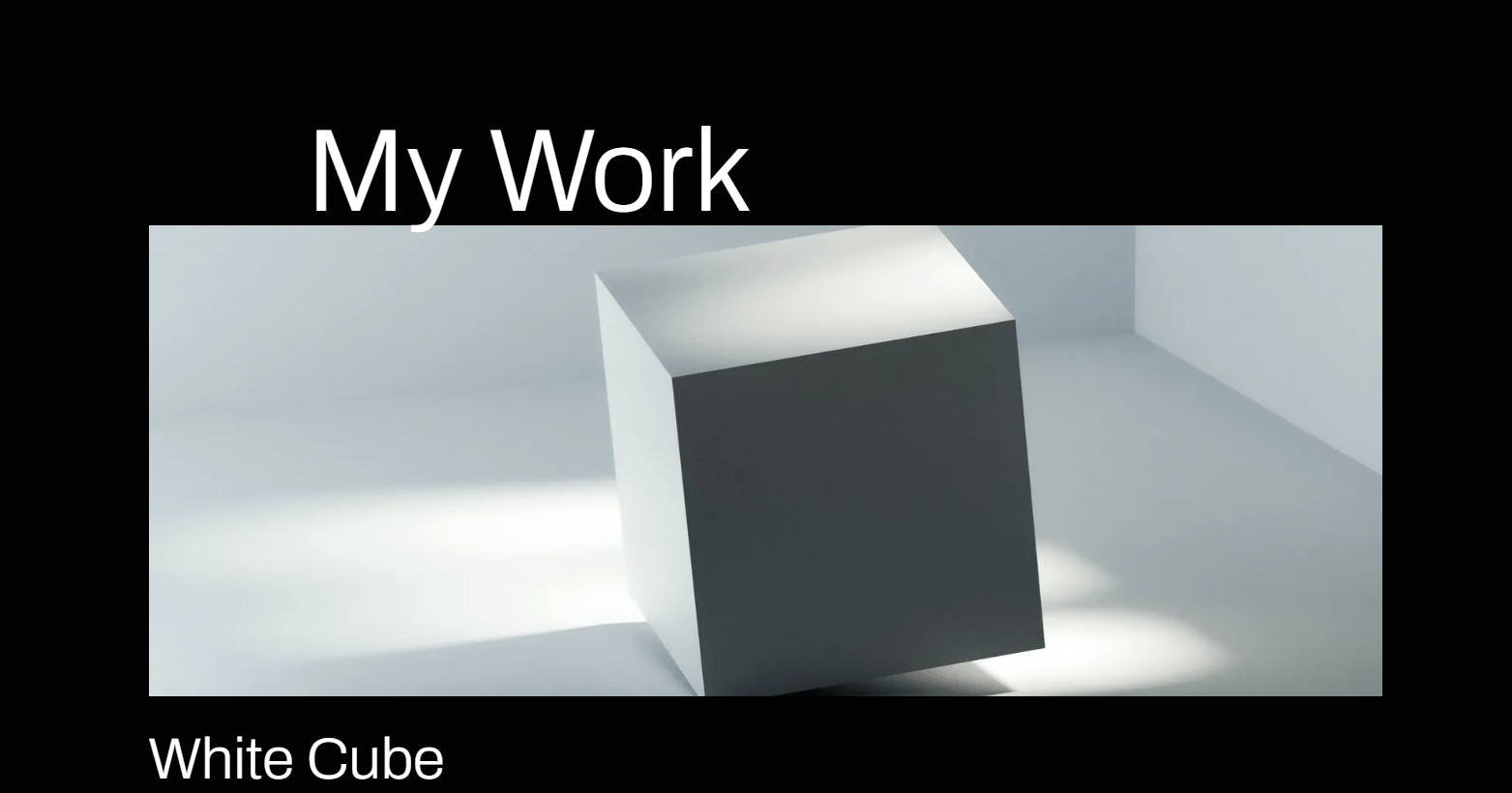
A sleek and contemporary Webflow portfolio template for digital creators and Webflow designers. Seamless Experience is what you get when you combine a free portfolio website template with simple page editing tools. This is a free Webflow template.
Features
- Easy to customize
- Responsive design
- Top-notch one-pager portfolio website
- Available at no cost
- Created without using any code
Buy Now
Template 2: Brooke
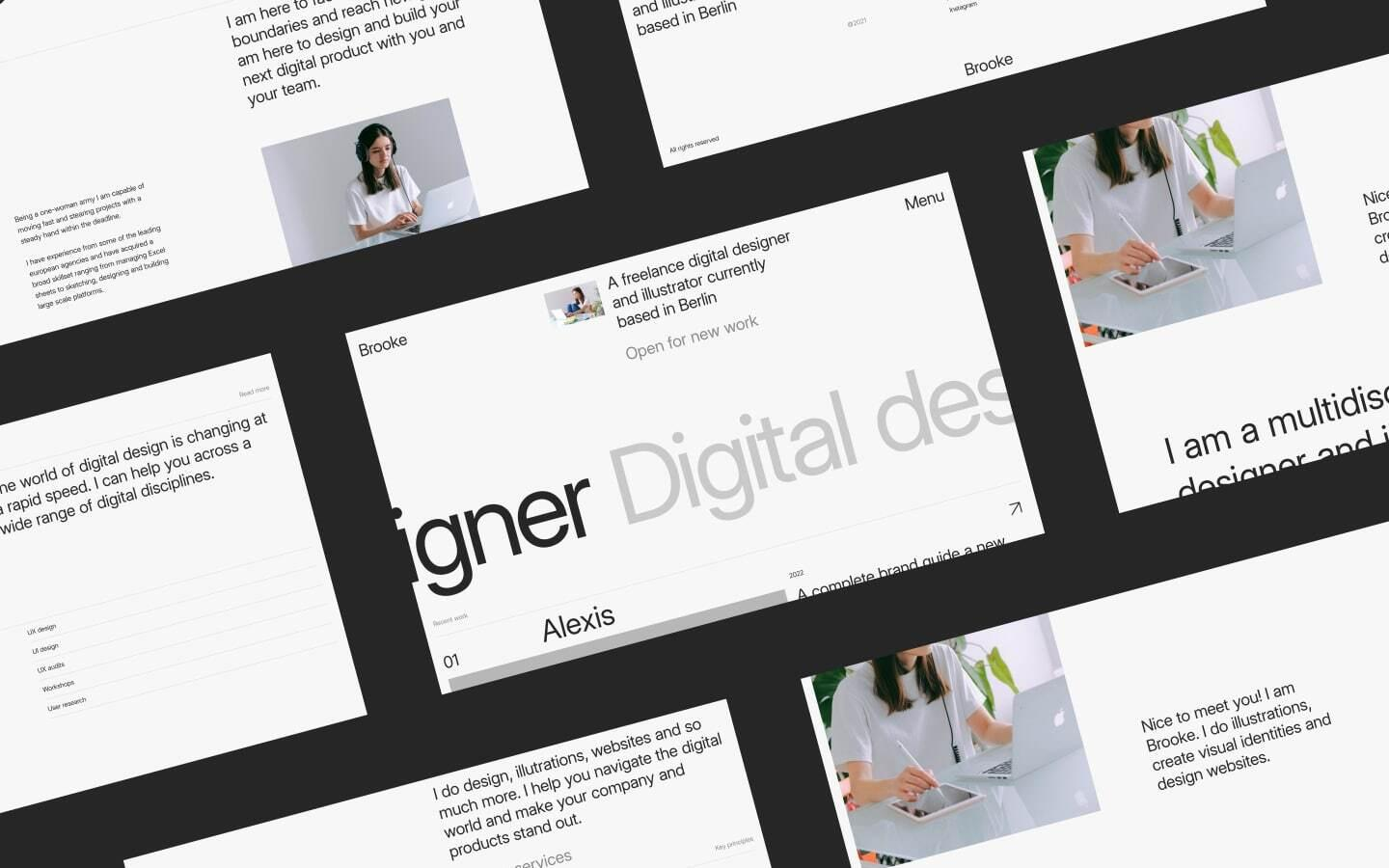
For independent designers and other creatives, the Brooke portfolio template is simple and contemporary. It provides the ideal framework for attractively showcasing your work with a strong emphasis on clean aesthetics.
Brooke Features
- CSS Grid
- Interactions
- Designing a responsive portfolio
- Flexible navigation
- Symbols
Buy Now
Template 3: Portfolio Creator
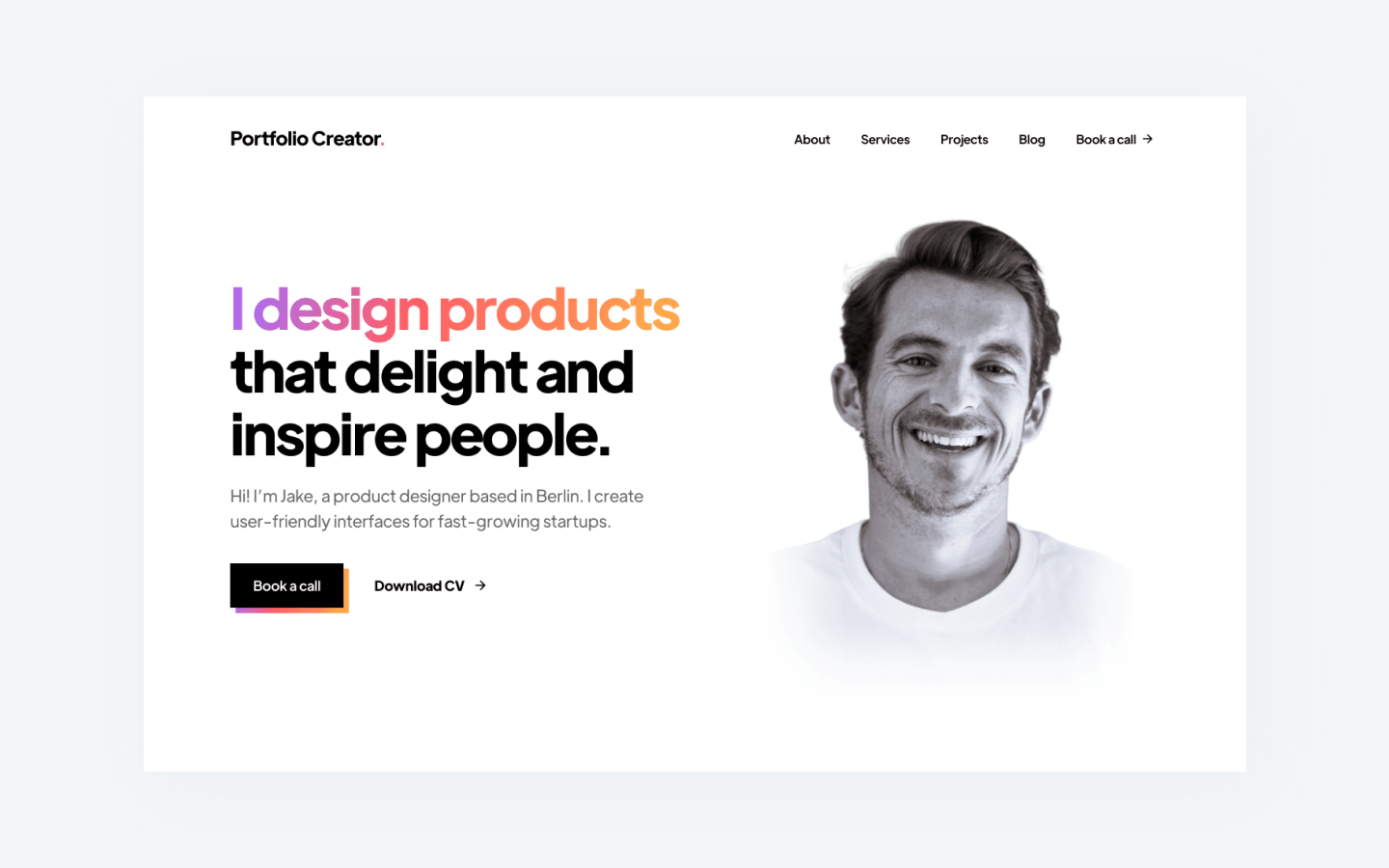
Creator is a good option for portfolio creators who want a simple, professional-looking personal website template. In a condensed area, you can showcase your work, network, and provide visitors with intriguing information about yourself.
Portfolio Creator Features
- You can easily and quickly create using Creator.
- Just go to your website on
- Unbalanced picture grid
- Avoid wasting time on coding
Buy Now
Template 4: Like-on paper
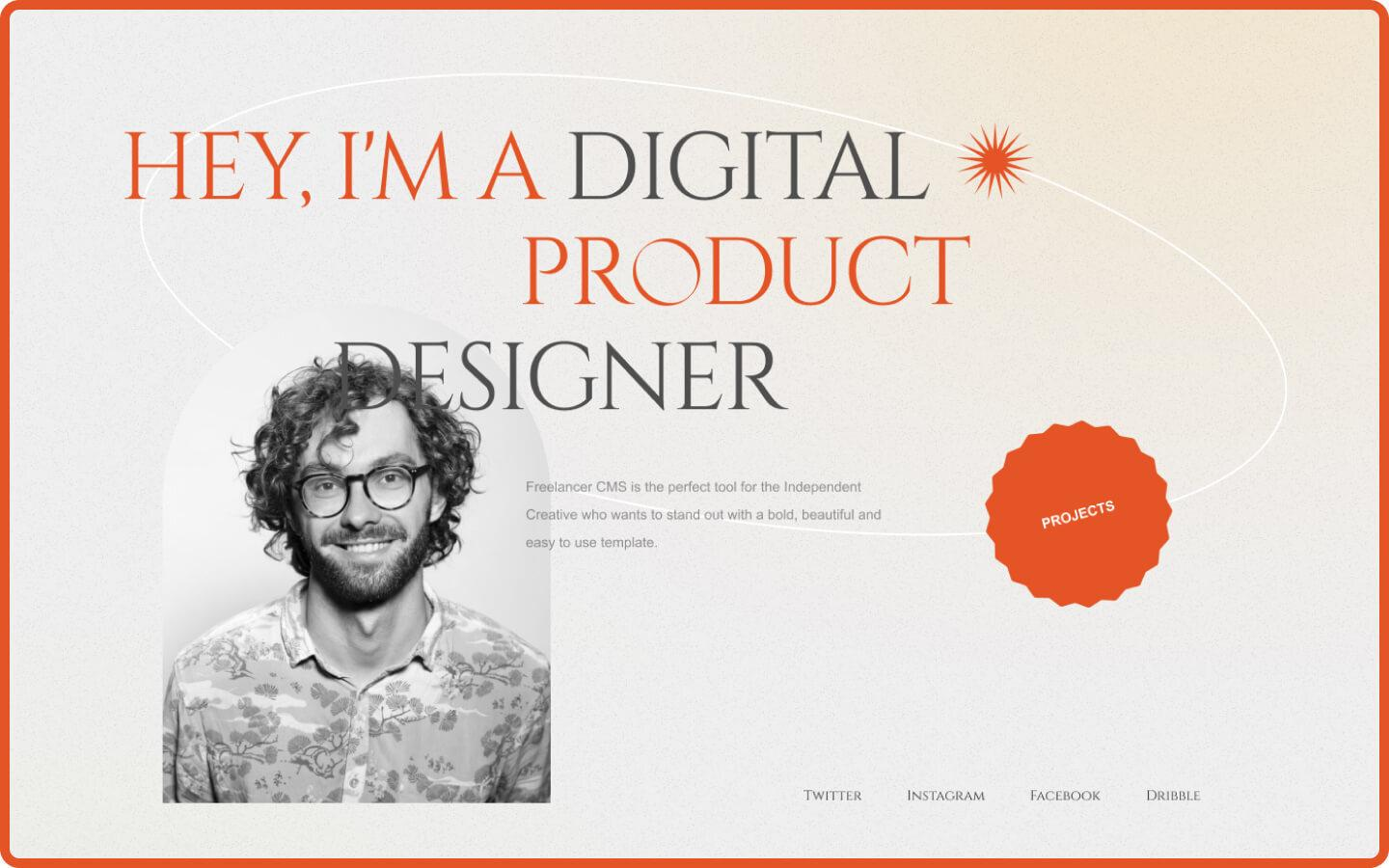
Responsive, traditional Webflow for portfolios template like on paper created using the Bootstrap Framework. It provides each of your visitors with a visually appealing split-screen slider that you can use to market your services more effectively.
Like-on paper Features
- Individual 404 error page
- Internet fonts created with computers
- Symbols
- Forms
- Interactions
- Adaptive designs
- Flexible interface
Template 5: Indi Harris
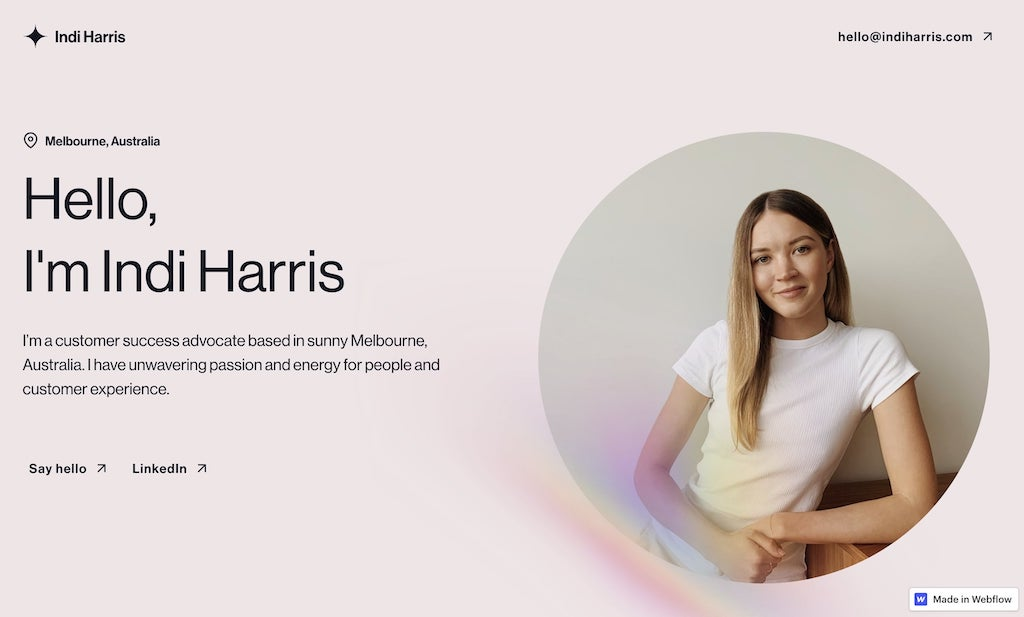
Indi Harris is a simple one-page webflow free portfolio templates that gives its visitors what they need. The hero section is beautifully designed, with a portfolio image to personalize the website. It's a fantastic template.
Features
- Lovely typeface
- A headshot completes the hero section.
- Simple one-page layout
2. Best E-commerce Templates
Template 1: ToyStore
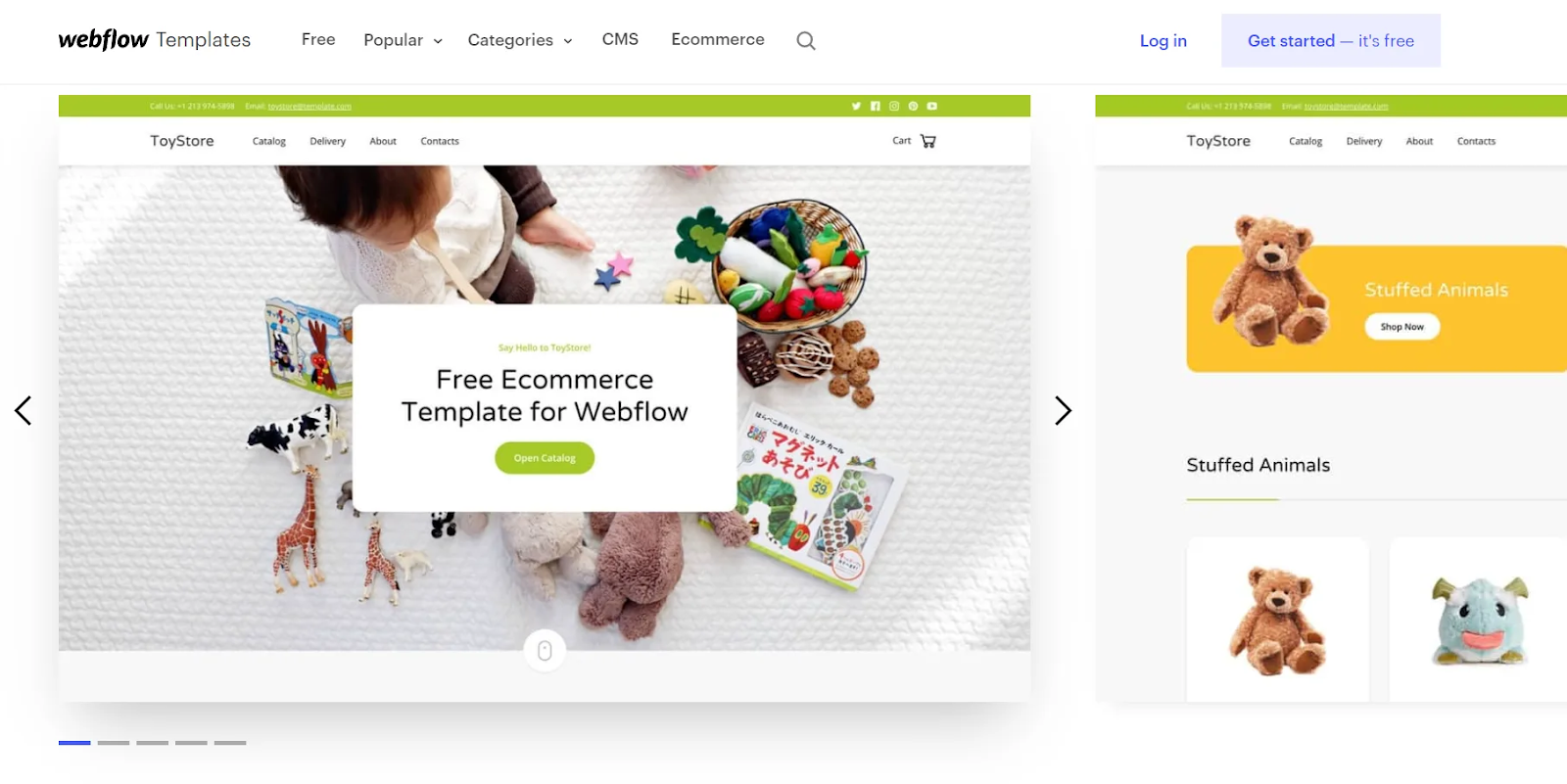
ToyStore is a vibrant Webflow e-commerce template for your company. Enjoy the vibrant colors, then add your products, mix components, and create your online store! Because it is bright, colorful, and eye-catching, this e-commerce template is ideal for children's toy stores.
Features
- Ready for retina display
- Fonts for the Web
- Symbols
- Responsive navigation
- Interactions
- Forms
Get This Free Template
Template 2: Fitnesso
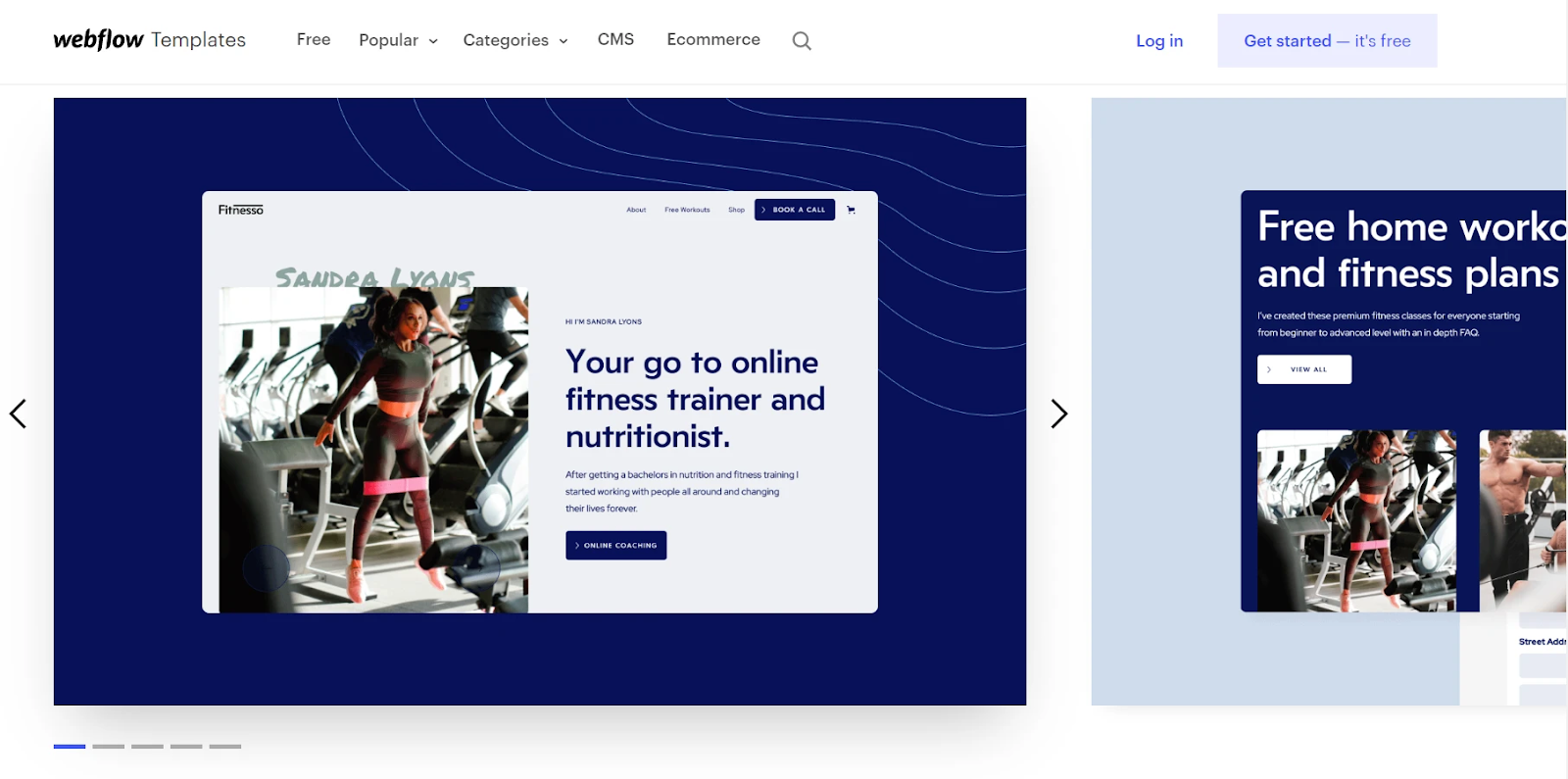
The Fitnesso Webflow templates is ideal for fitness coaches who want to reach out to clients to provide resources and services. Instead of selling products, the goal of this e-commerce template is to sell your services, custom workouts, and meal plans.
Features
- Excellent for fitness professionals
- The ability to sell services via the website
- Fitnesso provides font, color, and image guides to help you edit your content quickly and easily.
- It is SEO-friendly and has a modular design that is responsive on all devices.
Get This Free Template
Template 3: Clutch
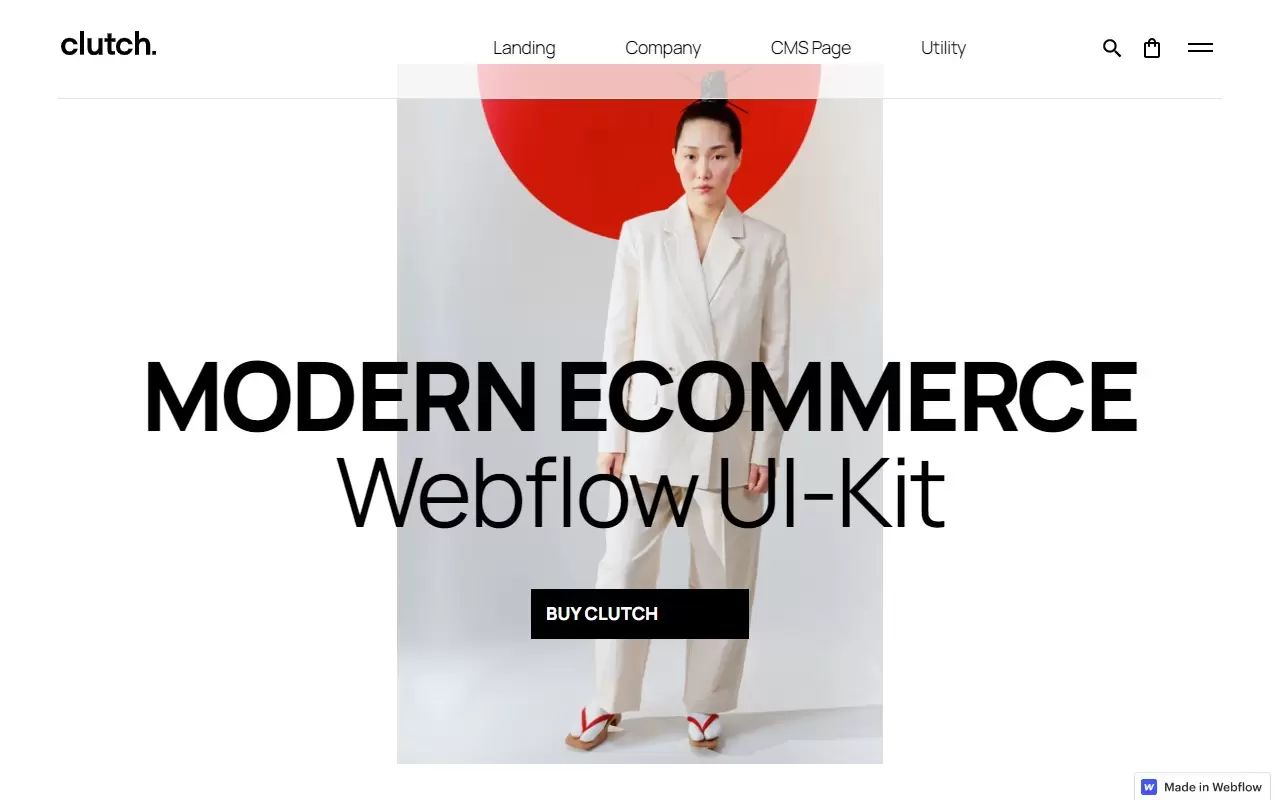
Clutch is an excellent Webflow ecommerce template for modern fashion stores. It's fully customizable and one can design it to match your brand completely. Menus, forms, sliders, cards, footers, accordions, sticky sections, and tabs are among the premade styles included in the clutch. For brands scaling product catalogs and conversions, teams experienced in fashion ecommerce website development often pair templates like Clutch with optimized merchandising and checkout flows.
Features
- 3D transformations
- Video in the background
- System for managing content
- Grid System in CSS
- Customized 404 page
- Forms
- Interactions
- The media lightbox
- Responsive design
- Responsive navigation
Buy Now
Template 4: Luma
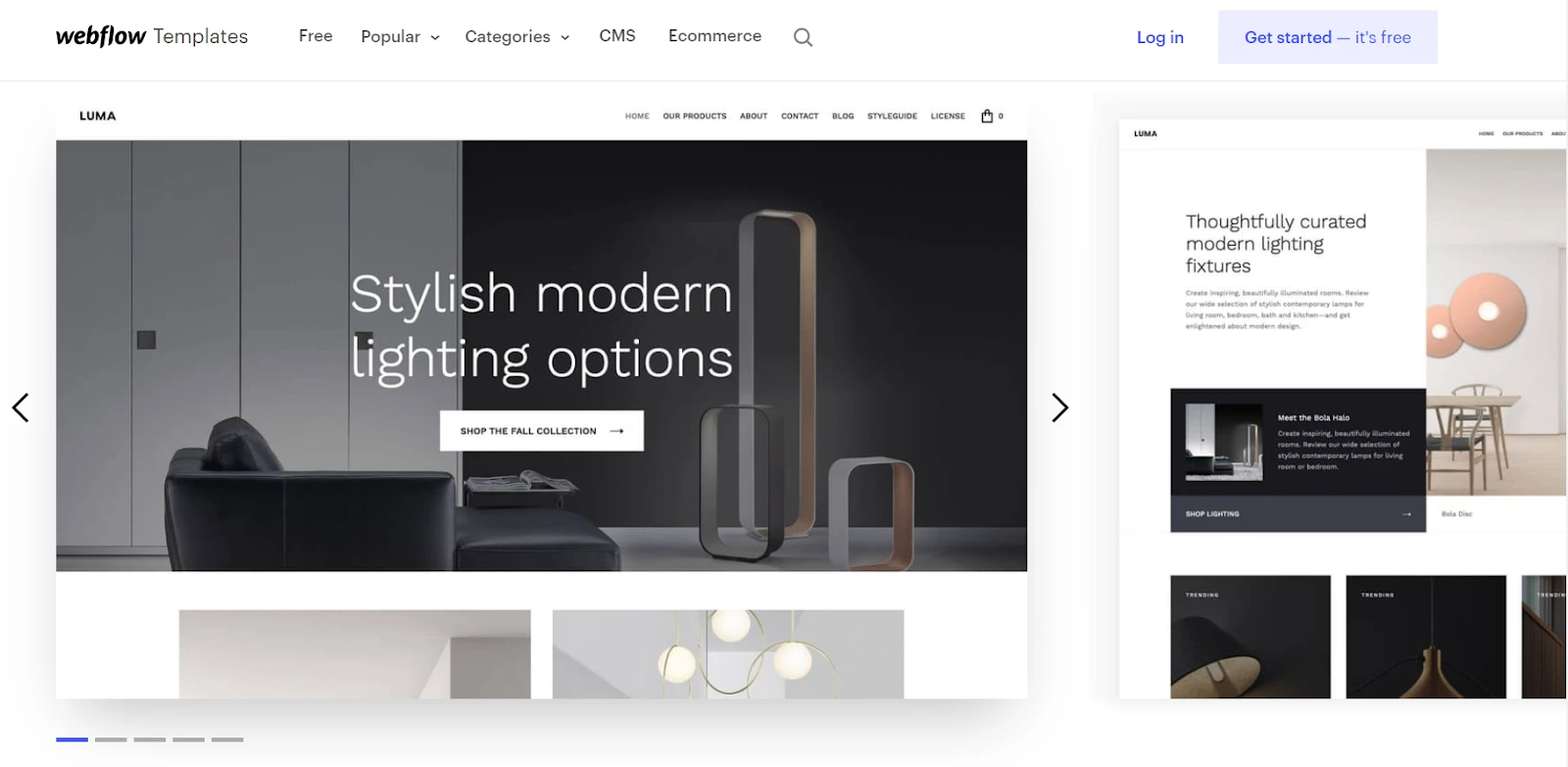
A sleek, modern and free retail template that will keep your products focused. Control the colors, web fonts, images, and other styles that make your brand stand out. Luma is e-commerce template ready, with all of the pre-made pages you'll need to get started. It has a responsive webflow template and is simple to use while looking good on all devices.
Features
- Responsive plan
- Responsive routing
- Forms
- Fonts for the Web
Template 5: Wells
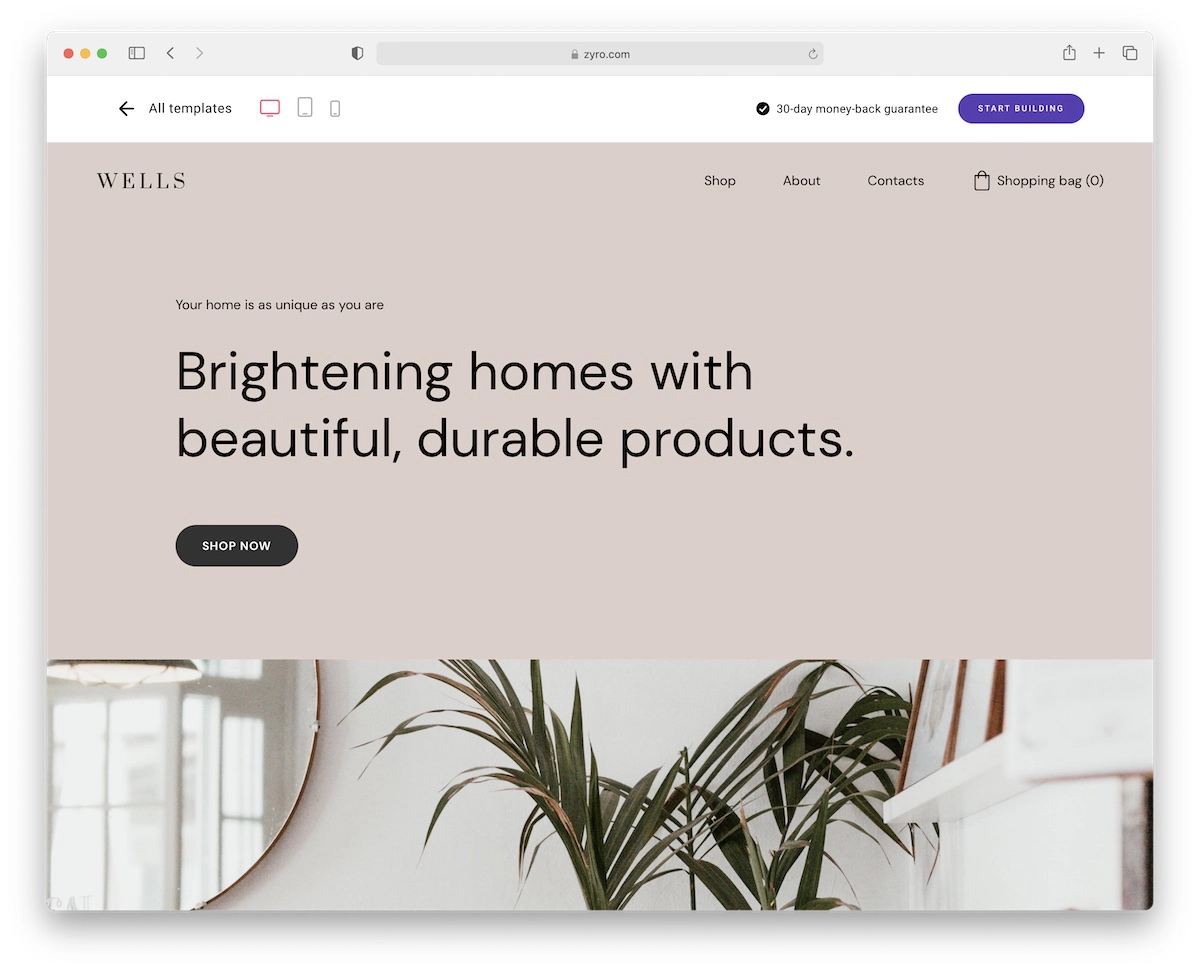
Wells is an e-commerce template that specializes in home decor and interior design. If that's the kind of thing you want to sell, you've just found the perfect template. Remember, Wells, that there are no limitations because you can customize it however you want. Front and internal page designs, contact forms, and a cool about page, on the other hand, are all unique.
Features
- Home decor has no bounds
- Customize at your leisure
- Wells products save you a lot of time
- Flexible
- There will be no pressure
Buy Now
3. Best Corporate Templates
Template 1: Fintech X
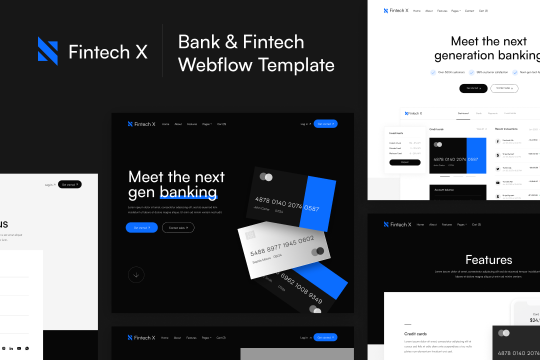
This is a corporate website template. This corporate template is suitable for almost any business, but one can primarily be intended for financial websites. It provides a wide assortment of pages and layouts in a variety of colors and styles.
Features
- Designed for speed
- Provides an abundance of page and layout options
- New features are added as needed and are always kept up to date
Buy Now
Template 2: Alpha
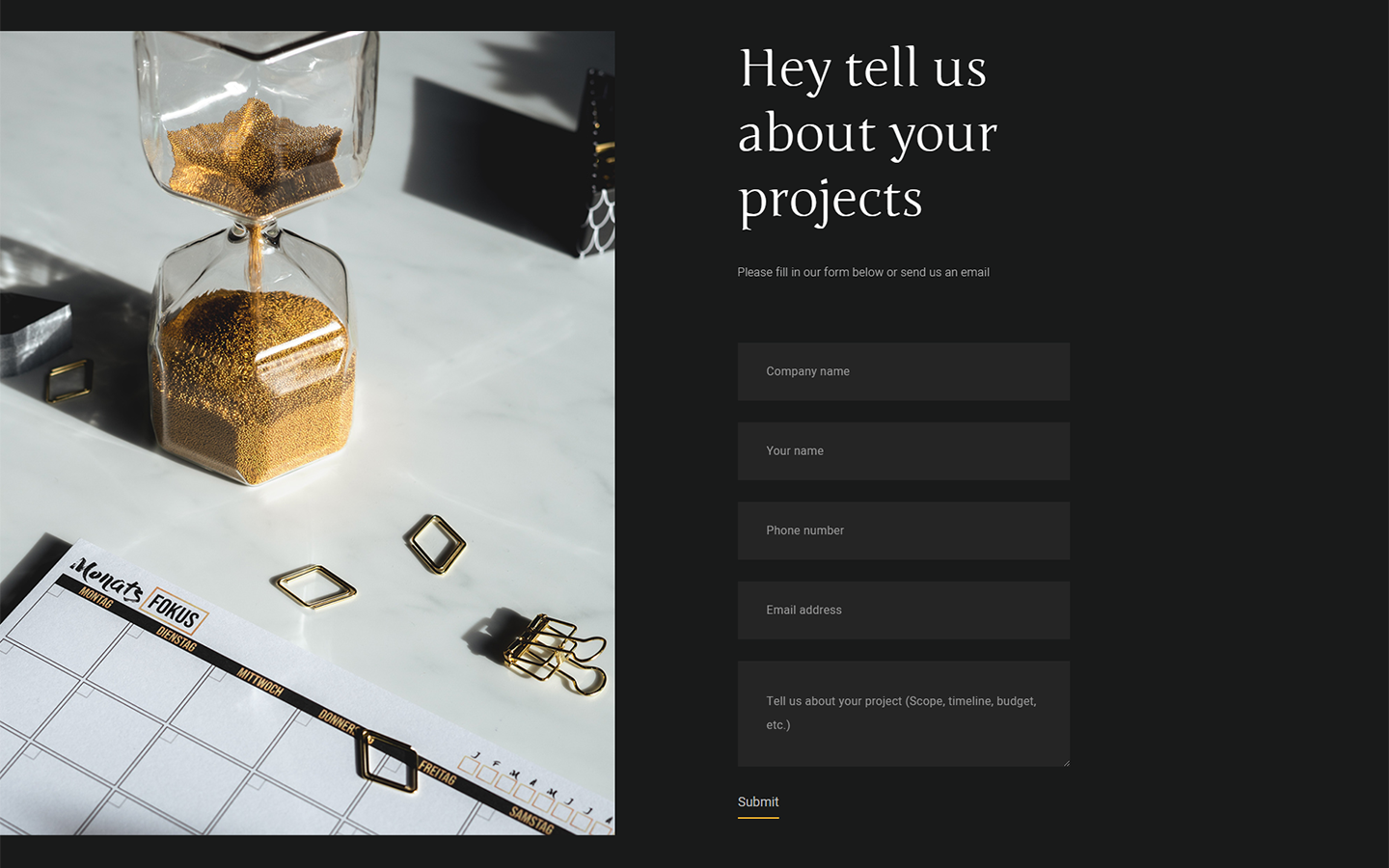
Alpha is a stunningly clean and modern corporate template that will help you establish a strong online presence. Despite its straightforward design and minimalist aesthetic, Alpha ensures that one can present all materials attractively.
Features
- Interactions
- Forms
- Symbols
- Fonts for the Web
- Slider
- Invitation to action
- Dropdown menu
- Process steps
Buy Now
Template 3: Wellness
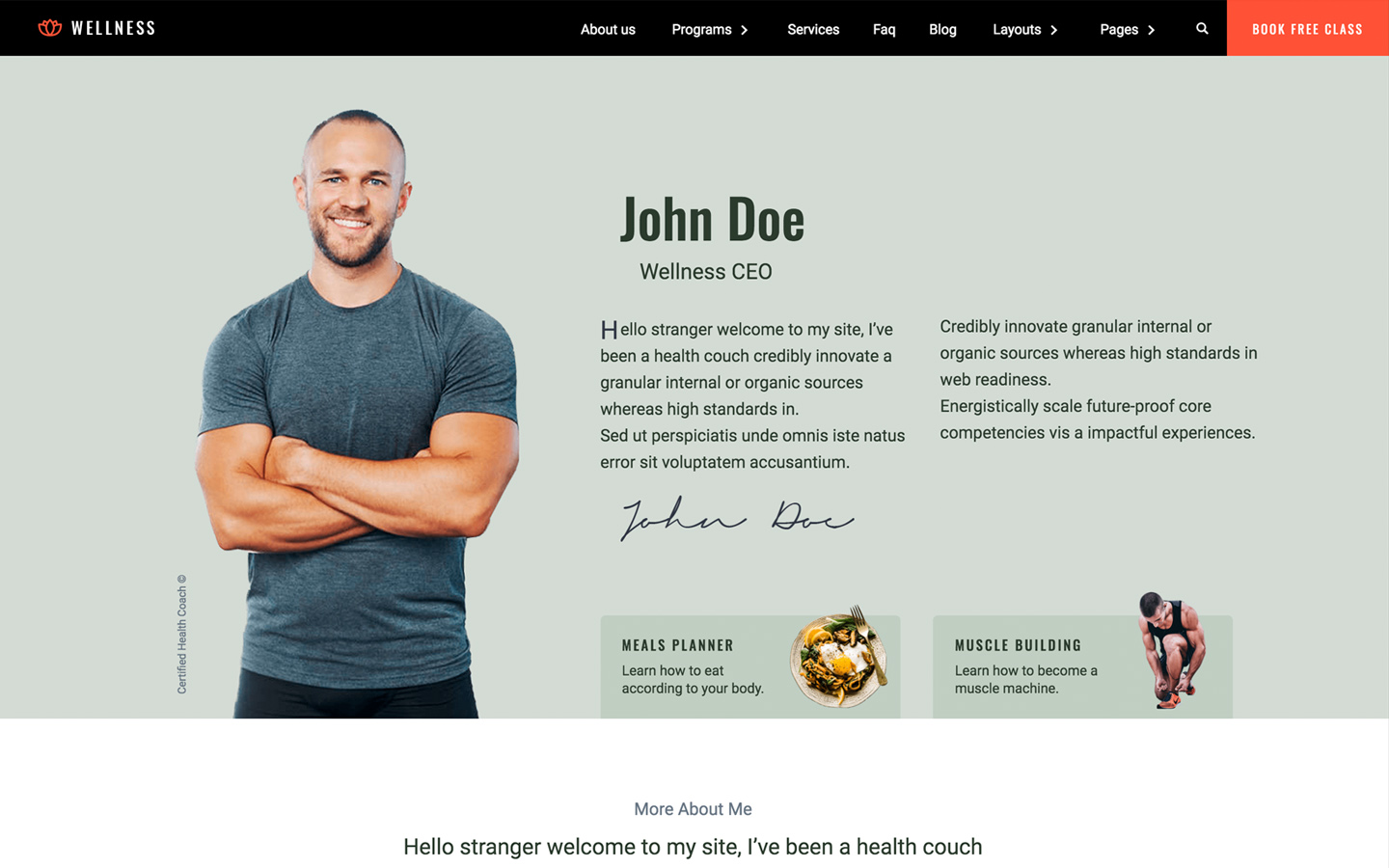
Wellness is a multi-layout corporate webflow template with an arsenal of important elements such as landing pages, sign-up forms, pricing boxes, testimonials, and much more. Anyone working in the fitness and health industry will benefit from the Wellness template.
Features
- With a touch-friendly slider, you can elegantly display images and text on any device.
- Customize the built-in database to your project's specifications or simply add new content.
- Beautiful forms can help you build your lead list and subscriber base.
- One can use Fonts from Google's Web Font collection
- Interactions
Buy Now
Template 4: Booster
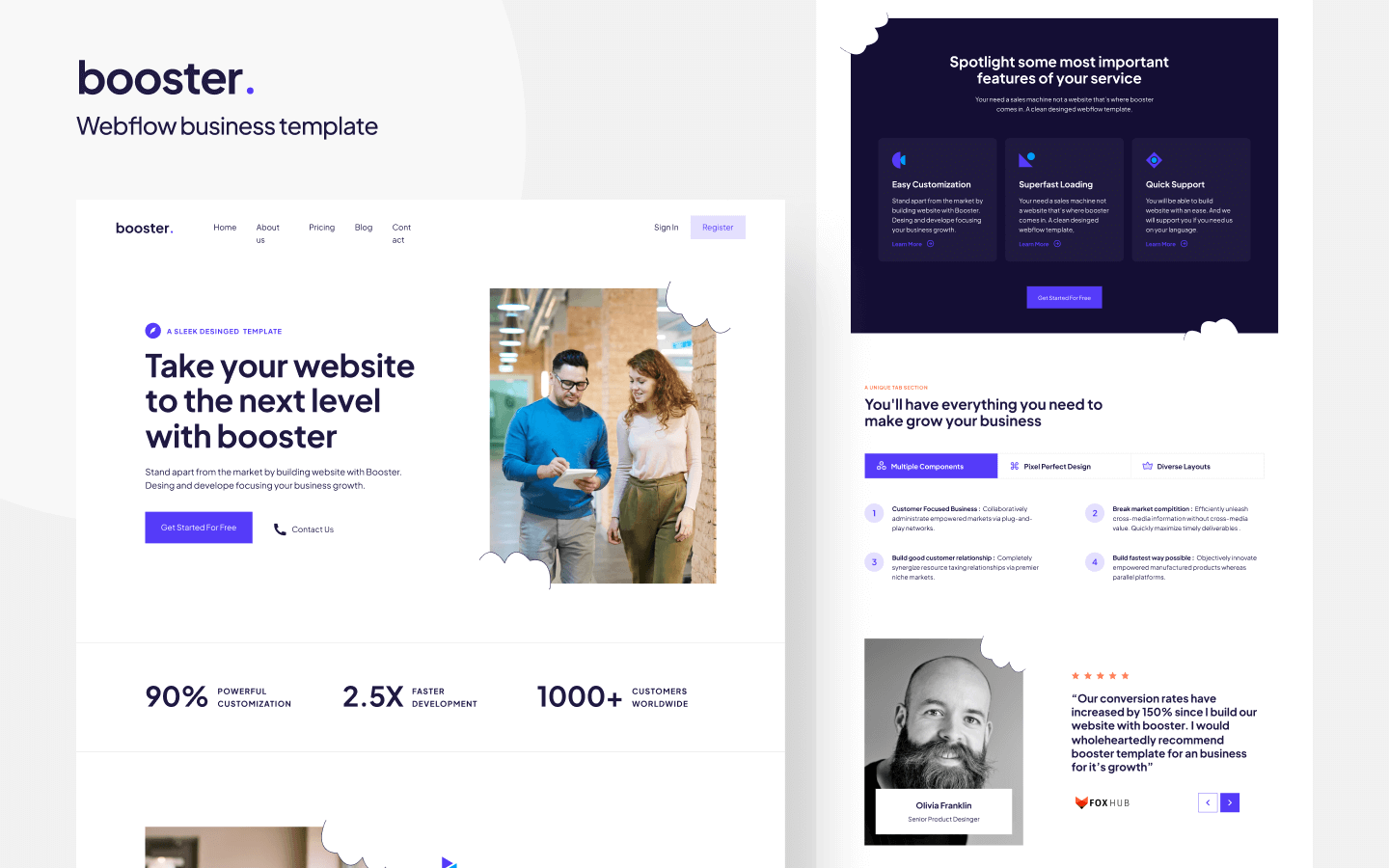
You can use Booster to create conversion-focused corporate webflow themes. With an eye-catching visual design and the advancement of the company's quality. The Booster is easy to set up, fast, and responsive on all devices.
Features
- Beautiful forms can help you build your lead list and subscriber base.
- Interactions
- Display high-resolution photos and videos against a black background.
- Responsive design
Buy Now
Template 5: Apart
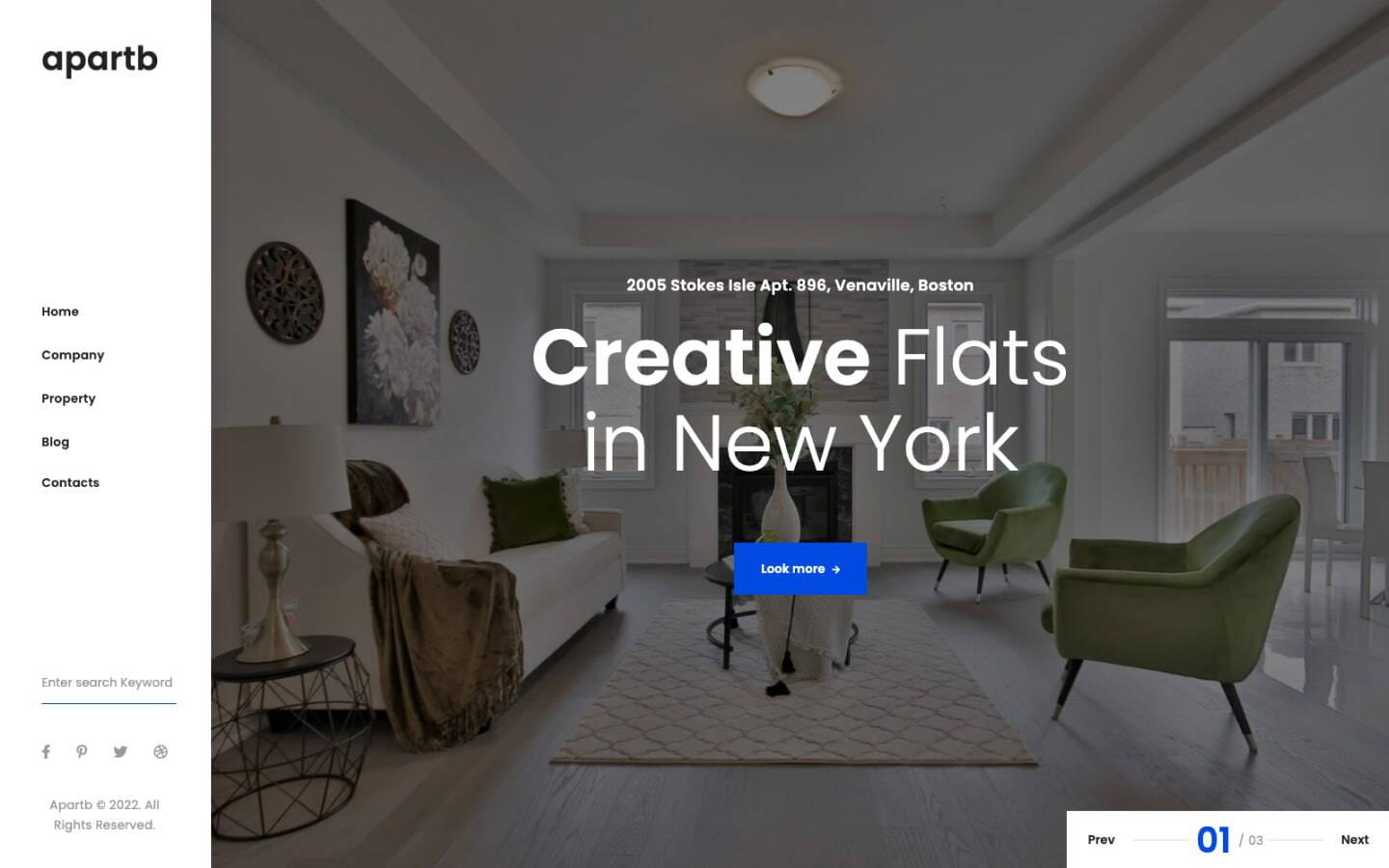
Apartb 128 is an excellent website template for any small business, particularly those in the real estate industry. The corporate template can be intended for property managers, real estate companies, and property developers, but one can tailor it to any local business.
Features
- Everything you need for a business website is included, including team pages, service pages, testimonials, a blog, and more.
- Completely responsive and retina-ready
- SEO optimization
Buy Now
Know About: Tips for a Unique Website Design Using Custom Webflow Templates
4. Best Agency Templates
Agency templates should include a portfolio/case-study Collection, a services layout, a team section, and a strong hero - all CMS-driven so you can add projects without touching the design. Prioritize templates with clean, well-named classes; messy class structures cost more time to customize than building from scratch.
Template 1: Miint Studio
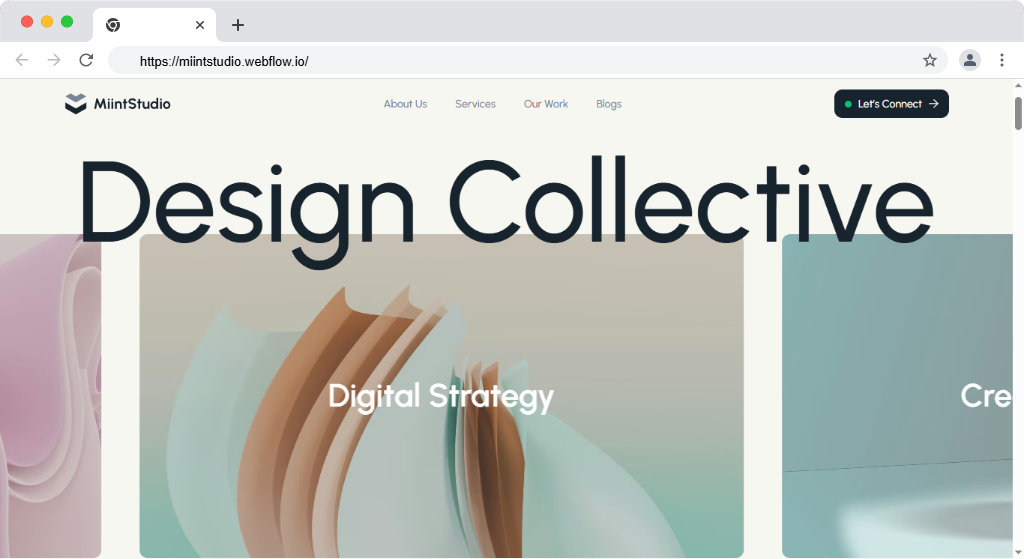
MiintStudio is a modern Webflow template for creative agencies, design studios, and freelancers built for speed, storytelling, and high-impact portfolios. MiintStudio is a premium creative agency and portfolio template built to highlight your services, projects, and brand story with bold, visually engaging design. The template includes built-in animations, flexible page layouts, and a powerful CMS, so you can easily update content and customize the design according to your brand. MiintStudio comes packed with everything you need to present your services, showcase portfolios, publish blogs, and attract clients with style.
Key Features:
- Bold Creative Design
- Strategy-First Approach
- Fully Responsive Experienc
- High-Performance Webflow Build
- CMS-Powered Content
- SEO-Ready Foundation
- Smooth Animations & Interactions
Buy Now
Template 2: Sophia
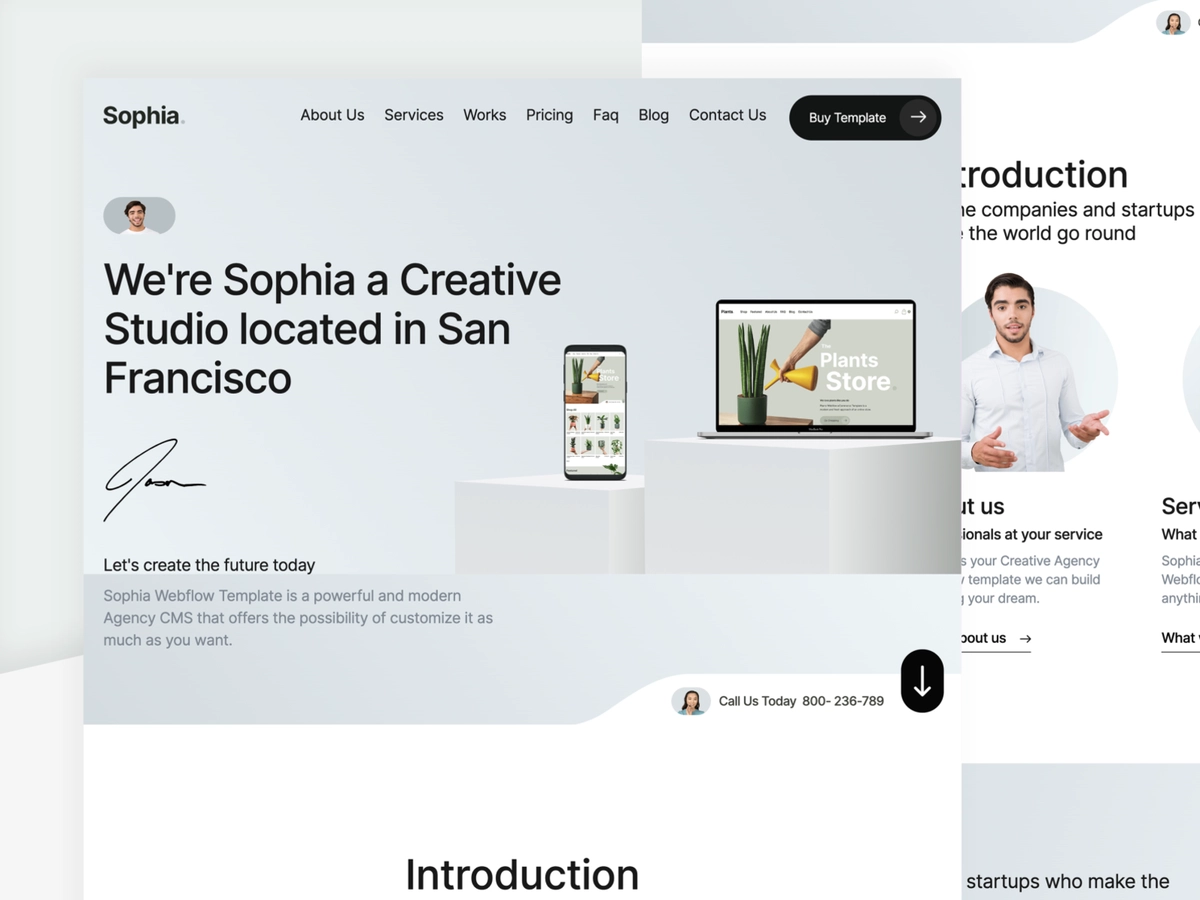
Sophia Webflow Template is a powerful Agency CMS that allows you to customize it to your liking. Sophia is a professional personal portfolio layout that is both elegant and innovative. One can use an HTML agency template for any business. One can create this, however, specifically for freelancers, artists, and designers to showcase their work.
Features:
- Built with Minimal Effort
- Unique "one-page" design
- Documentation
- Assisting and assisting
- Bootstrap 3.3.7-based construction with verifiable HTML5 and CSS3 formatting
- Completely responsive
Template 3: Minerva
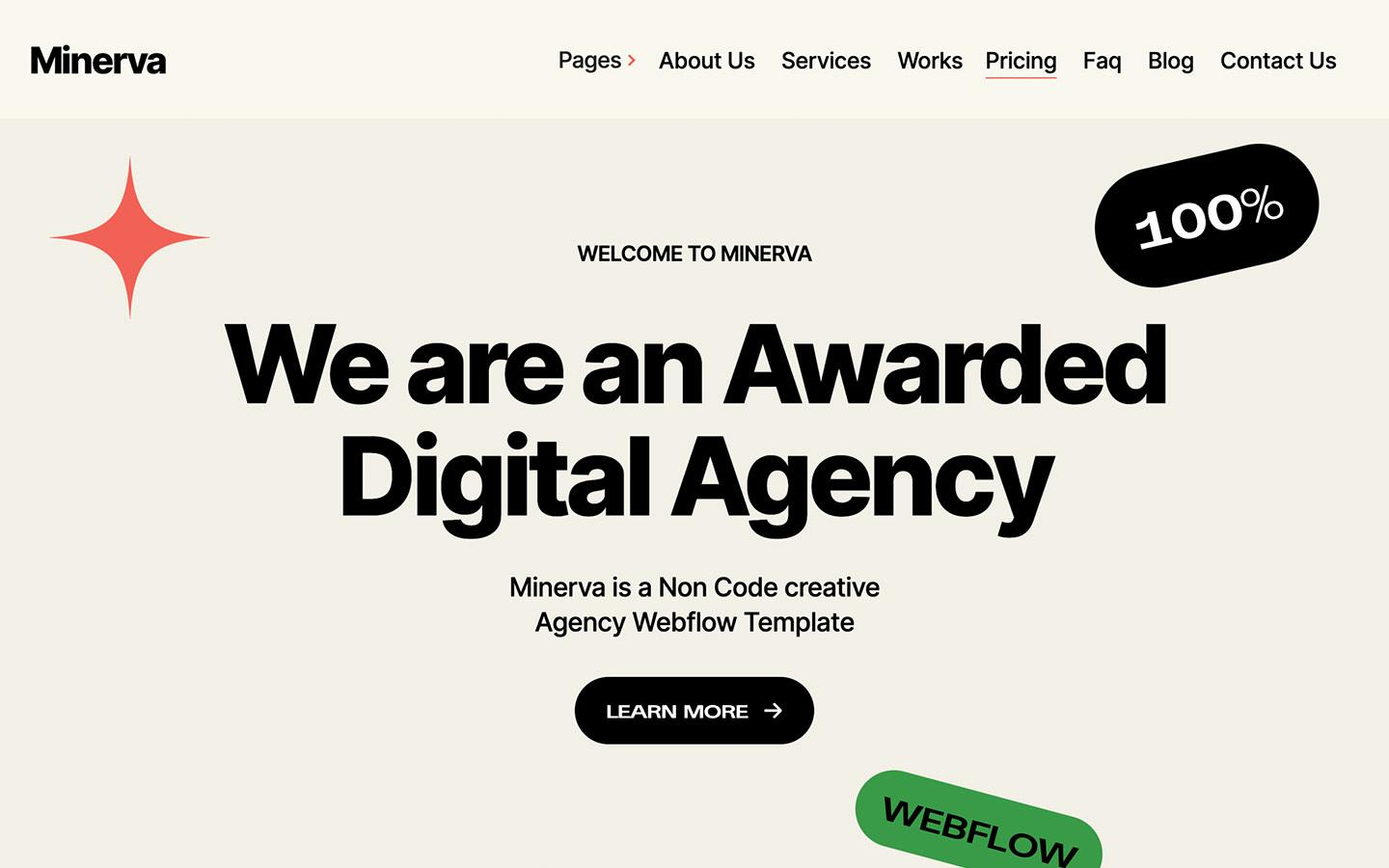
With the Minerva Webflow Agency Template, you can create a one-of-a-kind website. This template includes a large number of components that will allow you to create a layout that meetsour needs.
Features
- Font colors on a global scale
- Contact Form Types
- Interactions with the Website
- Composed of Several Sections
- Download and Use Google Fonts for Free
- Template Upgrades for Free
- Quick Assistance
Template 4: Coolio
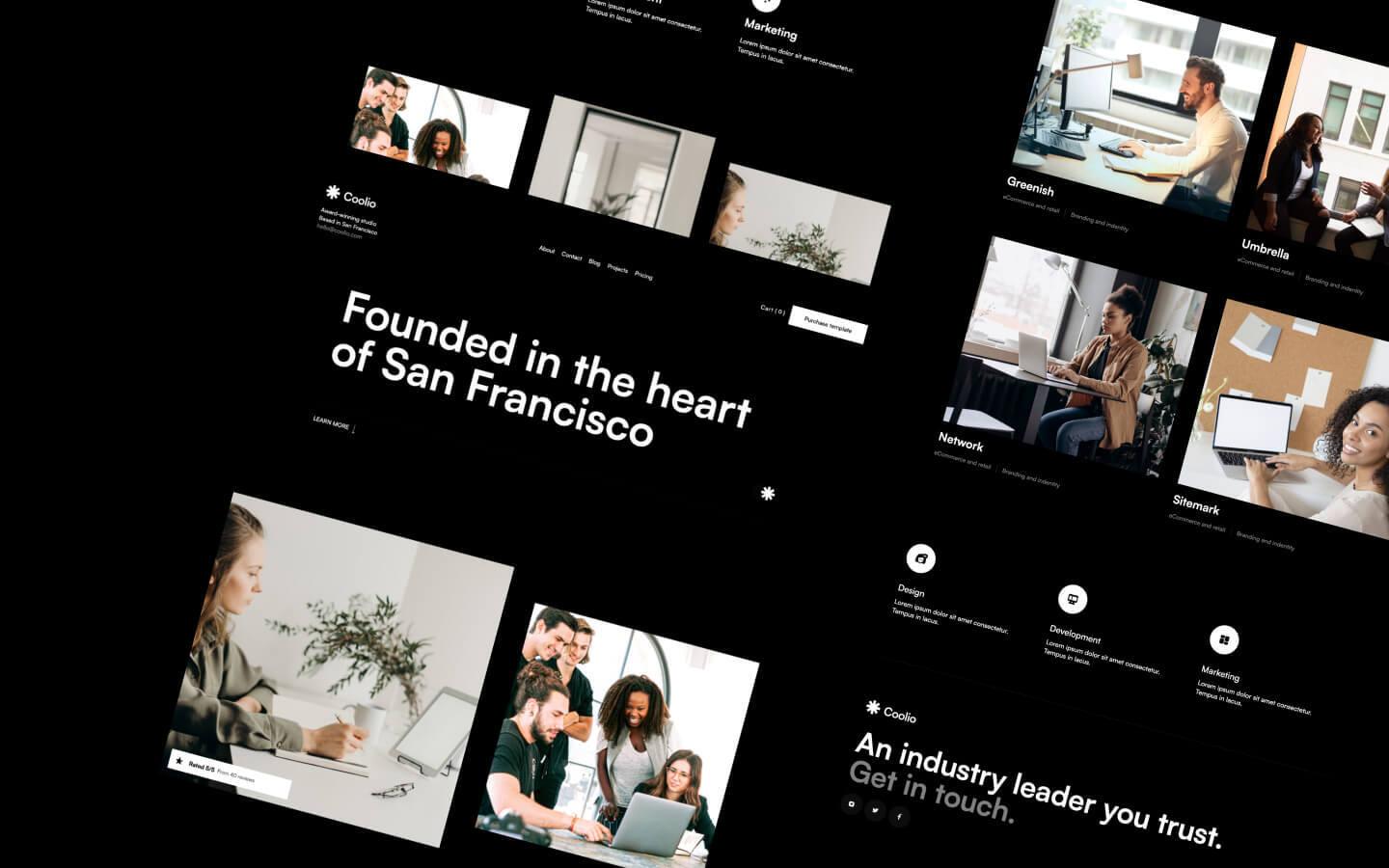
With its clean and elegant design, this template ensures that your content remains the focal point, enhanced by the striking typography and skillful utilization of negative space, resulting in a contemporary and powerful user experience. Whether you wish to exhibit your portfolio or emphasize your services, this platform serves as an ideal tool to elevate your online presence and leave a memorable impact.
Features
- All graphics are optimized for devices with high DPI screens.
- Position and resize items anywhere within the grid to produce powerful, responsive layouts - faster and without code.
- Reusable elements you can use across your site. Edit a symbol and all copies update instantly.
- Comes with animations and interactions for additional polish and usability.
- Custom design for the 404 pages of your website
- Displays perfectly on desktops, tablets, and phones.
Template 5: Portlight
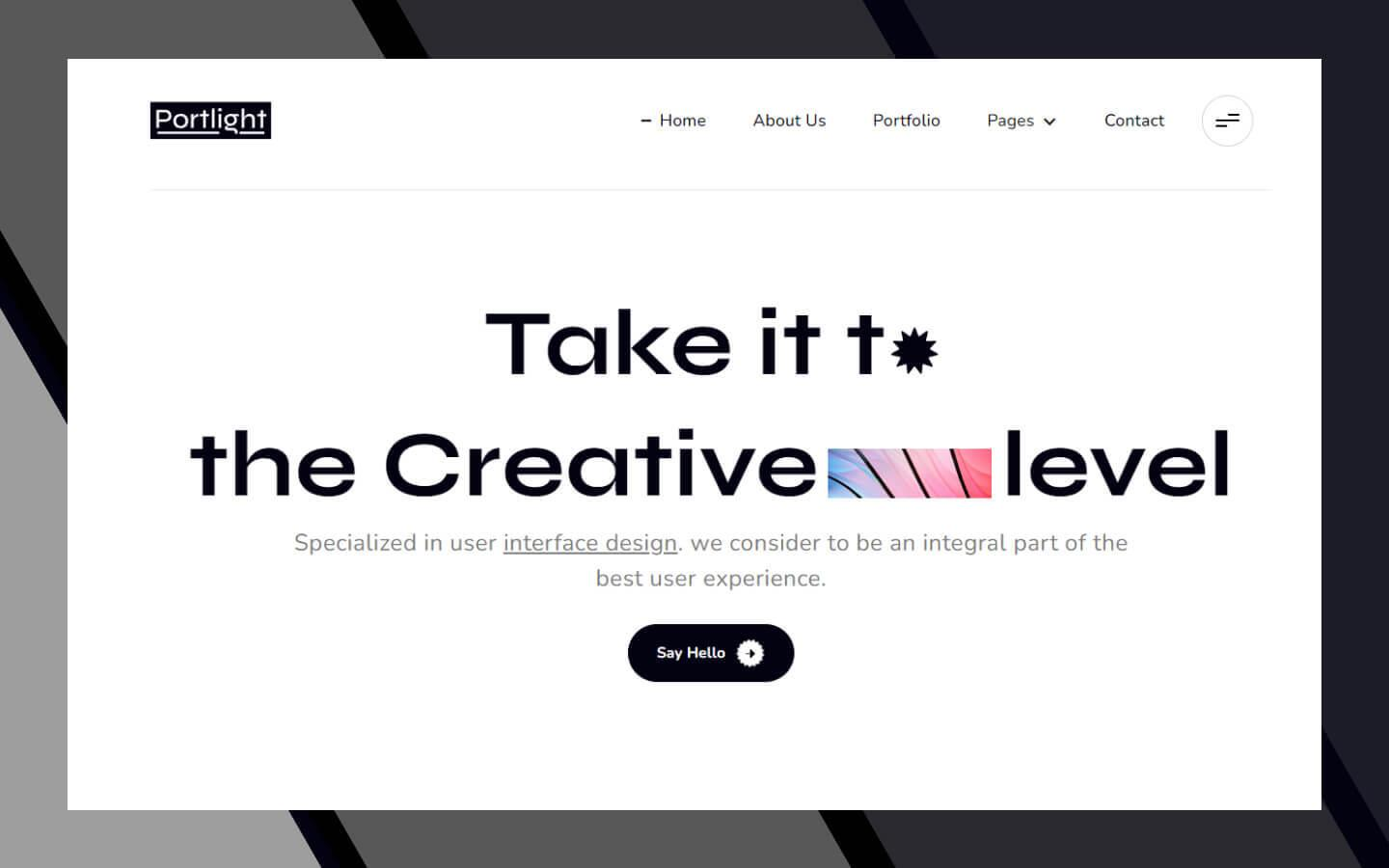
Portlight is a creative and well-designed Webflow portfolio agency template. The Portlight template is a simple, attractive, and effective way to share your digital work with clients, and the informative layouts assist you in supporting your company's rapid growth. Furthermore, Portlight is a portfolio agency Webflow template that is creative, minimal, and trendy.
Features
- Custom design for your website's 404 pages
- Beautiful forms can help you build your lead list and subscriber base.
- It includes animations and interactions to add polish and usability.
- Symbols
Template 6: Outdo
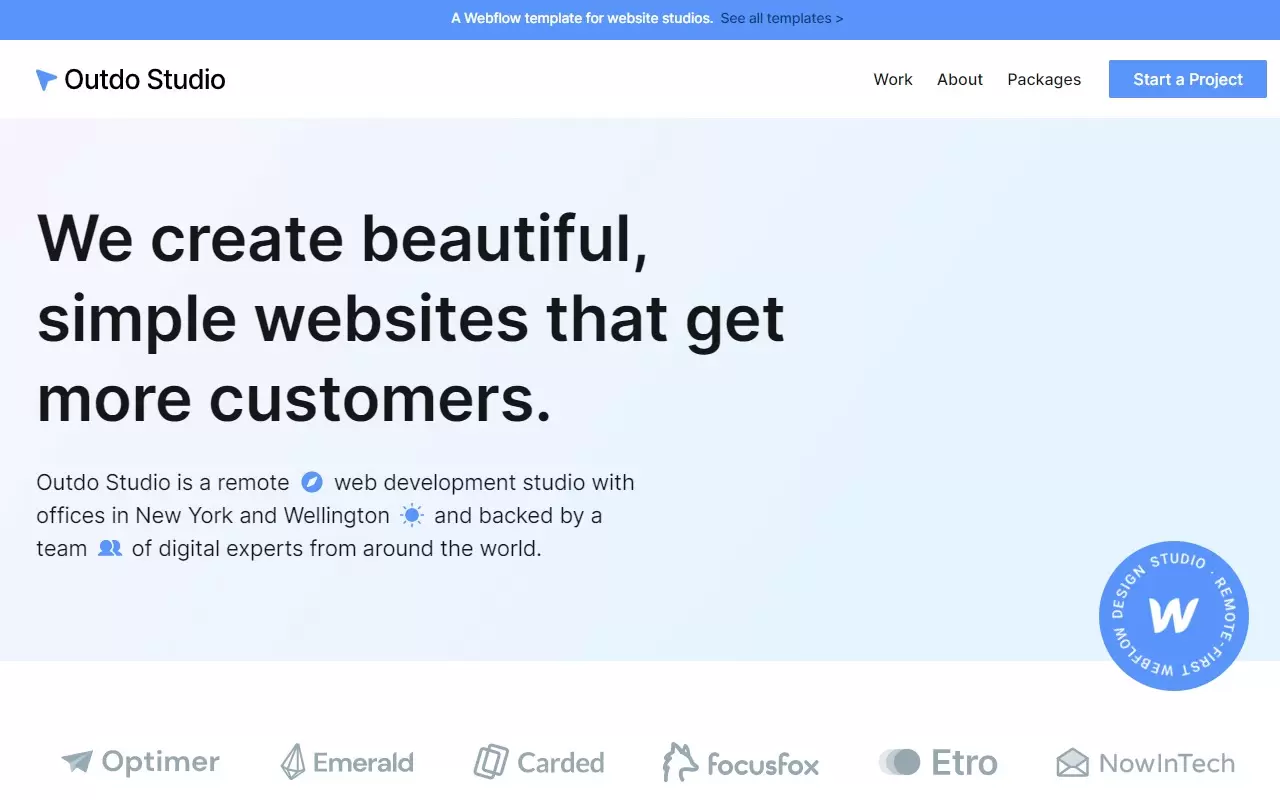
Outdo is a fantastic agency template that focuses on bringing in more visitors and converting them into future clients. It has a modern look, useful elements, and beautiful forms, giving developers a fantastic tool to work with.
Feature
- It includes a Style Guide page
- Assets that are ready to use
- Collaboration to customize the website
- They will customize it to match your company's image
5. Best Personal Templates:
Template 1: Freelancer X - Freelancer Personal Webflow Template
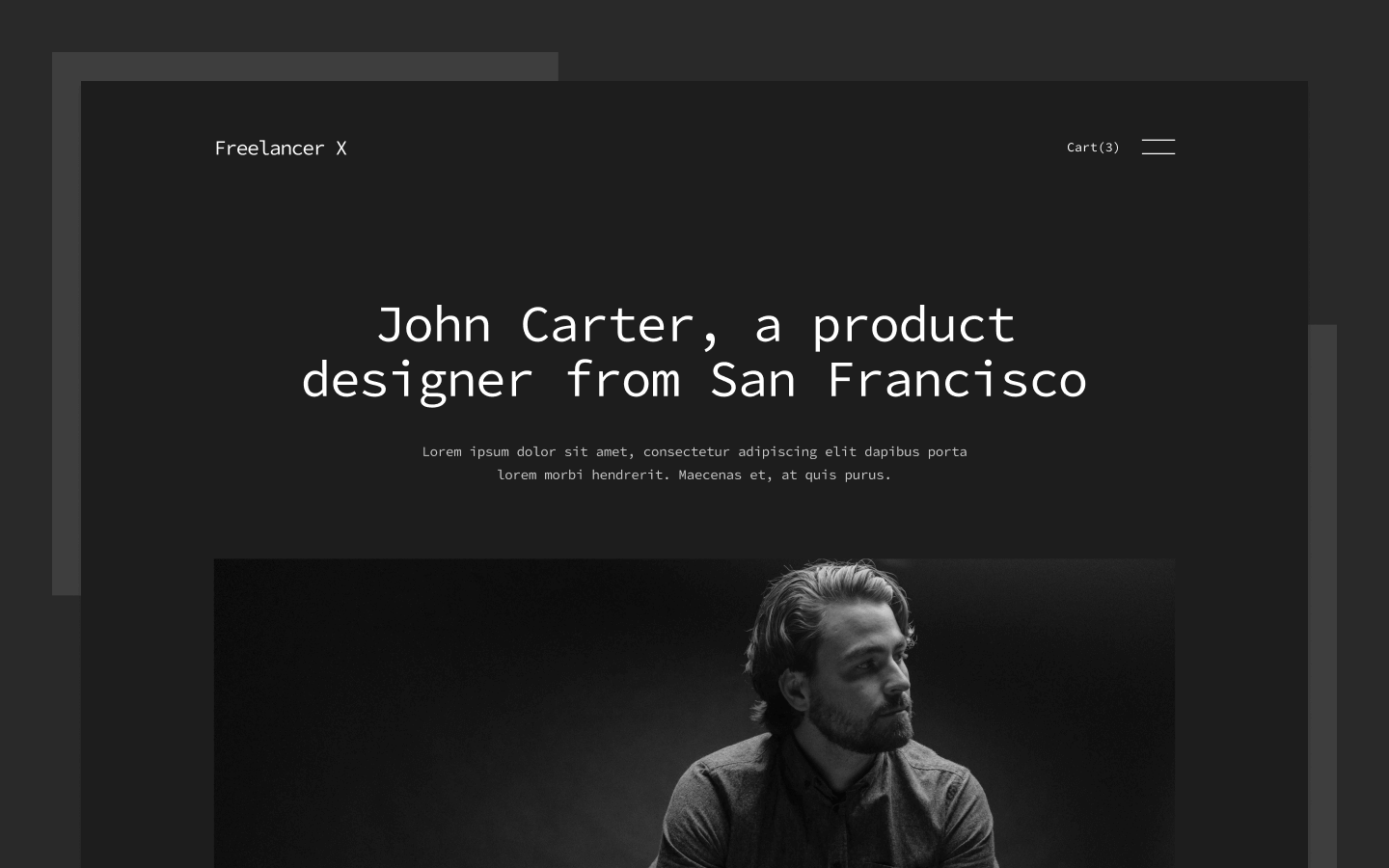
Do you want a sleek and modern personal template to showcase your portfolio and help you land more clients? You don't need to search any further! For you, we have the ideal Freelancer Personal Webflow template. It is the ideal website template for establishing your online presence and standing out from the crowd.
Features
- Custom design for your website's 404 pages
- It includes animations and interactions to add polish and usability.
- With our touch-friendly slider, you can elegantly display images and text on any device.
Buy now
Template 2: Arte X
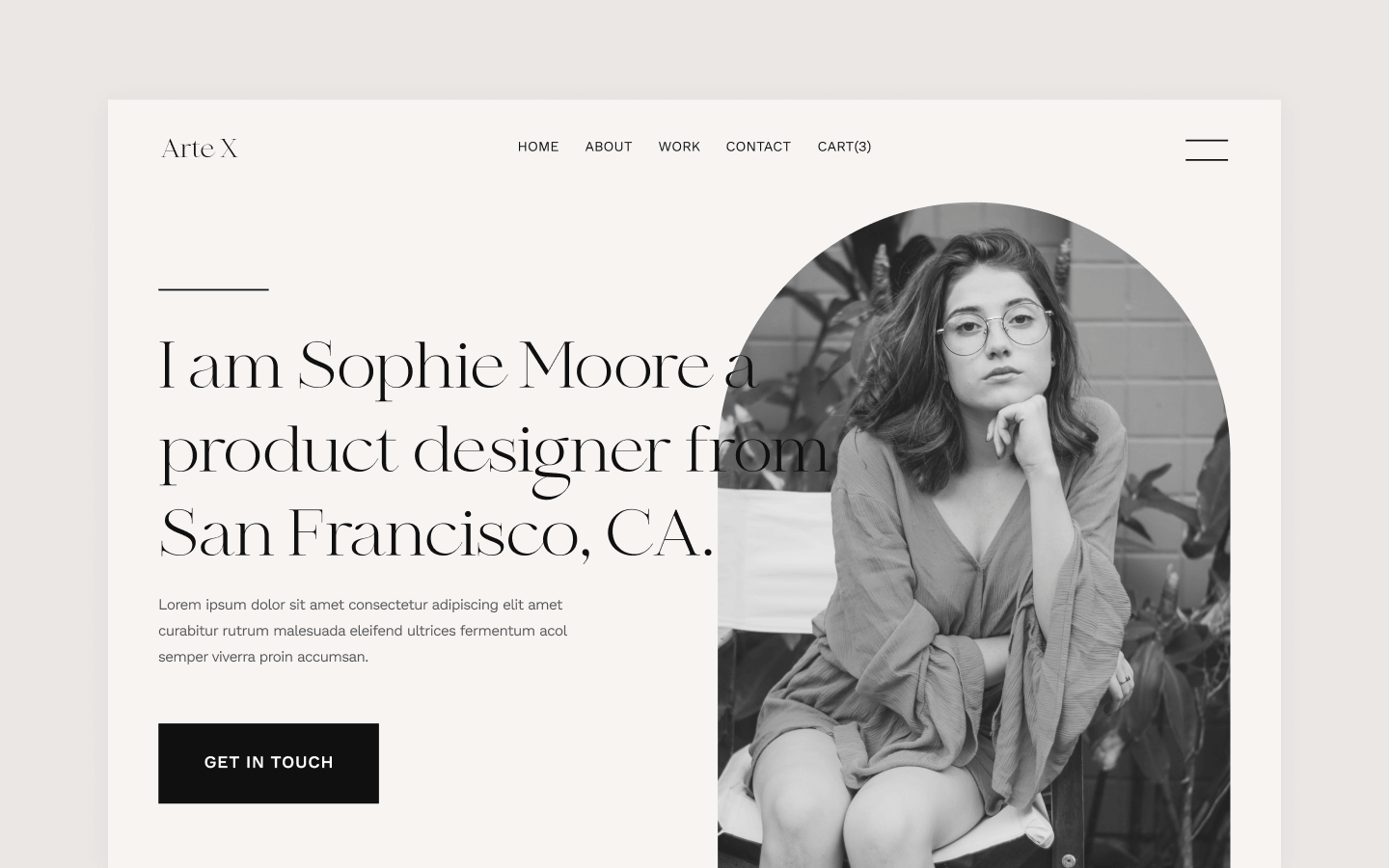
Arte X is a fantastic art portfolio template that ranks eighth on the list of the best personal templates. Arte X is ideal for creative artists looking to make a statement with their online portfolio.
Features
- Elegantly display 3D graphics on any device.
- Customize the built-in database to your project's specifications, or simply add new content
- Beautiful forms can help you build your lead list and subscriber base.
- Interactions
- All graphics are optimized for devices with high-resolution screens.
- Fonts for the for Web
Buy Now
Template 3: Photographer X
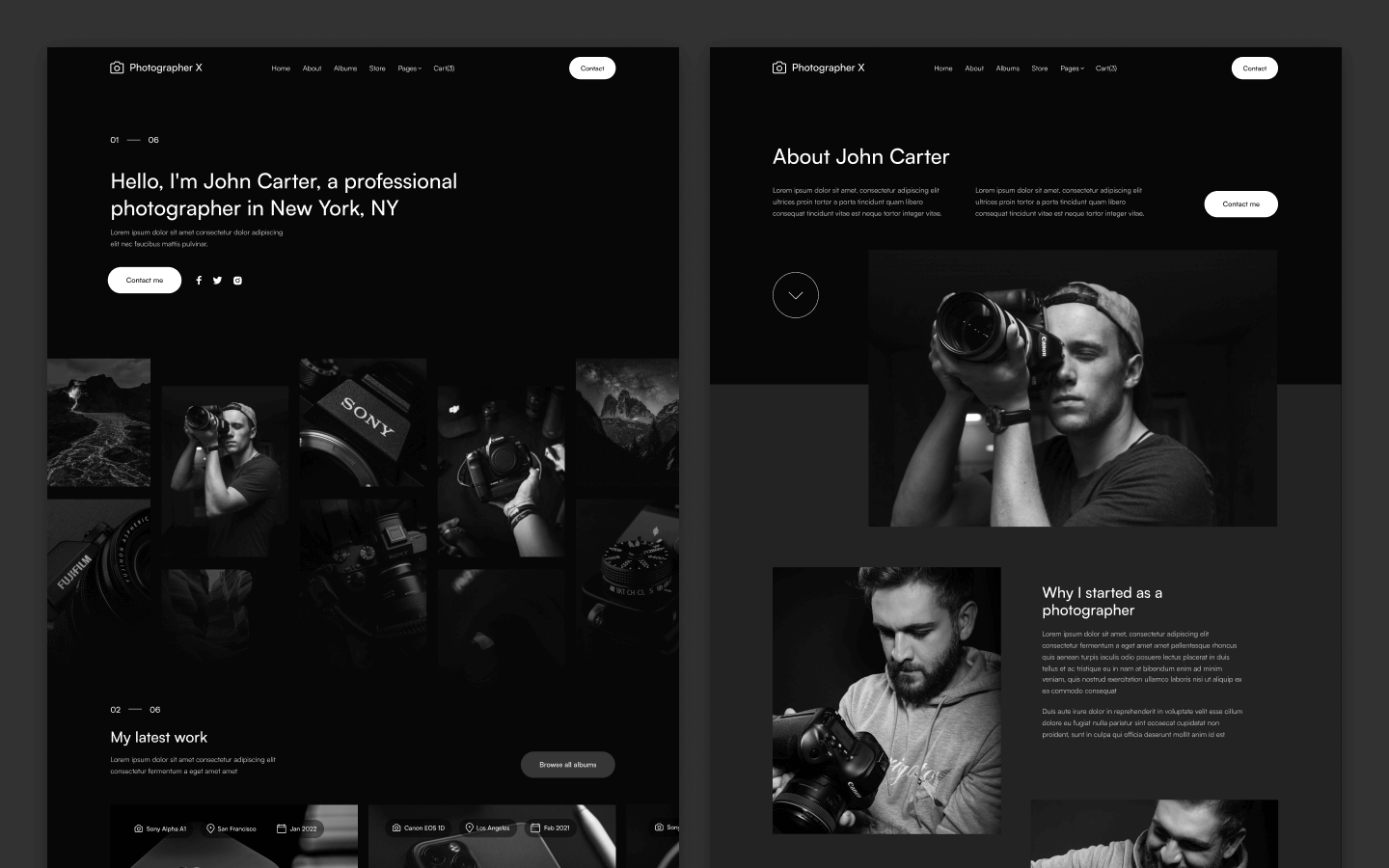
Photographer X is the best photography personal Webflow template available! You can easily create a website that will impress your potential clients and make you the envy of other photographers with its stunning pages and features. This personal template is designed to give you a competitive advantage in the photography market.
Feature
- Display 3D graphics in style on any device
- Customize the built-in database to meet the needs of your project, or simply add new content
- Beautiful forms can aid in the growth of your lead list and subscriber base
- Display high-resolution photos and videos against a black background
- All graphics are high-resolution devices with optimized graphics
Buy Now
Template 4: Developer X
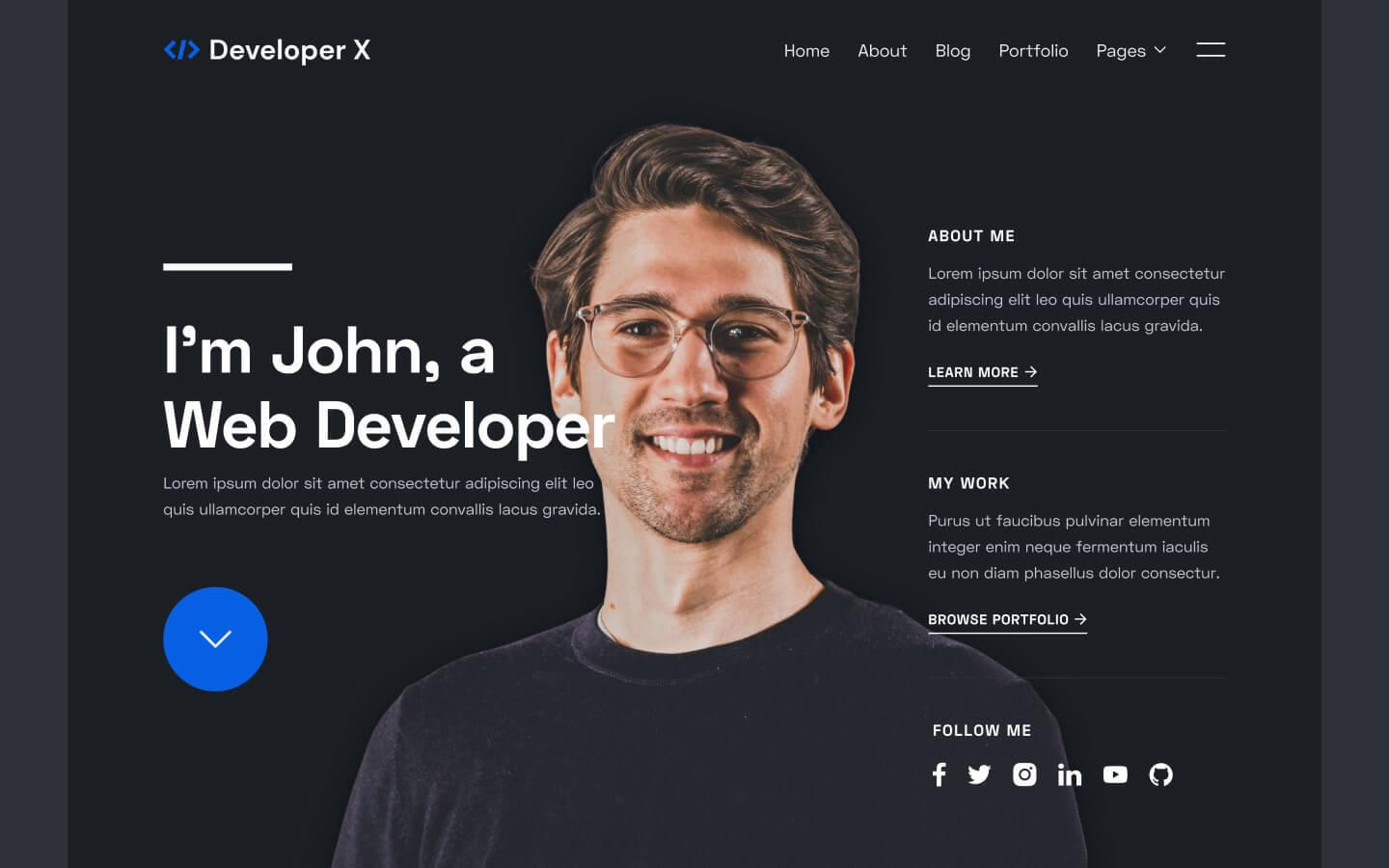
Developer X is the best developer personal Webflow template available. This fantastic personal template includes everything you'll need to build an amazing website to market yourself as an expert web developer.
Features
- Beautiful forms can aid in the growth of your lead lists and subscriber base
- Display high-resolution photos and videos against a black background
- All graphics are high-resolution devices with optimized graphics
Buy now
Template 5: You X
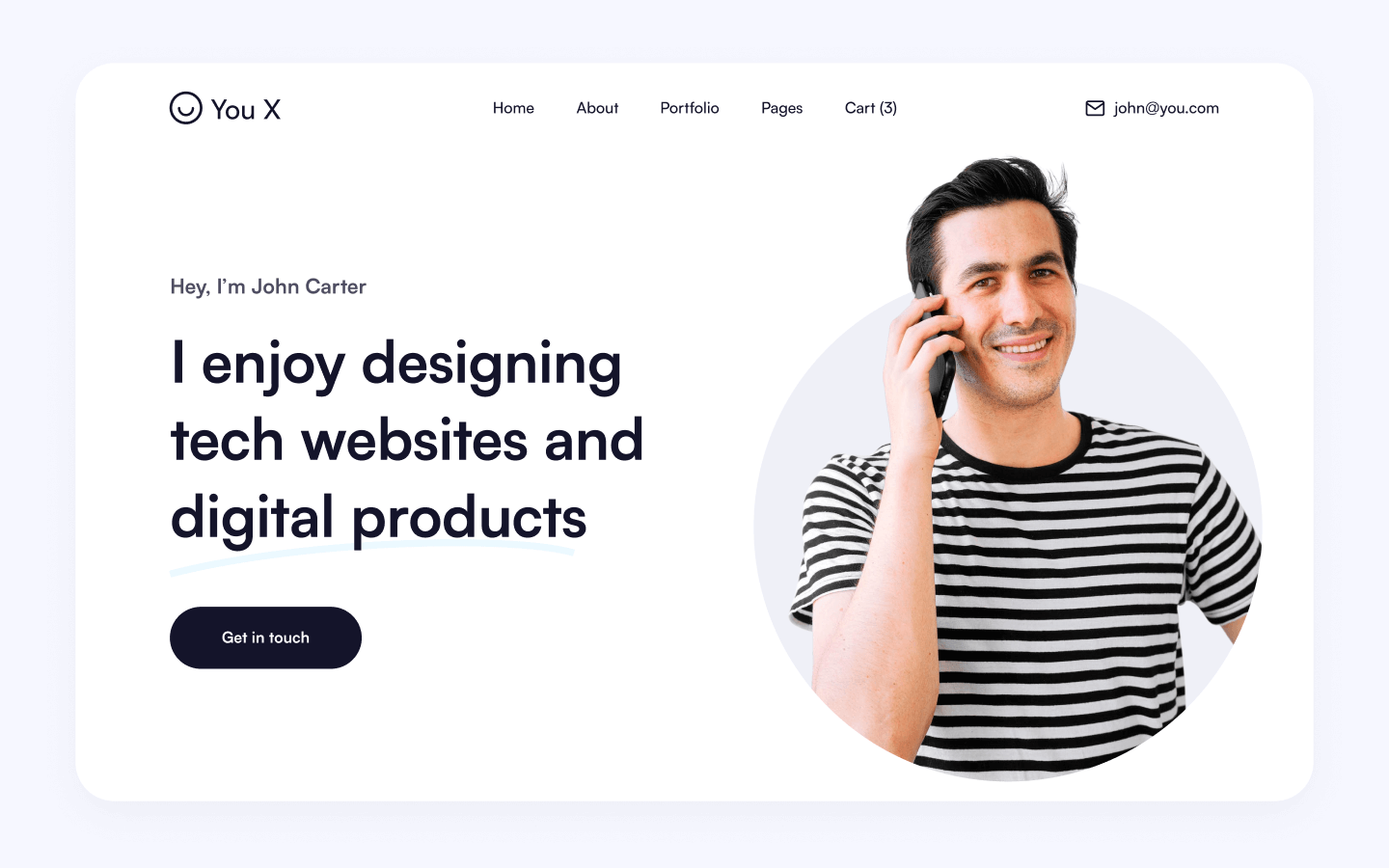
You, X, is also our favorite personal Webflow template. It's the ideal personal template for assisting you in creating an outstanding website for your brand.
Feature
- Beautiful forms can aid in the growth of your lead lists and subscriber base
- Interactions
- On more modest gadgets, the site route naturally implodes into a dynamic menu
- All illustrations have been streamlined for gadgets with high-goal screens
Learn more about implementing Exit Intent Popup JavaScript in Webflow with our simple tutorial.
Best Webflow Landing Page Templates
Landing page templates are single-page or minimal-page layouts built for one purpose: conversions. They come pre-built with hero sections, feature grids, testimonial blocks, pricing tables, and CTA sections all styled and ready to customize. Common use cases include SaaS product launches, agency lead generation pages, event pages, and app download pages.
When choosing a Webflow landing page template, check the PageSpeed score on the live preview (aim for 90+), verify the CTA stays visible on mobile without scrolling, and confirm Webflow interactions don't cause layout shift. These three things affect both user experience and ad quality scores if you're running paid traffic to the page.
Blog & Magazine Templates
Webflow blog templates are CMS-driven layouts pre-configured with an Article Collection, post detail pages, author fields, and category filtering. A good one includes a blog index page (grid or list), a post template page with a rich text area and author bio, and Open Graph meta fields already mapped. Look for templates that include a custom code embed area at the article level it makes adding structured data (Article JSON-LD, FAQPage schema) significantly easier later.
How to use a Webflow Templates?
After buying a template, you add it to your Webflow account, which creates a new project pre-built with the template's pages, styles, and CMS structure. From there you swap in your content, adjust colors and fonts, and publish. Templates are fully editable nothing is locked.
The Final Word
Webflow’s template marketplace has thousands of beautiful-looking templates, including some of the most popular Webflow templates. Who doesn’t want their websites to look visually stunning? Regardless of the website type, Webflow templates make it easy to build a website. Startups, bloggers, eCommerce websites, real estate agencies, and others can get a digital presence within minutes.
Webflow templates pretty much eliminate the need for website designers. Even if you don’t know the first thing about coding, with a little practice, you can get your website ready.
Webflow templates ensure that you build a website that’s full of all the essential features. The drag-and-drop CMS makes it easy to customize all the elements on a webpage.
Additionally, Webflow improves its usability to match your growth and evolution, just as your website must be innovative to keep up with all of the trends. However, in this blog, we discussed the 25 Best Webflow templates 2026 including real estate template, ecommerce template, portfolio templates, and agency template.
Are you looking for help to choose a template or build a Webflow website? Get in touch with a Webflow Development Agency. Not sure who to hire? Compare the best Webflhttps://www.thecssagency.com/ow agencies first.
Also, Read: Guide To Redesign Website Without Affecting SEO
FAQs -Best Webflow Templates
1. Why should I consider using Webflow templates for my website?
Webflow templates provide a foundation for website design, saving time and effort. They offer pre-designed layouts and styles, enabling users to kickstart their projects with ease.
2. How do I choose the right Webflow template for my website?
Consider your website's purpose, industry, and design preferences. Webflow provides a diverse range of templates, from e-commerce to portfolios, making it essential to select one aligned with your goals.
3. What are the best Webflow SaaS templates?
Module, Quicksmart, Ninjax, Springfield, Berlin these are the top 5 webflow SaaS templates.
4. Can I customize Webflow templates to match my brand and design preferences?
Webflow templates are highly customizable. Users can modify layout, typography, colors, and more to align with their brand. The flexibility of Webflow allows for extensive customization without major limitations.
5. Are Webflow templates responsive, and how can I ensure a consistent design across different devices?
Yes, Webflow templates are designed to be responsive. Users can further optimize responsiveness by adjusting settings within the Webflow Designer, ensuring a seamless experience across various devices.
6. Is it possible to integrate third-party tools with Webflow templates, enhancing features?
Webflow supports integrations with various third-party tools and plugins. Users can enhance their websites by integrating tools for analytics, marketing, e-commerce, and more.
7. Can I preview a Webflow template before making a decision?
Webflow allows users to preview templates before making a decision. Additionally, the platform offers a free trial, enabling users to explore features and templates before committing to a subscription.
8. Are paid Webflow templates worth it over free ones?
For most commercial projects, yes. Premium templates ($59–$129) come with deeper Interactions, full CMS structures, multiple page variants, and ongoing updates. Free templates are great for personal projects or quick MVPs but typically lack the depth needed for production sites.
9. Are Webflow Templates Good for SEO?
A Webflow template doesn't hurt SEO by itself Webflow outputs clean, semantic code regardless. What matters is what you do after: writing unique meta titles and descriptions, adding alt text, structuring headings properly, and replacing placeholder content. A good template gives you a fast, responsive foundation; the SEO work is still yours.
Last updated on:
July 24, 2026

Sanket vaghani

Sanket Vaghani has 8+ years of experience building designs and websites. He is passionate about building user centric designs and Webflow. He build amazing Webflow websites and designs for brands.
Related Article
Design
12 Best Web Design Companies in India in 2026
The best web design companies in India is theCSS Agency, TripleDart and Alien Design for B2B SaaS, ThunderClap for B2B/SaaS.
September 24, 2026
Design
Development
How to Plan a Website: A Step-by-Step Guide for Businesses
Most website projects run over budget for one reason: decisions that should have been made in planning get made mid-build, when changes are expensive
September 23, 2026
Design
12 Best B2B Web Design Agencies in 2026
The best B2B web design agencies in 2026 include theCSS Agency for B2B/SaaS sites on Webflow, Bop Design and Sköna for B2B branding-led design.
September 22, 2026
Let's Work Together
Partner with a Webflow Agency for your Webflow website.
Quick Turnaround. No Contracts. Cancel Anytime. Book a 30 minutes consulting call with our expert.