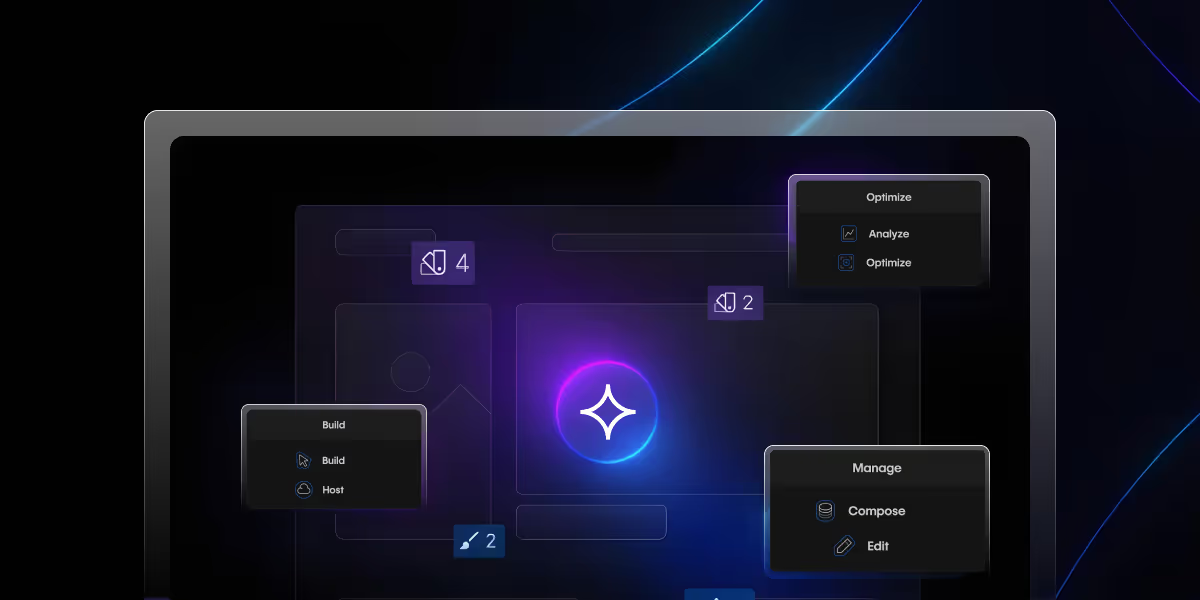
- Webflow AI Assistant helps users generate website content and layouts using AI.
- The Webflow AI website builder can assist with page structure, copywriting, and design ideas.
- AI features in Webflow speed up website creation and editing.
- Webflow AI works best for marketing websites and landing pages.
- Designers and developers can use AI suggestions to improve workflow efficiency.
Table of content
Key takeaways
Webflow AI Assistant is a built-in AI tool inside the Webflow Designer that generates copy, sections, and layouts for existing projects. It is separate from the Webflow AI Site Builder (which creates full websites from text prompts). As of 2026, Webflow's AI features including the AI Assistant, AI Site Builder, AI Code Components, and Prompt-to-Production are available on paid Webflow Workspace plans (Core $19/mo and above). The AI Assistant works best for generating section variants, CMS item drafts, and placeholder copy; it does not replace strategic design decisions, custom JavaScript, or brand-specific voice.
This guide covers what it can and can't do, real use cases, pricing, and how it compares to other AI website tools.
What Is Webflow AI Assistant?
The Webflow AI Assistant is an AI-powered feature that helps users generate website content, design ideas, and page structures directly inside the Webflow editor.
Think of it as having a junior designer and copywriter available 24/7 who never complains about revisions.
But here's what makes it special: unlike ChatGPT or other generic AI tools, this assistant knows your site. It analyzes your existing design systemyour colors, typography, spacing, components and generates sections that match your style.
What can Webflow AI Assistant do?
The Webflow AI Assistant helps users create website sections, generate content, and speed up design workflows directly inside the Webflow Designer. It can generate layouts like pricing sections, testimonials, FAQs, and hero banners while matching your existing design system, including fonts, spacing, and colors. The tool also assists with content writing, CMS item generation, and quick design ideas, helping teams reduce repetitive work and focus more on strategy and creativity.
Webflow AI Assistant vs Webflow AI Site Builder?
While both tools use AI, they serve different purposes inside the Webflow ecosystem. The Webflow AI Assistant works within the Designer to help improve and generate sections, copy, and layouts for an existing project. On the other hand, the Webflow AI Site Builder is focused on generating an entire website structure from prompts, making it useful for quick prototypes or initial website creation. The AI Assistant is better suited for ongoing design workflows, refinements, and faster editing, while the AI Site Builder is more focused on starting projects quickly.
When to use AI Assistant vs custom design work
The Webflow AI Assistant is ideal for speeding up repetitive tasks such as creating layouts, generating placeholder copy, building CMS structures, or quickly testing design ideas. It works best for landing pages, marketing sections, and rapid prototyping. However, custom design work is still essential when brands require unique user experiences, advanced interactions, custom animations, strategic UX decisions, or highly personalized branding. AI can accelerate production, but human creativity and design expertise remain important for building truly distinctive websites.
Webflow AI features in 2026
Webflow has launched multiple AI features since 2024. They're distinct tools serving different parts of the design workflow:
1. Webflow AI Assistant
Works inside the Designer on existing projects. Generates section copy, layout variants, CMS structures, and design ideas based on text prompts. Best for: refining existing pages, generating placeholder content, and speeding up repetitive layout work.
2. Webflow AI Site Builder
Generates complete website structures from a single text prompt pages, sections, and basic content. Best for: initial project setup, rapid prototyping, and quick drafts before handing off to a designer. Available at webflow.com/ai-site-builder.
3. Webflow AI Code Components
Generates custom HTML/CSS/JavaScript components from natural language prompts. Enter a description ("a responsive pricing table with toggle between monthly and annual billing") and get a functional code component. Best for: designers who need custom components without deep coding knowledge. Available in the Designer as an extension of the Embed element workflow.
4. Webflow Prompt-to-Production
Announced in 2025, Prompt-to-Production is Webflow's most ambitious AI release a workflow that takes a text prompt from initial concept to a publishable, production-ready website with minimal manual steps. It combines site structure generation, content population, and design system application in sequence. Best for: agencies building starter sites at scale and businesses that need a functional starting point fast.
Webflow AI pricing: which plans include AI features?
Webflow AI features are included in paid Workspace plans there is no separate AI add-on charge on top of your subscription:
- Starter (free): No AI features
- Core ($19/mo): AI Assistant, AI Site Builder, AI Code Components, Prompt-to-Production all included
- Growth ($49/mo): All AI features included
- Enterprise: All AI features included + enterprise-level usage limits
There are no per-generation or per-request charges on top of the plan cost. AI usage is governed by reasonable-use policies rather than strict credit limits (though this may change as features exit beta). Webflow has not announced a separate AI credit system as of mid-2026.
Note on the free Starter plan: During Webflow's 2024 AI beta, some features were available free to all users. This beta period has ended. As of 2026, all AI features require a paid workspace plan.
How to Use Webflow AI Assistant (Step-by-Step Guide)
The Webflow AI builder is available in beta to all Webflow users free and paid plans. Here's how we use it:
Step 1: Access the Assistant
Look for the AI icon in your Webflow Designer (usually in the top right). Click it, and you'll see the prompt interface.
Step 2: Craft Effective Prompts
Generic prompts = generic results. Specific prompts = magic.
❌ Bad prompt: "Create a pricing section"
✅ Good prompt: "Create a 3-tier pricing section for a B2B SaaS product with annual/monthly toggle, feature comparison list, and prominent CTA buttons"
Step 3: Review and Customize
The AI generates a preview. This is crucial: always review the structure, spacing, and hierarchy. AI is good, but it doesn't know your client's specific preferences.
Step 4: Iterate Quickly
Don't like something? Adjust your prompt and regenerate. We typically get usable results within 2-3 iterations.
What the Webflow AI Assistant Can't Do (Yet)
Let's be real about limitations:
- It's not a designer replacement: The AI can't make strategic design decisions. Your client doesn't know if your client's competitors all use blue, so you should differentiate with green. It's still your job.
- Complex custom code is beyond it: Need a custom JavaScript interaction or API integration? You're still writing that yourself.
- Brand voice requires a human touch: The AI writes generic copy. Translating that into your client's unique voice the witty tone, the industry jargon, the personality requires human editing.
- It doesn't understand business strategy: The AI doesn't know that your client's pricing should be positioned as premium, or that their CTA should be soft because their sales cycle is long. Strategic decisions stay with humans.
- Design system limitations: Currently, the design generation works best with certain templates and may not work perfectly with heavily customized design systems.
- Why we stick with Webflow: The AI is powerful, but it's the ecosystem that matters. Clean code exports, robust CMS, reliable hosting, and now AI capabilities all in one platform.
Integration with your Webflow Workflow
The AI assistant Webflow feature doesn't work in isolation it enhances your existing process:
- With Webflow CMS: Generate bulk CMS items, then refine them. Perfect for portfolios, blogs, product catalogs, and team directories. Use AI to create the static structure, then add your custom animations and scroll effects on top.
- With Client-First methodologies: The AI respects your class naming conventions and structure. It doesn't mess up your organized workflow.
- With third-party integrations: Generate sections that connect to tools like HubSpot, Calendly, or Intercom. The AI creates the structure; you add the integration code.
The Future of AI in Webflow Development
Based on Webflow's roadmap and industry trends, here's what we expect:
- Smarter design understanding: AI that can analyze competitor sites and suggest differentiation strategies.
- Advanced personalization: Generating content variations based on visitor data different hero sections for different audience segments.
- Code generation improvements: Better JavaScript and custom component creation directly from prompts.
- Deeper CMS integration: Automated content recommendations, Webflow SEO optimization suggestions, and dynamic content generation based on user behavior.
- Voice and video integration: Designing sites through voice commands or generating layouts from video walkthroughs.
The Webflow AI site builder is just the beginning. We're watching these developments closely because early adopters gain competitive advantages.
Read More: Webflow Component Libraries
Bottom Line: Is the Webflow AI Assistant Worth It?
After three months of intensive use, here's my honest take:
The Webflow AI Assistant saves us 15-20 hours per week across our team. That's not hyperbole we tracked it. Those hours used to go to repetitive design tasks and first-draft copywriting.
Now they go into creative strategy, custom interactions, and client communication. Our output quality hasn't decreased if anything, it's improved because our designers aren't burned out from repetitive work.
Is it perfect? No. You still need design skills, strategic thinking, and editorial judgment. But as a tool that handles the tedious 30% of web design work? It's transformative.
For agencies: This is a competitive advantage right now, while it's still new. Early adopters will refine their workflows and gain efficiencies that late adopters won't match for months.
For freelancers: You can now compete with larger agencies on delivery speed without sacrificing quality or burning yourself out.
For businesses: You can prototype and iterate on web ideas faster than ever, validating concepts before committing to full development.
The Webflow AI builder isn't about replacing human creativity it's about amplifying it. It handles the repetitive stuff so you can focus on what makes websites exceptional: strategy, storytelling, and user experience.
Ready to transform your Webflow workflow with AI? Start experimenting with the beta today it's free during this phase. Or if you want expert guidance on implementing AI for Webflow in your agency's workflow,
let's schedule a consultation. We'll share our proven prompts, workflows, and strategies that have saved us hundreds of hours.
FAQs
1. Is Webflow AI Assistant free?
No. Webflow AI Assistant requires a paid Webflow Workspace plan. It's not available on the free Starter plan as of 2026.
2. Who can use the Webflow AI Assistant?
Webflow AI features are available on paid Workspace plans Core ($19/mo), Growth ($49/mo), and Enterprise. The free Starter workspace does not include AI features. The AI Assistant is designed for designers, developers, and marketers building or editing Webflow projects. There are no per-seat AI charges above the Workspace plan cost all editors on a paid workspace can use AI features
3. Is the AI Assistant’s design feature customizable?
Absolutely! The sections generated by the AI Assistant are fully customizable. After it creates a section, you can tweak the background, colors, fonts, and other elements to match your brand’s style and aesthetic.
4. Can the AI Assistant replace designers and copywriters?
Not at all! The AI Assistant is a supportive tool, not a replacement. It helps generate initial drafts and ideas, saving time on repetitive tasks. However, human creativity, judgment, and refinement are essential to perfect the output and ensure it aligns with the client’s vision and brand tone.
5. How can I access the Webflow AI Assistant?
Log into your Webflow account on a paid Workspace plan and open any project in the Designer. Look for the AI icon in the Designer toolbar (typically in the top right). Click it to open the prompt interface. If you're on the Starter (free) workspace and don't see the AI icon, you'll need to upgrade to a Core or higher plan. The "during the beta phase, you can try it for free" offer ended AI is now a paid-plan feature.
6. Can Webflow AI Assistant build a complete website?
Not really, it's a co-pilot for specific tasks (copy generation, section suggestions, layout ideas). For complete website generation, use Webflow's separate AI Site Builder feature, which is designed for full-site creation from text prompts.
7. What is Webflow Prompt-to-Production?
Webflow Prompt-to-Production is an AI workflow launched in 2025 that takes a text description of a website and generates a production-ready site including structure, content, and design — with minimal manual steps. It goes further than the AI Site Builder (which creates a basic structure) by applying content population and design system choices in sequence. It's best suited for agencies building starter sites quickly or businesses that need a functional starting point before handing off to a developer for customization.
8. What is Webflow AI Code Components?
Webflow AI Code Components is an AI feature that generates custom HTML, CSS, and JavaScript components from natural language prompts. Describe the component you need (e.g., "a responsive countdown timer with days, hours, minutes, seconds") and the AI generates functional embed code you can paste into a Webflow project via the Embed element. It's designed for designers who need custom functionality without writing code from scratch though the output should always be reviewed for accessibility and performance before publishing.
Last updated on:
June 23, 2026

Sanket vaghani

Sanket Vaghani has 8+ years of experience building designs and websites. He is passionate about building user centric designs and Webflow. He build amazing Webflow websites and designs for brands.
Related Article
Webflow
ADA Compliant Website Checklist (2026): Requirements, Deadlines & How to Audit
A practical ADA website compliance checklist based on WCAG 2.1 AA: who must comply, the 2027–2028 deadlines, 25 checks, how to audit, and why overlays don't protect you.
September 30, 2026
Webflow
Webflow MCP: What It Is & How to Set It Up?
The Webflow MCP server is a bridge that lets an AI agent read and change your Webflow site through natural language.
September 28, 2026
.jpg)
Webflow
Design
How to Write a Website Redesign RFP 2026
Website redesign RFP is a written brief that invites agencies to propose how they’d redesign your site, on what timeline, and at what cost.
September 18, 2026
Let's Work Together
Partner with a Webflow Agency for your Webflow website.
Quick Turnaround. No Contracts. Cancel Anytime. Book a 30 minutes consulting call with our expert.