
The best Webflow community resources in 2026 are the official Webflow Forum (forum.webflow.com), Webflow Slack groups (Webflow Designers, Made in Webflow), Webflow University (free courses), the Webflow subreddit (r/webflow), and YouTube channels by Pixel Geek, Flux Academy, and Timothy Ricks. For paid learning, Flux Academy and Webflow Master Class are the most current.
The Webflow community has grown into one of the most active no-code ecosystems online, with active forums, dedicated Slack groups, expert YouTube channels, and a constantly updated training library.
This guide lists the resources actually worth your time in 2026 organized by type (forum, chat, courses, YouTube, agencies, meetups) with a note on what each is best for. Bookmark this page; we update it quarterly.
Why Community Learning Accelerates Webflow Mastery
The Power of Peer Learning
Community learning provides immediate problem-solving support. When you encounter a complex CMS challenge or interaction issue, community members often share solutions within hours rather than days of searching documentation alone.
Real-world experience sharing accelerates skill development. Community members share actual project challenges, client scenarios, and proven solutions that textbooks and tutorials rarely cover.
Networking opportunities emerge naturally through community participation. Many successful agency partnerships, freelance contracts, and career opportunities originate from community connections rather than traditional job boards.
Access to beta features and updates often comes through community channels first. Active community members frequently get early access to new Webflow features and provide feedback that shapes platform development.
Types of Webflow Learning Communities
Official Webflow resources provide authoritative information, official support, and comprehensive learning materials maintained by the platform creators themselves.
Independent community platforms offer specialized knowledge, advanced techniques, and expert insights that go beyond basic platform documentation.
Social media groups and forums facilitate quick questions, casual discussions, and peer-to-peer support in accessible, familiar environments.
Educational platforms and courses structure learning paths with progressive skill development and hands-on project experience.
Top-rated and Official Webflow Learning Resources
Core Official Platforms
1. Webflow University
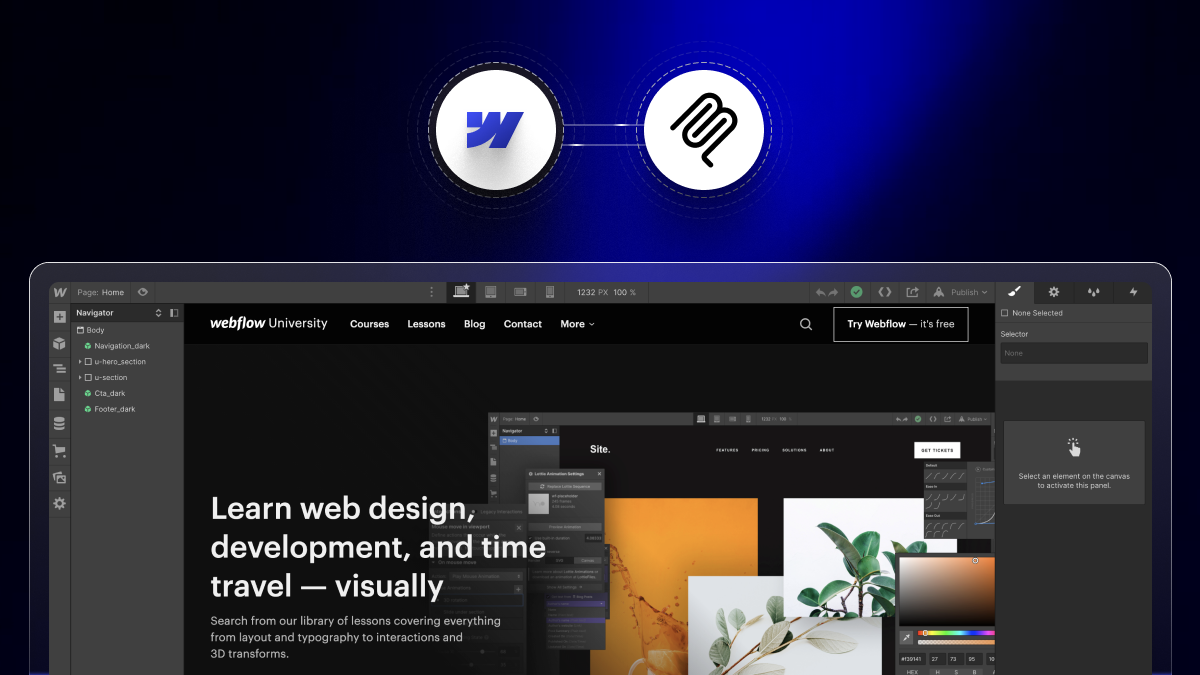
Webflow University remains the definitive starting point for comprehensive Webflow education. The platform offers over 100 hours of structured video content covering everything from basic design principles to advanced CMS implementations.
Recent 2026 updates include enhanced courses on Webflow Apps, advanced component systems, and enterprise-level site architecture. The progressive curriculum takes learners from complete beginners to advanced practitioners through practical, project-based learning.
Key features include:
- Structured learning paths for different skill levels.
- Interactive exercises and quizzes.
- Project-based assignments with real portfolio value.
- Mobile-optimized learning experience.
- Integration with Webflow's certification program.
2. Webflow Forum
The official Webflow Forum serves as the primary community support hub. With over 50,000 active members, it's the most authoritative place for technical questions, feature requests, and troubleshooting assistance.
Community guidelines ensure high-quality discussions and helpful responses. Expert contributors and Webflow team members regularly participate, providing authoritative answers to complex technical questions.
Best used for:
- Technical troubleshooting and bug reports.
- Feature requests and product feedback.
- Best practices discussions.
- Official announcements and updates.
3. Webflow Made in Webflow
Made in Webflow showcases exceptional websites built on the platform. This planned gallery provides endless inspiration while demonstrating advanced techniques and creative possibilities.
Educational value comes from examining live websites, understanding design patterns, and reverse-engineering impressive implementations. Many featured sites include case studies explaining development approaches and creative decisions.
4. Webflow Blog
The official Webflow Blog delivers platform updates, industry insights, and educational content directly from the source. Regular posts cover new features, design trends, and development best practices.
Recent content themes include AI integration, advanced automation workflows, and enterprise-scale implementations. The blog serves as the primary channel for understanding Webflow's product roadmap and strategic direction.
Independent Community Platforms
Specialized Learning Communities
5. Finsweet Community
Finsweet has established itself as the premier resource for advanced Webflow techniques. Their client-first methodology has become the industry standard for scalable, maintainable Webflow projects.
The Finsweet Extension and Attributes library extends Webflow's native capabilities with powerful tools for advanced CMS functionality, form enhancements, and interaction improvements. Their detailed documentation and video tutorials make complex implementations accessible.
Community offerings include:
- Comprehensive client-first training program.
- Advanced CSS and JavaScript integration techniques.
- Enterprise-level project architecture guidance.
- Regular webinars and live training sessions.
6. Flow Ninja
Flow Ninja provides in-depth tutorials and agency-focused insights that bridge the gap between basic Webflow knowledge and professional implementation. Their content emphasizes practical, client-ready solutions.
Advanced topics include complex animation sequences, custom code integration, and performance optimization techniques. The platform's focus on real-world application makes it invaluable for agency teams and serious freelancers.
7. Relume Community
Relume has revolutionized Webflow development with their component library and AI-powered design tools. Their community provides access to cutting-edge design systems and rapid prototyping techniques.
The Relume Library includes over 1,000 pre-built components that dramatically accelerate development timelines. Their recent AI features generate complete page layouts from simple text prompts.
Community benefits:
- Access to continuously updated component library.
- Design system methodology training.
- AI-assisted design workflow optimization.
- Component customization techniques.
8. PixelGeek Community
PixelGeek, led by Nelson Abalos, offers interactive learning through live streams, community challenges, and direct mentorship opportunities. This community excels at making complex concepts accessible through visual demonstrations.
Live streaming sessions provide real-time learning opportunities where community members can ask questions and see solutions implemented immediately. The interactive format accelerates understanding and builds confidence.
Community-Driven Platforms
9. State of Flow
State of Flow curates the best Webflow resources, news, and community content in easily digestible formats. Their weekly roundups keep the community informed about platform developments and community highlights.
Resource curation saves countless hours by filtering high-quality content from the vast amount of Webflow-related material published daily. Their editorial approach ensures only valuable, actionable content reaches their audience.
10. Flowbase Community
Flowbase combines template resources with educational content, creating a learning environment focused on practical implementation. Their approach emphasizes learning through building rather than purely theoretical instruction.
Template analysis and customization tutorials help developers understand design patterns and implementation techniques used in professional projects.
11. Floxies Community
Floxies creates an inclusive space for women in the Webflow community. Beyond gender-focused networking, they provide mentorship programs, career guidance, and supportive peer relationships that enhance professional development.
Mentorship programs pair experienced Webflow professionals with newcomers, providing personalized guidance and career development support that extends beyond technical skills.
Social Media and Forum Communities
Active Social Platforms
12. Webflow Facebook Group
The official Webflow Facebook Group maintains over 40,000 active members who share tips, troubleshoot issues, and showcase work. The platform's familiar interface makes it accessible for quick questions and casual browsing.
Daily activity includes job postings, portfolio reviews, and technical discussions. The group's size ensures rapid responses to most questions, though quality can vary compared to more structured forums.
13. r/webflow Reddit
Reddit's Webflow community provides a more technical focus with threaded discussions that allow for detailed problem-solving conversations. The voting system helps surface the most helpful responses and valuable content.
Subreddit features include weekly showcase threads, beginner question megathreads, and career advice discussions. The platform's structure facilitates both quick Q&A and in-depth technical discussions.
14. Discord Communities
Multiple Webflow Discord servers offer real-time chat, voice channels, and screen sharing for immediate collaboration. These communities excel at providing instant help and fostering close relationships among members.
Popular servers include:
- Official Webflow Community Discord.
- Flow Party - Interactive events and challenges.
- Various agency and freelancer-focused servers.
- Specialty groups focused on specific Webflow aspects.
Professional Networks
LinkedIn Webflow groups cater to professional networking and business development discussions. These groups focus more on career advancement, client acquisition, and industry trends rather than technical implementation.
Twitter's Webflow community provides rapid news sharing, quick tips, and direct access to Webflow team members and industry leaders. The platform's immediacy makes it ideal for staying current with rapid developments.
YouTube channels offer visual learning through tutorials, live streams, and project walkthroughs. Popular creators provide both beginner-friendly content and advanced technique demonstrations.
Educational Platforms and Courses
Premium Learning Platforms
Specialized Webflow courses provide structured, comprehensive learning experiences that go beyond free resources. These platforms often include project-based learning, instructor feedback, and completion certificates.
Notable platforms include:
- Webflow-focused courses on established e-learning platforms.
- Independent creator courses with specialized focus areas.
- Agency-developed training programs for specific methodologies.
- University-level programs incorporating Webflow instruction.
Course topics range from fundamental design principles to advanced development techniques, business applications, and agency operations. Many courses include real client project simulations and portfolio development components.
Specialized Resource Hubs
Tool and Resource Libraries
Webflow component libraries and marketplaces provide pre-built elements that accelerate development while serving as learning resources. Studying well-crafted components teaches implementation techniques and design patterns.
Template resources and inspiration galleries showcase professional implementations while providing starting points for custom projects. Many resources include detailed explanations of design decisions and technical approaches.
Plugin and integration communities focus on extending Webflow's capabilities through third-party tools and custom code. These specialized groups provide deep expertise in specific enhancement areas.
Design inspiration galleries curate exceptional Webflow sites with analysis of effective techniques and creative approaches. Regular exposure to high-quality work elevates design standards and technical awareness.
How to Maximize Community Learning
Best Practices for Engagement
Active participation yields better results than passive consumption. Contributing answers, sharing experiences, and asking thoughtful questions build reputation while deepening understanding through teaching others.
Consistent engagement over time develops relationships and establishes expertise within communities. Regular contributors often receive priority help when they need assistance with challenging problems.
Knowledge sharing through tutorials, case studies, and problem solutions establishes credibility while helping others. Many successful freelancers and agencies build their reputation through generous community contribution.
Professional relationship building happens naturally through consistent, helpful community participation. Many business opportunities emerge from relationships formed through community interactions rather than formal networking events.
Best Webflow Slack groups and communities
Slack is where most active Webflow professionals talk shop. Unlike the forum (which is searchable and good for permanent answers), Slack is real-time and best for quick questions and networking.
- Made in Webflow Slack: the largest unofficial Webflow community, ~15,000 members. Strong channels for #freelance, #showcase, #interactions, #cms.
- Webflow Designers Slack — smaller (~3,000), more focused on agency-level discussion and complex projects.
- No-Code Founders Slack — broader than Webflow but most members use it. Strong on monetization and client work.
Most groups require an invite link — search "Made in Webflow Slack invite" for the current sign-up form (links rotate to prevent spam).
Webflow YouTube channels worth subscribing to in 2026
YouTube is the fastest way to learn Webflow visually. These channels stay current with 2026 features (AI Assistant, Localization, the redesigned CMS):
- Webflow (official) — Webflow University tutorials. Always current, always accurate. Start here.
- Pixel Geek — Nelson Abalos. Excellent for interactions, CMS deep-dives, and real-world client work patterns.
- Flux Academy — Ran Segall. Design-led tutorials; pairs Webflow with Figma workflow.
- Timothy Ricks — Advanced GSAP integrations with Webflow. Best channel for complex motion design.
- Finsweet — Tutorials on their Attributes library plus general Webflow best practices.
- Webflow Wizard — Quick-tip format, useful for daily improvement.
Avoid channels that haven't posted since 2023 Webflow's UI has changed significantly and old tutorials reference deprecated features.
Conclusion
The Webflow community ecosystem offers unprecedented opportunities for continuous learning and professional growth. From official educational resources to specialized expert communities, these platforms provide knowledge, support, and connections that accelerate skill development and career advancement.
Ready to accelerate your Webflow learning journey through strategic community engagement? theCSS Agency specializes in helping developers and agencies maximize their learning potential through community participation and continuous skill development. Our team can guide you toward the most valuable communities for your specific goals while helping you develop an effective engagement strategy.
Schedule your learning strategy consultation today and discover how community-driven learning can transform your Webflow expertise and career opportunities.
FAQs
1. What are Webflow community resources?
Webflow community resources are tutorials, forums, libraries, templates, and shared tools created by Webflow users to help others learn, build, and grow their Webflow skills.
2. Why should I use community resources instead of just Webflow’s official docs?
While Webflow University covers the basics, community resources often share real-world tips, advanced workflows, templates, and problem-solving strategies that go beyond official documentation.
3. How can community resources help me as a beginner?
They provide step-by-step guides, ready-to-use cloneables, and beginner-friendly workflows that make learning Webflow faster and easier.
4. Do community resources help with advanced development?
Yes. Many community experts share advanced techniques, custom code snippets, and integrations that push Webflow’s limits beyond no-code basics.
5. Can community resources improve my workflow as a Webflow freelancer or agency?
A5. Definitely. They save time with prebuilt components, improve project organization, and provide access to a supportive network of professionals for collaboration and troubleshooting.
6. Where can I find Webflow developers and agencies?
The official Webflow Experts directory (webflow.com/experts) lists verified agencies and freelancers by location, project type, and budget. For agency-tier work, look for "Premium Partner" badges. For general references, the Made in Webflow community showcase is a strong source.
7. What's the best Webflow community for German-speaking users?
The "Webflow Community Ressourcen" Slack channel and the German-language threads on the official Webflow Forum are the most active. Webflow University also offers German-subtitled tutorials on most core lessons.

.jpg)